Is FieldEx a good scheduling tool for technicians who look after equipment?
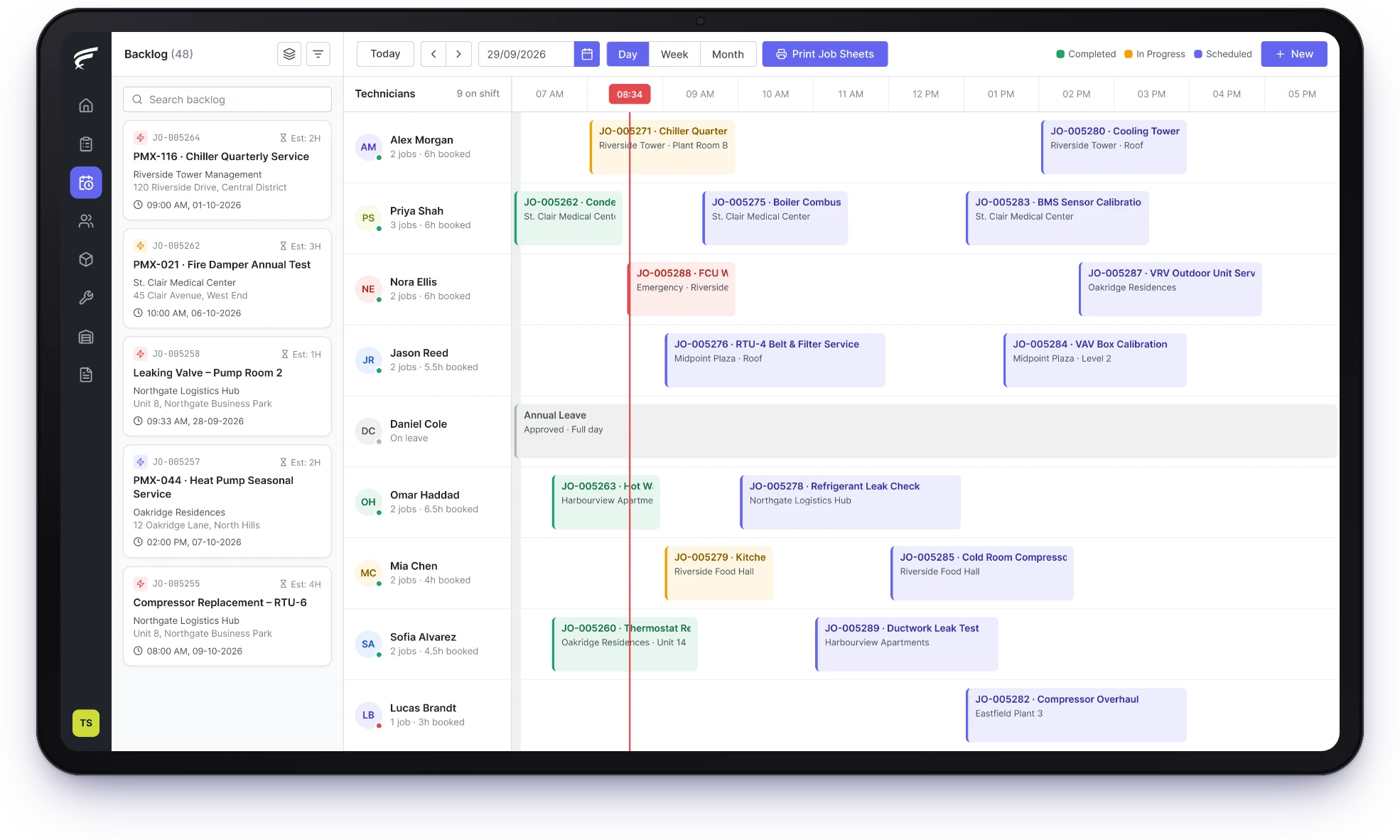
Yes. FieldEx puts waiting jobs and every technician's day on one board and matches jobs to people with the right skills. It skips anyone on approved leave and creates preventive maintenance jobs on schedule. Because it is also a CMMS, each booking is linked to the asset and its history. Planned visits and call-outs are planned together.
FieldEx shows waiting jobs and every technician's calendar on one board. It matches jobs to skills named after your technicians' licenses, and skips staff on approved leave. It also creates PPM jobs from each unit's plan, so your coordinator isn't rebuilding the week by hand.
Can FieldEx assign jobs to technicians automatically?
Yes. FieldEx can assign new jobs automatically to a suitable technician, using their skills and availability and skipping anyone on approved leave. The technician is notified. If no suitable technician is found, a supervisor can be told. You can still assign or move any job by hand on the scheduling board.
Can FieldEx send a job only to technicians who hold the right license?
Yes. Create a skill for any license or qualification, such as an electrical grade or confined-space training, and give each technician the skills they hold. Skills can carry an expiry date, and FieldEx uses them to match the right technician to each job.
Does FieldEx skip technicians who are on leave?
Yes, once their manager approves the leave. Automatic assignment then passes the job to the next suitable person. A supervisor can be alerted if nobody suitable is free.
Can we see every technician's schedule on one screen?
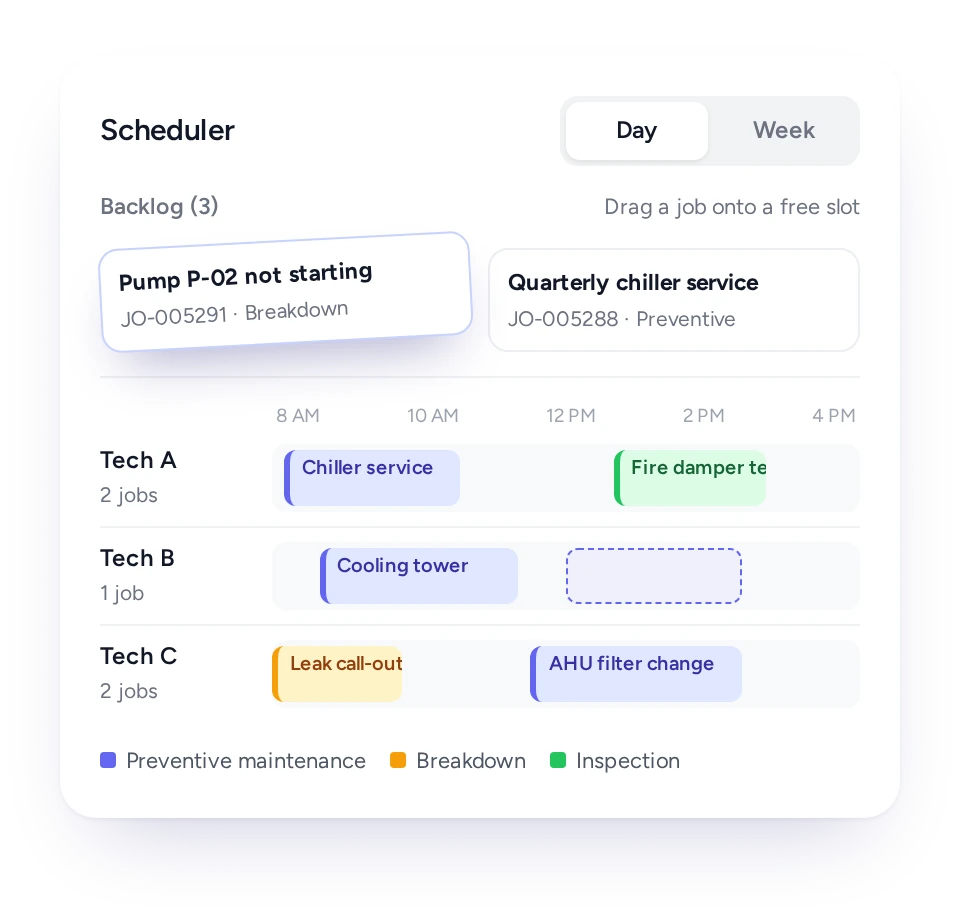
Yes. The scheduling board shows a day or week view with one row per technician, and the waiting jobs beside it. FieldEx colors jobs by job type, and you can filter by service zone, customer, status or asset type.
How do we fit an emergency job into a full day?
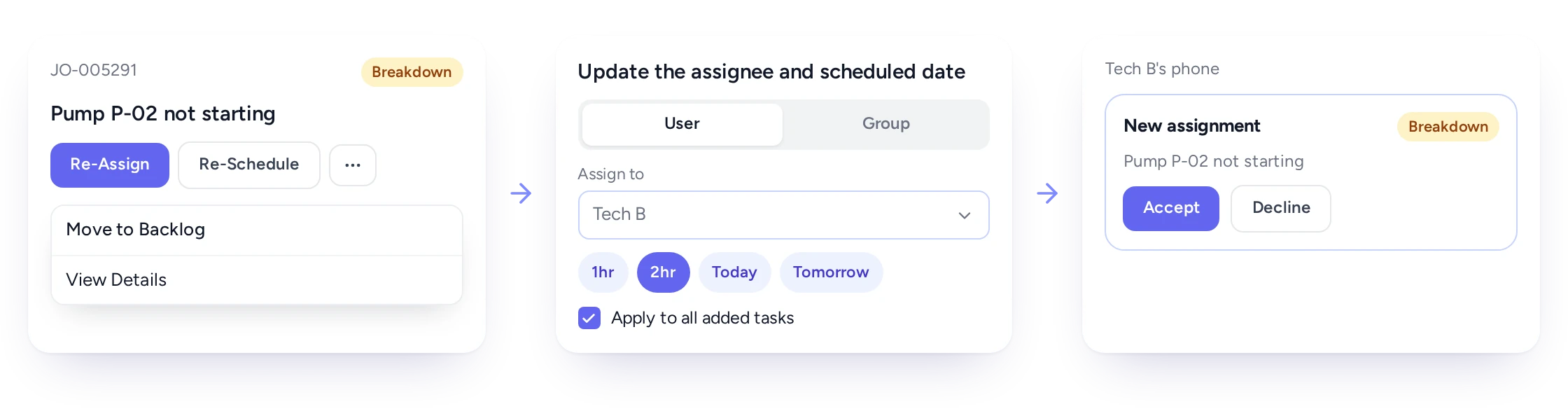
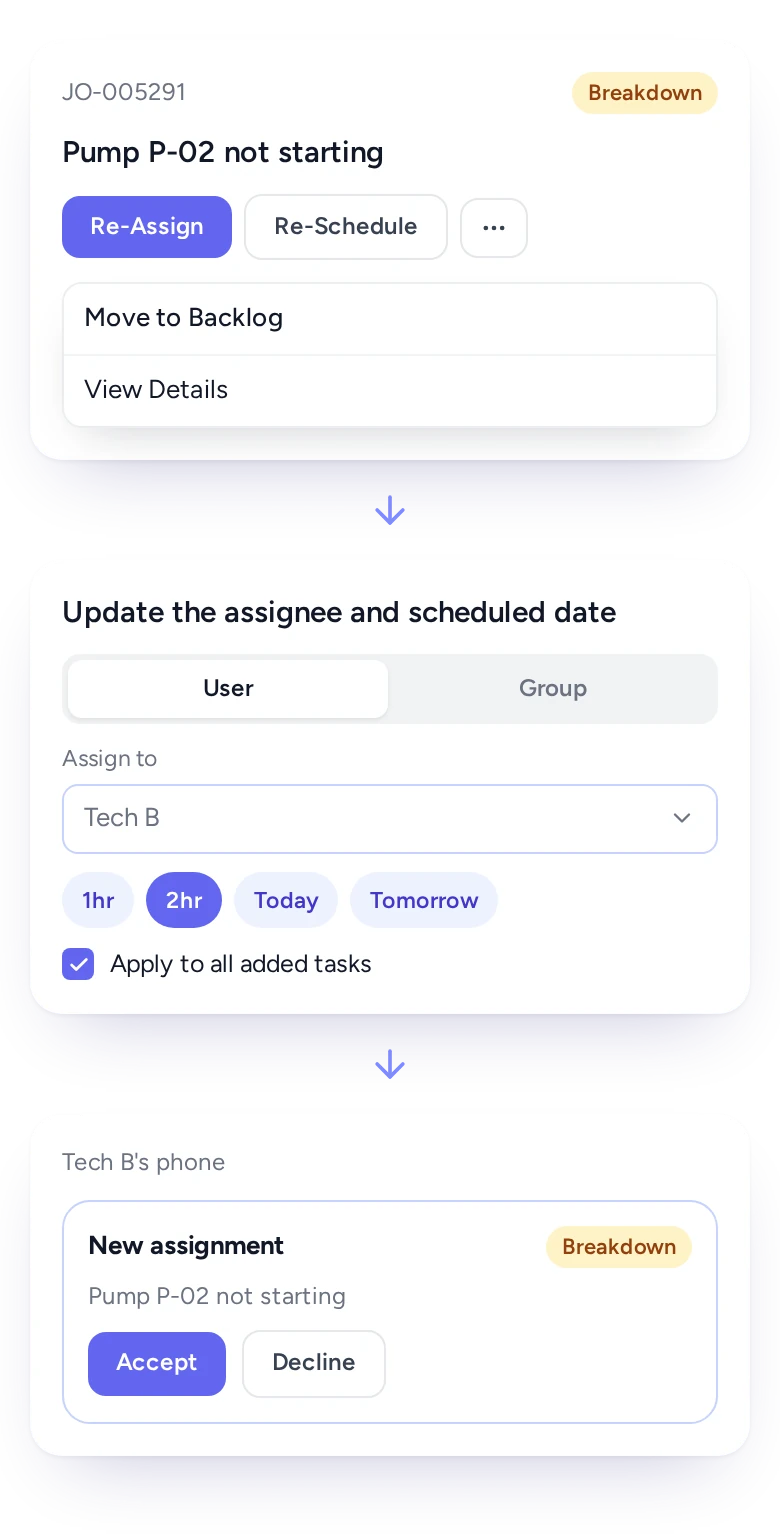
Open the job on the board and assign it to whoever is best placed, then re-schedule or move other jobs back to the waiting list. Changes can apply to every task on a job at once. The technicians affected are notified straight away, and they can accept or decline new work from the phone.
Can preventive maintenance jobs be scheduled automatically?
Yes, as described under Keep planned maintenance on the same schedule as breakdowns. The dispatcher's job then shifts from booking routine visits to protecting them when breakdowns pile up.
Can customers reschedule their own visits?
Yes. The customer portal lets clients see their jobs and upcoming maintenance, raise requests and reschedule visits, and a rescheduled visit updates the plan.
Can technicians see their schedule and accept jobs on their phone?
Yes. The FieldEx app shows assigned work orders and today's tasks in one feed, and any other day's jobs too. Technicians can accept or decline a new assignment, get directions to site, log the journey and check in on each task.
Can we print a daily job sheet for each technician?
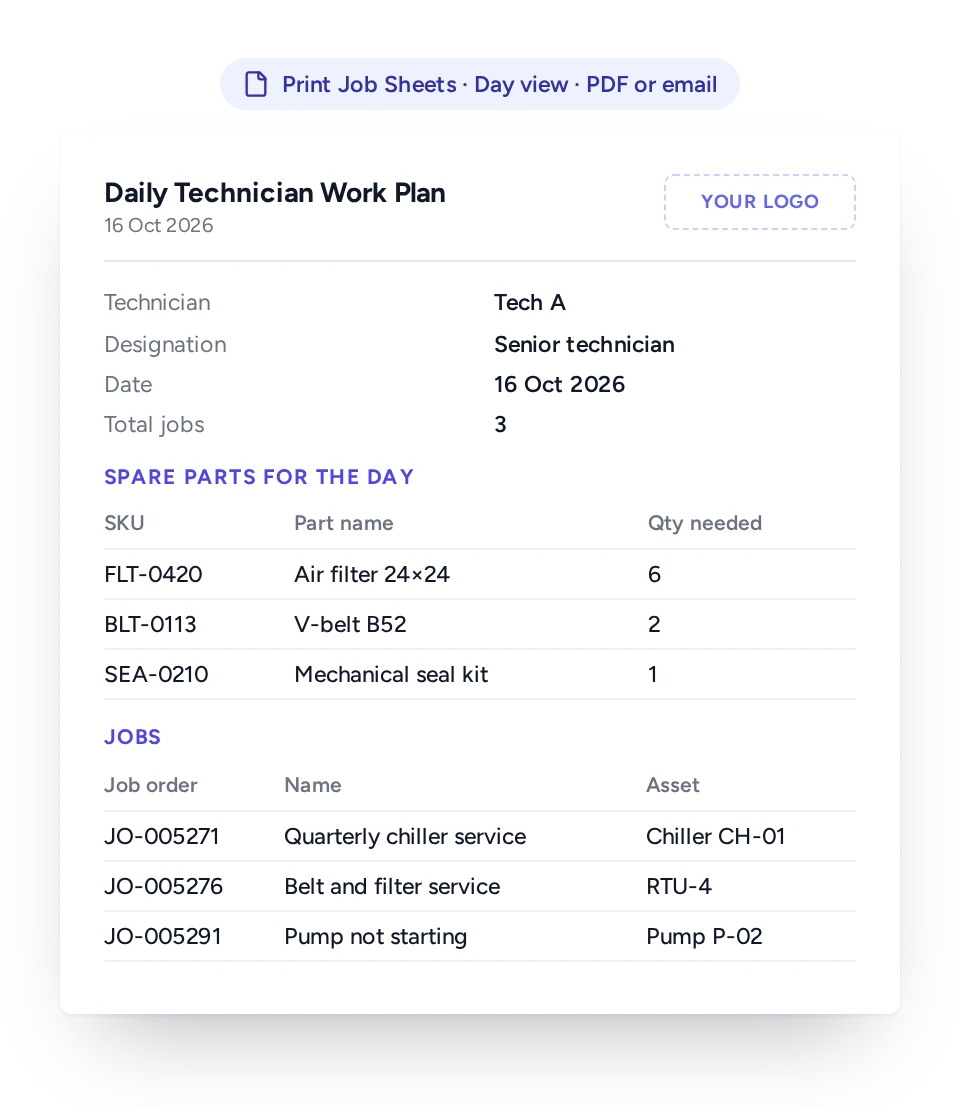
Yes. From the board, FieldEx produces a daily job sheet for each technician that lists the day's jobs and the spare parts needed for them. Sheets for several technicians can be produced as one PDF, then downloaded or emailed.
Can FieldEx track response and fix times against an SLA?
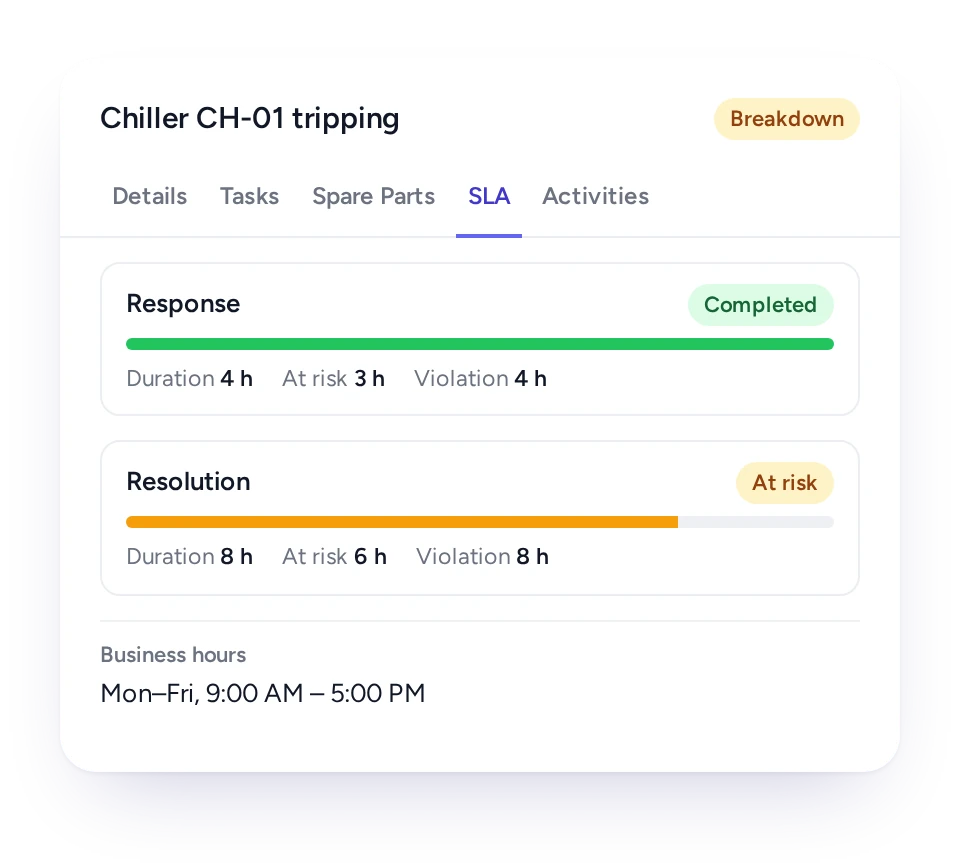
Yes. SLA timers run on each job, against business-hours calendars, so time is only counted when it should be. Each job shows its SLA status, and FieldEx alerts chosen people when a job is at risk or a target is missed. Different customers can have different service levels.
Can one job be split across several technicians?
Yes. A job can hold several tasks, and each task can have its own time and technician. Tasks can be scheduled and moved one at a time, or all together.
Does FieldEx show where technicians are when assigning work?
Yes. When jobs are assigned automatically, a technician's current location can help choose who is nearest, and check-ins show when each person reached site. Technicians can switch location tracking off at any time by setting their app status to unavailable.
Is the mobile app included for every technician?
Yes. Every FieldEx license includes the mobile app, and every license is priced the same, whether it is for a technician or an office user.
Customers, sites, units and past jobs can be uploaded. FieldEx helps with setup, and training is included. See Setup and Training.
Once we know your requirements and your data is ready, FieldEx can be implemented in as little as a week with standard features for small businesses. Larger setups and custom work take longer.
How quickly can we start scheduling in FieldEx?
There's no setup fee. Customers, sites, assets and past jobs can be uploaded. FieldEx helps with setup, and training is included. See Setup and Training.
You can also set FieldEx up yourself with guides, videos and the in-app AI assistant, which answers questions as you go.
Once we know your requirements and your data is ready, FieldEx can be implemented in as little as a week with standard features for small businesses. Larger setups and custom work take longer.