
The asset record
- Serial number, model, manufacturer, location and photo.
- Linked to its customer, site and project.
- Warranty start and end dates, acquisition date and cost.
- Warranty dates, purchase date and cost.
Service history, components, readings, certificates and failure measures for each asset, updated by the jobs your technicians complete.
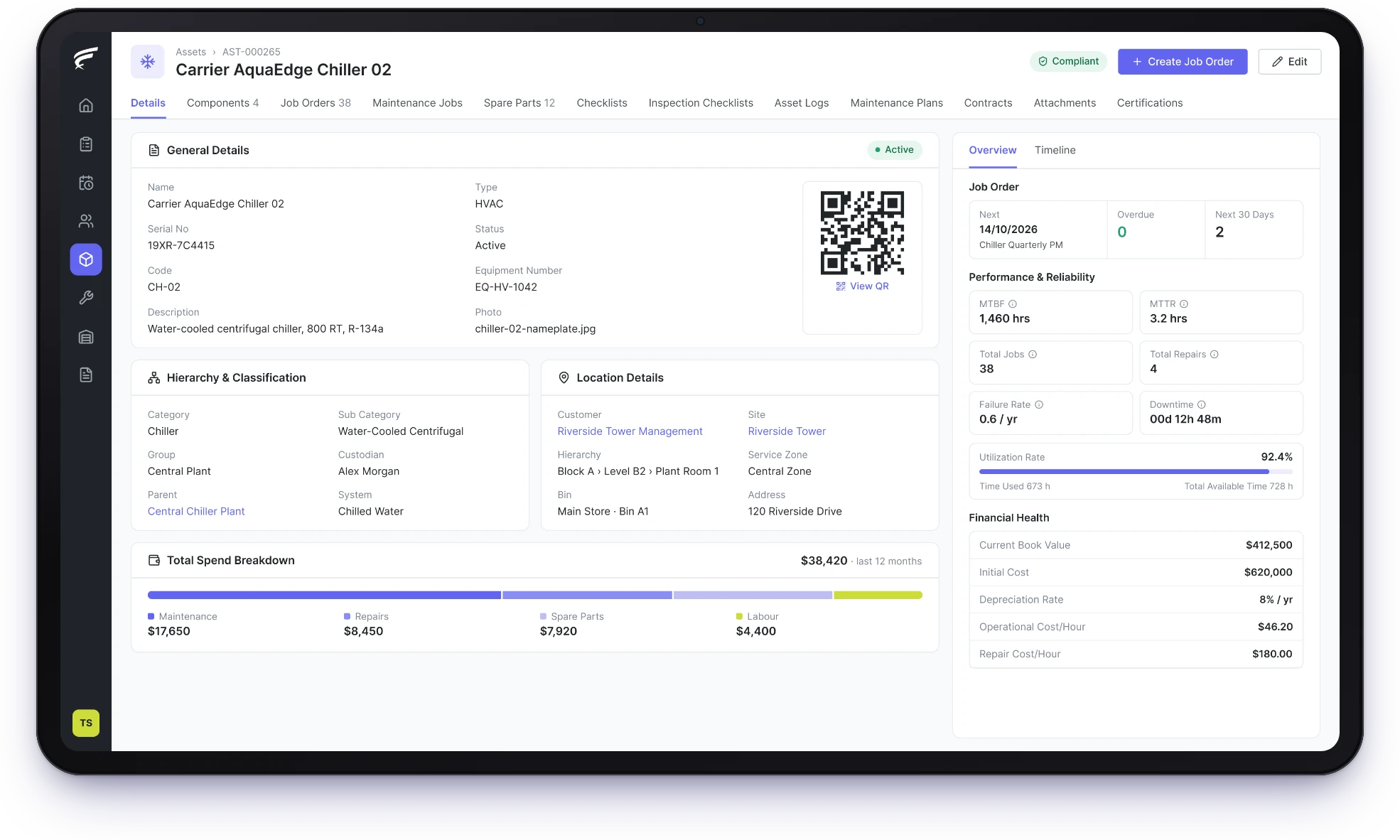
FieldEx is a field service and asset management (FSM+CMMS) application. As asset management software, it gives every machine one record with its full service history. The record holds the machine's components, meter readings, certificates and QR code. It also shows measures such as mean time between failures (MTBF). Each completed job updates the record automatically.
One record per asset, updated by every job.
Components, readings and certificates tracked on the asset.
Failure and repair measures for each machine.
FieldEx gives each machine you maintain one record that every job, reading and certificate adds to, so its history never depends on memory.
The record links to its customer, site, project and contracts.
Everything about one machine sits on one record: what it is, where it is, whose it is and all work done on it.
A maintenance program starts with a full list of the equipment you look after. In FieldEx, that list is your asset register. Each record holds the serial number, model and manufacturer, plus the year, location and photo. It links to the customer, site and project it belongs to. Warranty dates, acquisition date and cost sit on the same record.
Because jobs, plans, contracts and certificates all point to the asset, opening the record shows everything about that machine without searching other files.
Each completed job adds to the asset's history automatically, with the parts used, the photos and the report, so nobody files it by hand.
Each one shows the technician, date, outcome and completion report. Parts used on those jobs appear together on the asset. You can see what has been replaced and how often.
When a technician leaves, the history stays with the asset, not in a notebook or a spreadsheet.
In FieldEx, the maintenance log is the asset's job list, and it stays up to date because each job writes to it. Every work order raised against the asset is listed on its record in order, whether planned or a breakdown.
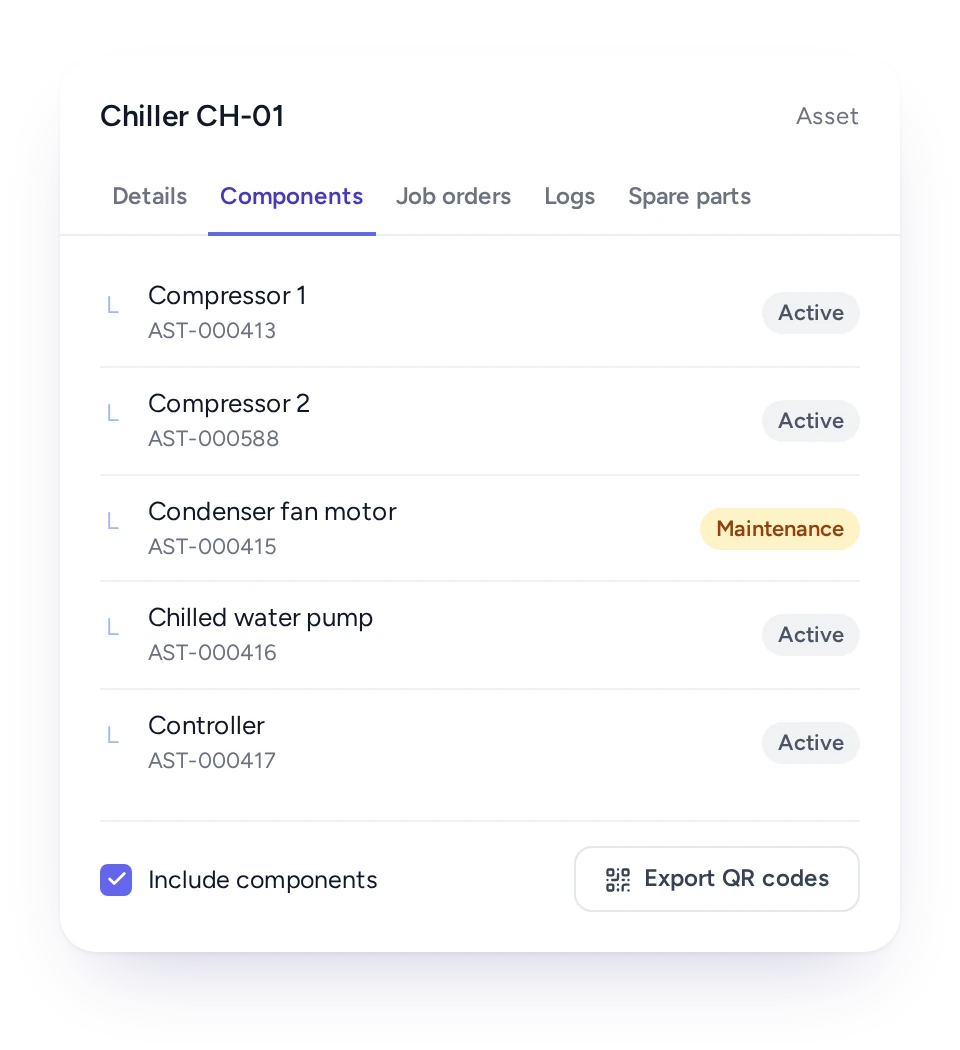
Complex equipment can be recorded as a main asset with components under it, so work and parts are logged at the right level.
A chiller, a production line or an airport baggage system is rarely serviced as one item. Compressors, pumps, motors and controllers wear at different rates and are replaced at different times.
In FieldEx, each component is its own asset record linked to its parent. Jobs, parts and readings can be logged on the component, and the parent shows its components in one list. When a component is replaced, the new one can be linked to the same parent, and the old one keeps its own history.
Labels for a parent and all its components can be printed in one go.
Asset records in FieldEx stay with the asset for its working life, so a record needed years later is still on file.
In FieldEx, every job, certificate and inspection stays on the asset record, and so does every reading and attachment. FieldEx also logs each change to the record with the old value, the new value, who made it and when.
When an auditor or customer asks for the history of one unit, years later, it is all on one record.
Every asset can carry a QR code or barcode, and one scan in the FieldEx app opens its record or starts the next action.
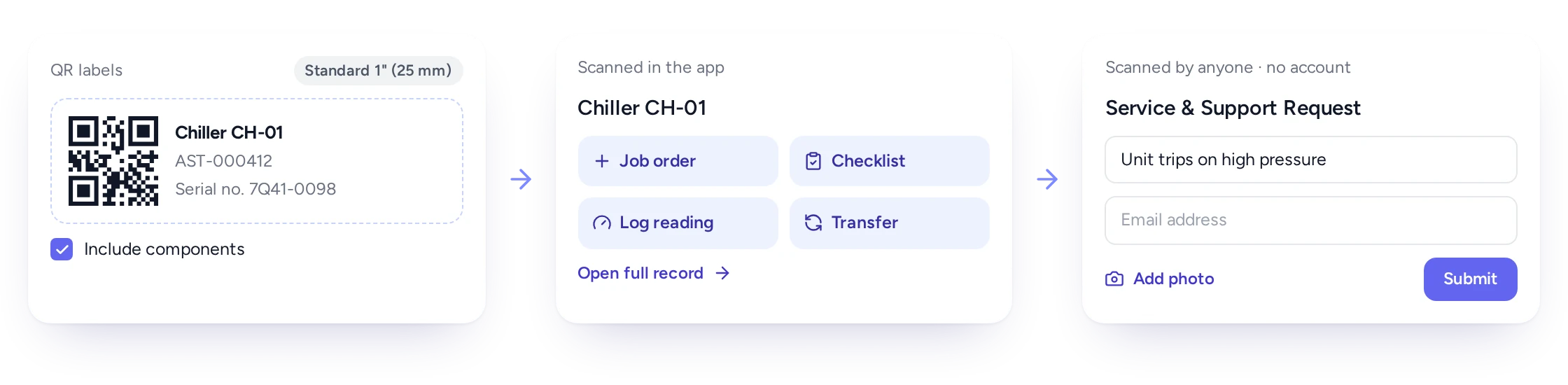
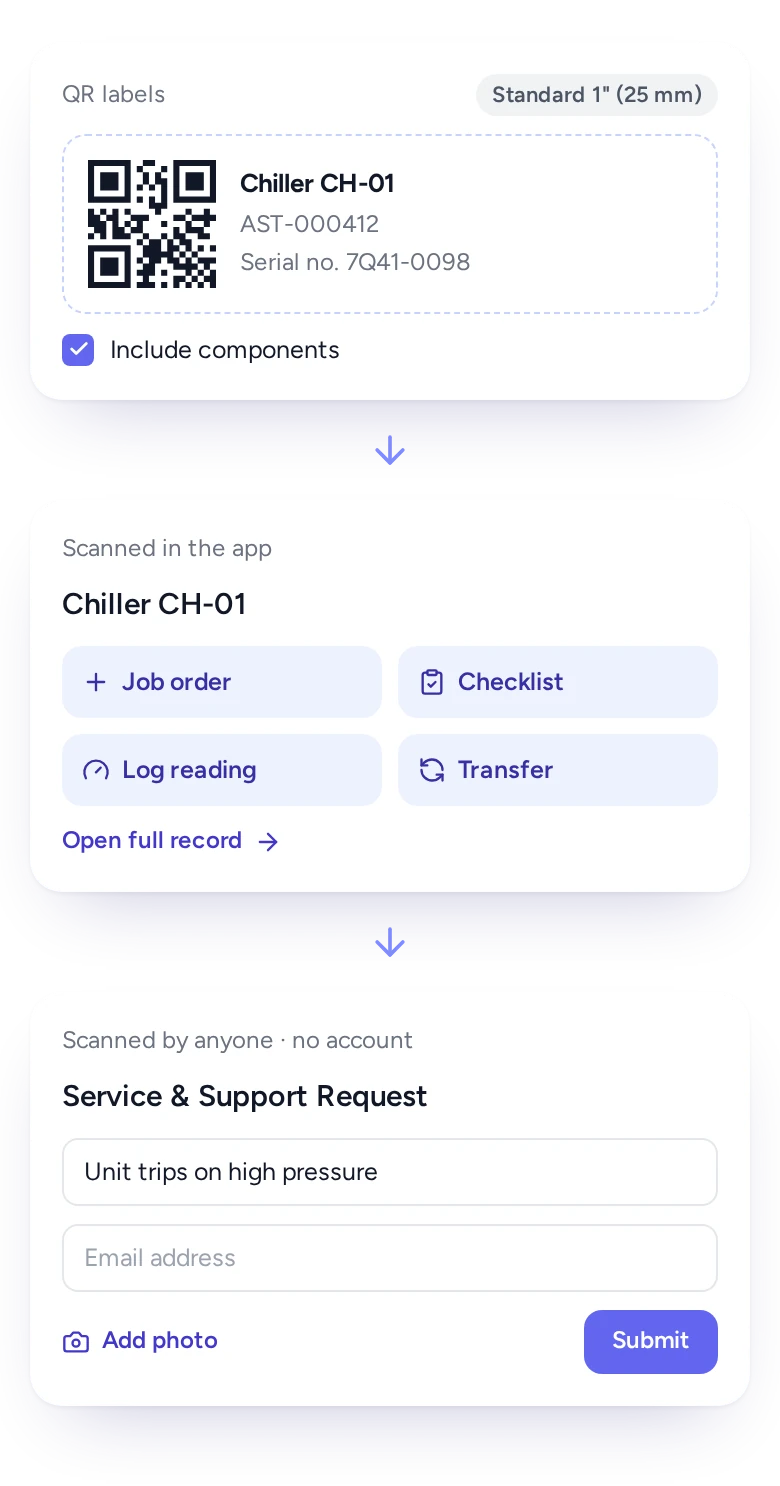
Technicians waste time finding the right machine in a list of similar units. In FieldEx, you can print labels for any set of assets, in a choice of sizes and page layouts. A parent's components can be printed with it.
On site, the technician scans the label from the app's home screen and picks the next step. They can start a job, run a checklist, move the asset, or open its full record. Scanning a label also fills in the asset when a technician creates a job.
The same scan is the quickest way to log a meter reading on the right machine. Anyone else can scan an asset's QR code and report a fault from their phone, with no account needed. FieldEx turns the report into a job automatically.
Group assets into types, give each type its own statuses, and rename extra fields to match the identifiers your industry uses.
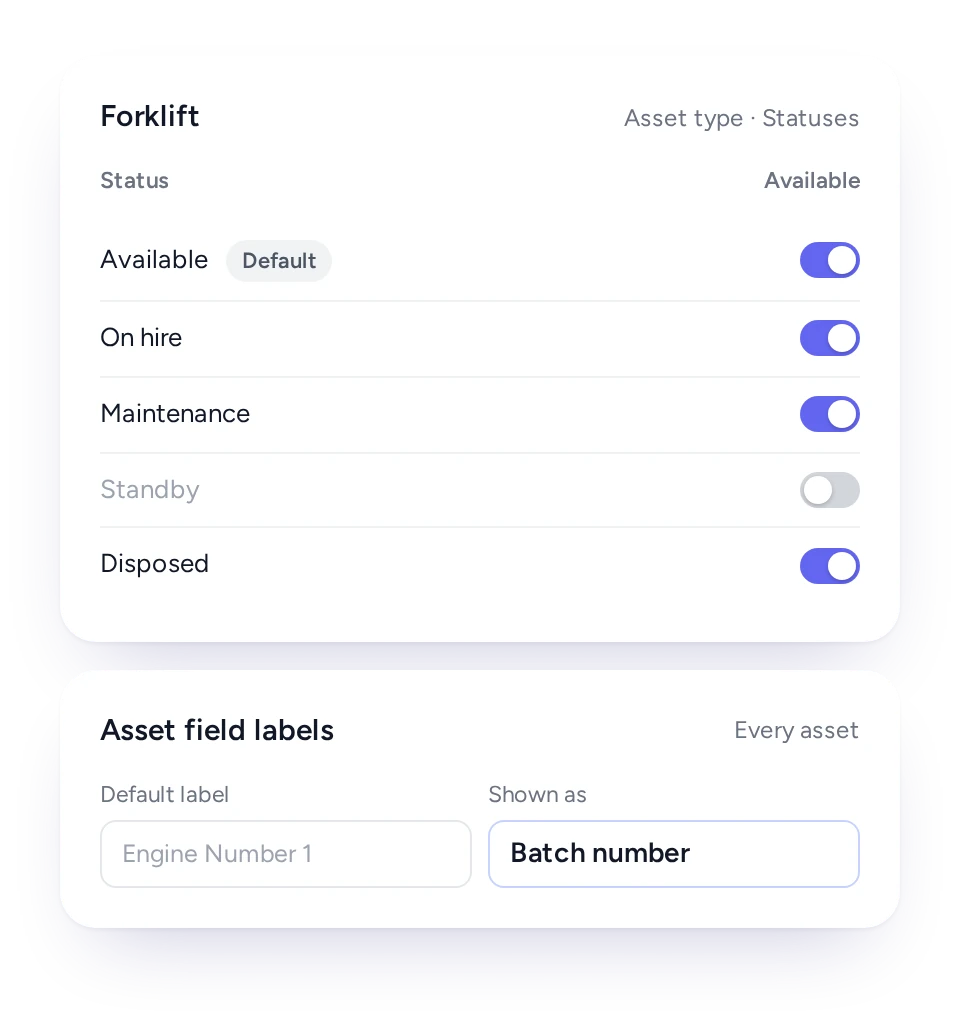
A generator, a forklift and a medical device don't share the same life cycle. In FieldEx, each asset type has its own list of statuses. A forklift can be "on hire" while a pump is "standby". The status changes in one step from the record.
You can rename extra identifier fields on every asset to your own terms, such as UDI, batch number or device class. The names show on web and mobile.
Types and statuses also drive maintenance: a plan can add new assets of a chosen type automatically and drop them when their status changes.
Each asset shows its mean time between failures, mean time to repair and downtime, calculated from its own job history.
Planning maintenance by how critical each machine is needs numbers per asset, not only totals. FieldEx calculates these for every machine as standard:
With cost and lifespan details entered, it adds book value, depreciation, repair cost per hour and remaining useful life.
The same figures are available in reports, so you can compare assets and find the ones costing the most time and money.
Moving an asset between stores, sites or people is recorded as a transfer, so its current location is always on the record.
Spare units, loan equipment and returned machines move often. On paper, nobody is sure which store a removed unit went back to.
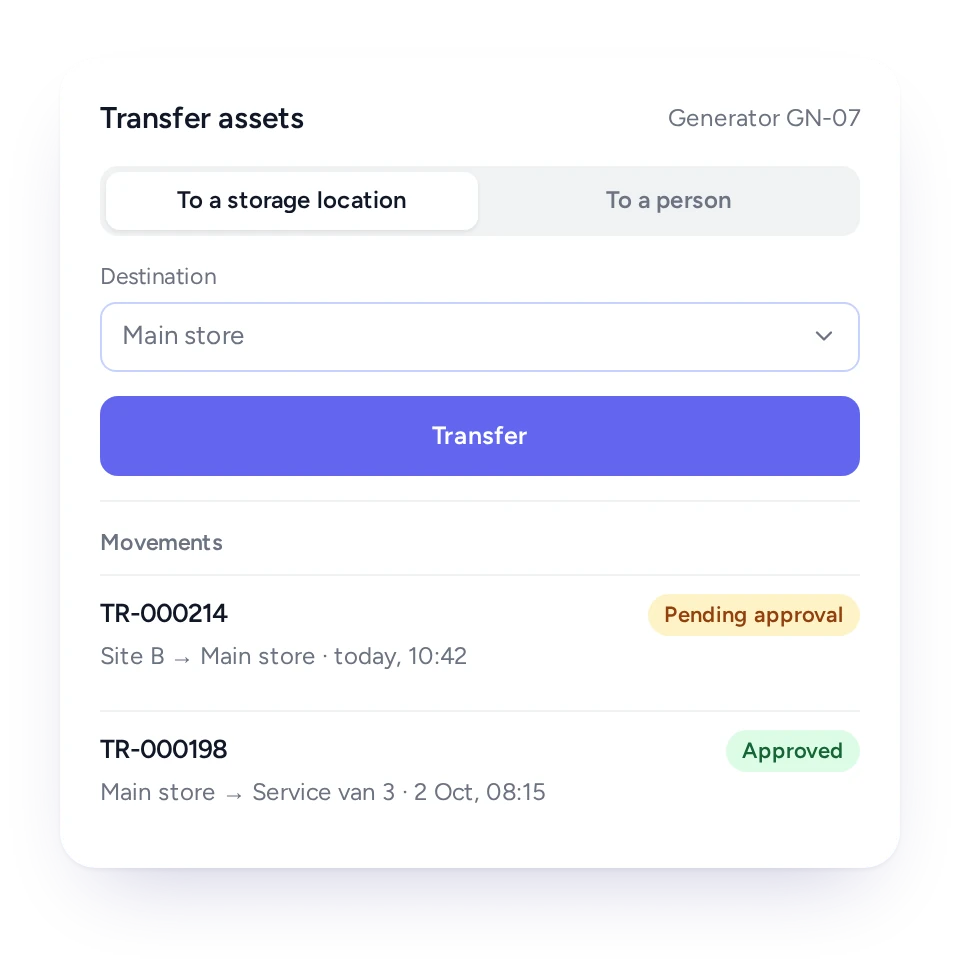
In FieldEx, an asset can be transferred to a storage location or to a person, and transfers go through approval. A search finds assets by type, status, location, zone or store.
Each asset can also carry an address and a map pin, and its record shows the customer and site it is at.
Technicians see a machine's history before they start, planners schedule from accurate records, and managers see which assets cost the most.
Technician
The asset's history, components and last readings on the phone.
Maintenance planner
An accurate register to build maintenance plans on.
Storekeeper
Where each asset or spare unit is, and who has it.
Compliance lead
Certificates and inspections tracked on each asset.
Maintenance manager
MTBF, MTTR and downtime for every machine.
Finance
Book value and depreciation from the asset's cost details.
FieldEx is field service management and a CMMS in one system, so the jobs your technicians complete are what keep each asset record current.
In many businesses, the asset register sits in one tool and the field jobs in another, and the two drift apart. In FieldEx they are the same records. A job is raised against the asset and completed on the phone. It lands in the asset's history straight away.
Maintenance plans read from the same register, and customers see their own assets' upcoming maintenance in the customer portal.
See how assets connect to Preventive Maintenance, Compliance and Documentation and Work Order Management. They also feed Spare Parts and Inventory, Reports and Insights and the Mobile App. You can also read what to look for in CMMS Software.
EC Solutions (aviation, Uruguay) struggled to keep accurate records of replaced parts and of how equipment components connected across client sites. With FieldEx, the equipment records update automatically once a technician submits the replacement form. Site and customer details carry over to the newly installed part, and any linked parent-child asset relationships update too.
Lamarsa Coffee Machine Company, a Malaysian specialty coffee equipment retailer and authorized service center, lacked structure in service scheduling and machine history tracking.
With complete service records stored in one place, reviewing a machine's repair and maintenance history is now faster and more reliable. Automated reminders replace internal calendars for servicing. Lamarsa reports a 30% increase in workload efficiency.
Look for one record per machine that the work itself keeps up to date. FieldEx gives each machine one record with its service history, components, meter readings and certificates, plus a QR code. It calculates MTBF, MTTR and downtime per asset. Because it is also field service software, the jobs technicians complete keep each record current.
Yes. Every job raised against an asset is listed on its record with the date, technician, outcome and report. The parts used on those jobs appear on the asset too.
Yes. Components are recorded as assets under their parent, each with its own history, and the parent lists its components.
Yes. Print QR or barcode labels for any set of assets in a choice of sizes and page layouts. You can include an asset's components if you choose. Technicians scan them in the FieldEx app.
Yes. MTBF, MTTR, failure rate, downtime and utilization are calculated per asset from its job history and are available in reports.
Yes. Technicians log meter readings on the asset, and each entry shows the date and the previous value, building a history that maintenance plans can use.
Yes. Certificates are tracked against each asset, with reminders before the due date, by email, in the app or both.
Yes. Extra identifier fields on every asset can be renamed to your own terms, and the names show on web and mobile.
Yes. With the asset's cost, depreciation rate and expected lifespan entered, FieldEx shows its book value, depreciation and remaining useful life.
Yes. Assets move between storage locations and people by transfer, with approval. A search finds assets by type, status or location, or by zone or store.
Yes, in two places. FieldEx's AI can build an inspection checklist for an asset type from a description. It can also work from a PDF or PNG of your existing checklist or procedure. The in-app AI assistant answers questions about using FieldEx as you work. The asset record itself is built from real jobs, readings and certificates, not estimates.
Yes. The record's change history shows the field, the old and new value, who changed it and when.
Yes. The customer portal shows clients the upcoming maintenance on their assets, alongside their jobs and requests. They don't need to call to ask when the next visit is.
Yes. Customers, sites, assets and past jobs can be uploaded, so your current register and its history come with you.
Customers, sites, assets and past jobs can be uploaded. FieldEx helps with setup, and training is included. See Setup and Training.
Once we know your requirements and your data is ready, FieldEx can be implemented in as little as a week with standard features for small businesses. Larger setups and custom work take longer.
There's no setup fee. Customers, sites, assets and past jobs can be uploaded. FieldEx helps with setup, and training is included. See Setup and Training.
You can also set FieldEx up yourself with guides, videos and the in-app AI assistant, which answers questions as you go.
Once we know your requirements and your data is ready, FieldEx can be implemented in as little as a week with standard features for small businesses. Larger setups and custom work take longer.
