
FieldEx includes setup, data import, and training in your subscription. No setup fee, and no limit on training.
Book a demo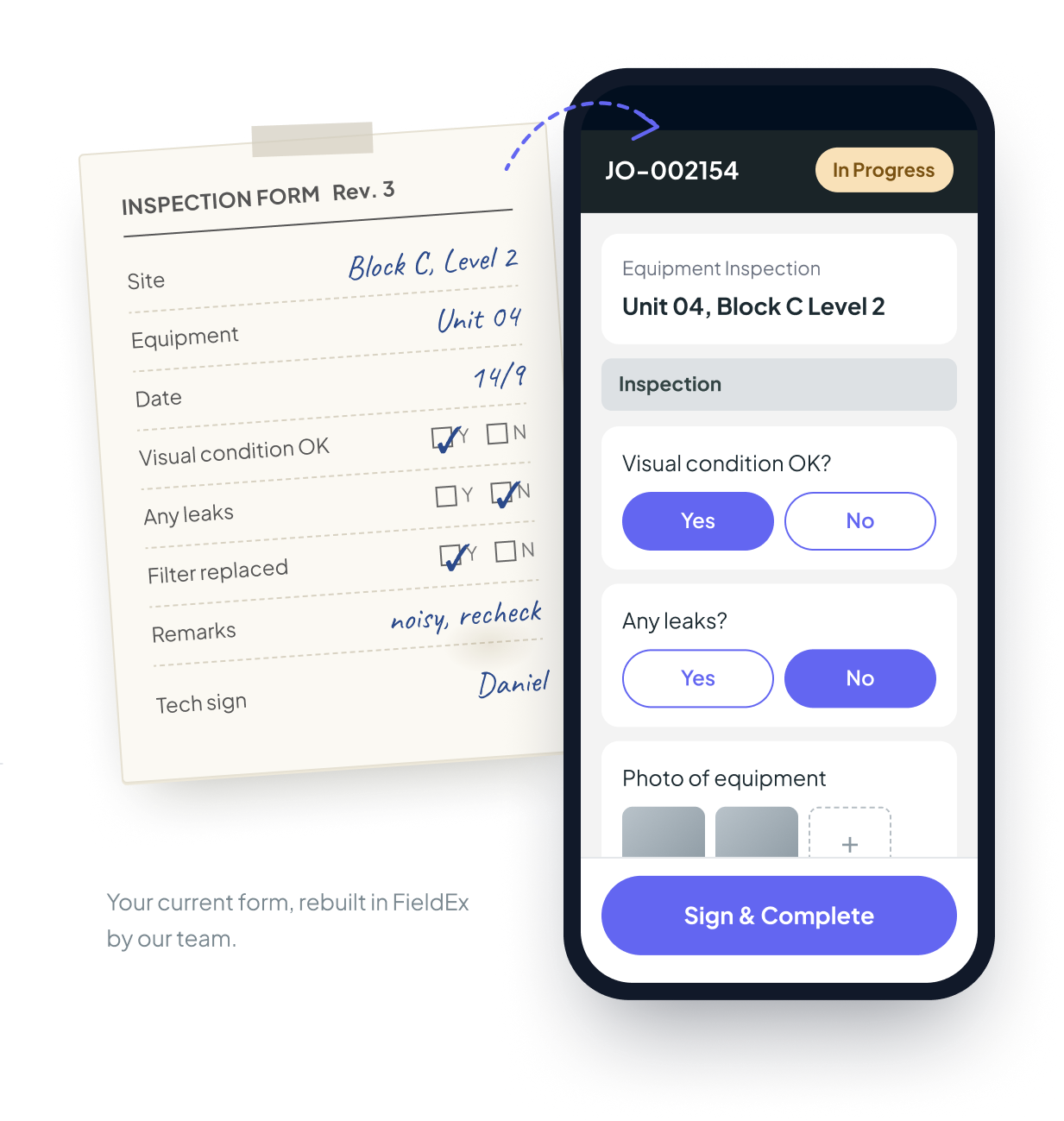
Your admin can set up FieldEx without us. Import your data from Excel or CSV, and build your own forms and checklists.
Send us what you use today: paper forms, Excel sheets, report templates, equipment lists. We build it in FieldEx and hand it over ready to use.
Both options are included in your subscription. Choose based on how much time your team has.
Job types, job statuses, teams and user accounts.
Paper or digital, rebuilt in FieldEx with text fields, answer options and photos.
PDF job reports with your logo, created when a job is done and ready to send to your customers.
Who gets told, and at which point in the job.
Equipment, customers, contacts and spare parts, imported from your spreadsheets.
We have set up workspaces with more than ten job types, each with its own form and report.
We agree the setup scope with you before we start, so you know what's covered. Custom workflows and integrations with other systems are quoted separately.
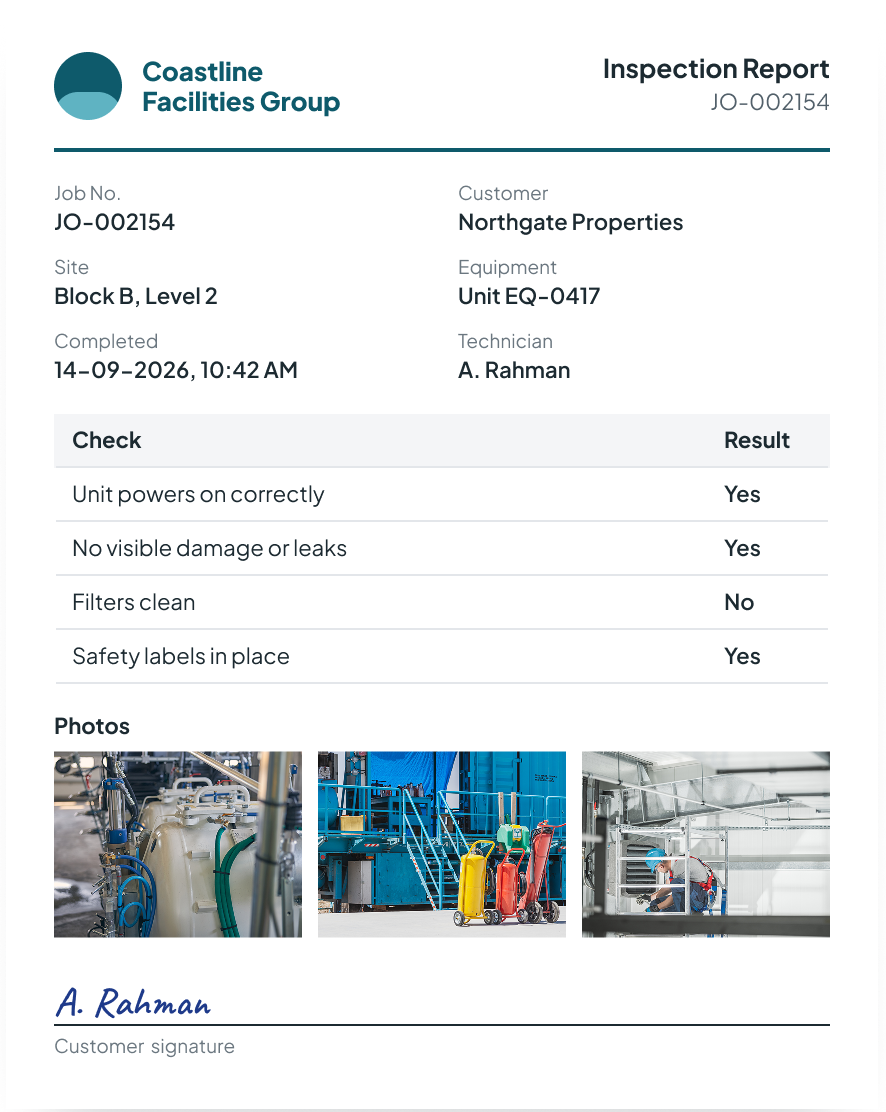
The same inspection as a PDF report, with your branding.
Start with a free demo, online or at your office if you are in Singapore. If FieldEx looks like a fit, we hold a free session to learn how your business runs: the jobs you do, the equipment you look after, your schedules and inspections, how you track spare parts, and the forms and reports you use today. If FieldEx is not the right fit, we will tell you.
Set it up yourself with our help, or let us build it for you. Larger setups and custom work take longer.
Start with one team or one site, then add the rest when they're ready. Or roll out to everyone at once.
Send what you have. We work from your current process.
Technicians decide whether a new system works. We plan training around them.
We train your supervisors or lead technicians, and they train the rest. For larger teams, we run the sessions ourselves.
FieldEx is used every day by technicians who are not comfortable with technology. The app is available in mulitple languages including English, Spanish, and Mandarin.
Training runs online wherever you are, and in person if you are in Singapore. We onboarded a company from Chile with operations in Uruguay, all remotely.
Any new system can meet resistance in the first weeks. If it happens, you have one contact at FieldEx to raise problems with. We fix what is wrong and retrain where needed.
New staff, refresher sessions and new features. Ask whenever you need it.
Your support and success contact from the start.
Ask it how to do anything in the app. Available 24/7.
Raise tickets or email us for assistance. Support available around the clock.
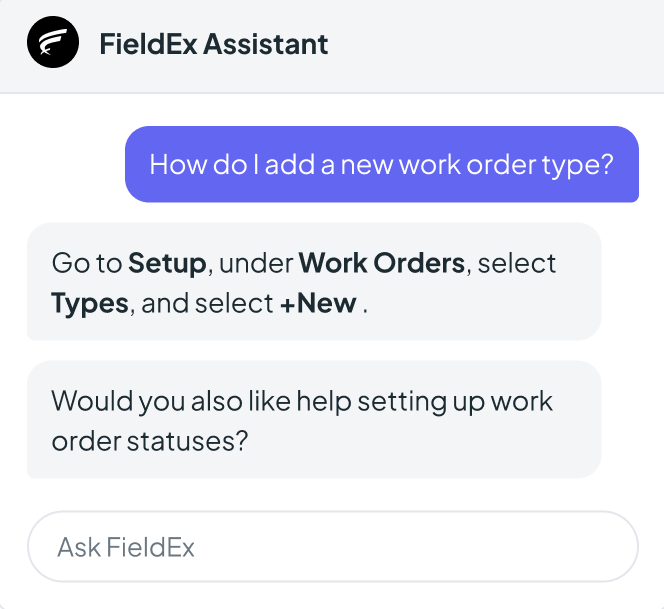
Trained on all the latest FieldEx updates
No. Setup, data import and training are included in your subscription. Custom workflows and integrations are quoted separately.
Once FieldEx knows your requirements, you can get started in as little as a week. Larger setups and custom work take longer. Timing also depends on how quickly your forms and data are ready.
FieldEx is headquartered in Singapore, with operations in Malaysia. FieldEx onboards customers online in any country, and in person in Singapore and Malaysia.
Yes. Your admin can import data and build forms in FieldEx without help. FieldEx is built to be user-friendly, intuitive, and has workspace templates for you to get started, along with guides and video tutorials to help you cover each step.
Yes. FieldEx has onboarded teams from 2 to 700 users. While onboarding one five-person team, FieldEx added new inventory features to the mobile app.
Yes. FieldEx runs onboarding and training online wherever you are. FieldEx has experience onboarding teams across 6 continents and has onboarded a company from Chile with operations in Uruguay, all remotely.
Yes. FieldEx can hold demos, setup sessions and training at your office in Singapore. Online sessions are also available.
No. FieldEx trains new staff, runs refresher sessions and covers new features for as long as you are a customer.
Yes. You can start FieldEx with one team or one site and add the rest later.
FieldEx will tell you after the requirements session, before any setup starts.
Each FieldEx customer has a dedicated support and success rep, plus the FieldEx AI assistant in the app and support tickets and email requests. FieldEx is rated 4.7 out of 5 for customer service on Capterra.
fieldex


