What is the best app for field service technicians?
The best app runs the whole visit from one screen and ties every record to the equipment.
FieldEx is built that way, for technicians who service and maintain equipment. From one app they see the day's jobs and scan an asset to open its history. They work through tasks and inspections and record photos, parts and readings.
Each job closes with a customer signature and a PDF report. Planned visits and breakdowns are handled the same way on site.
Can technicians manage work orders from the FieldEx app?
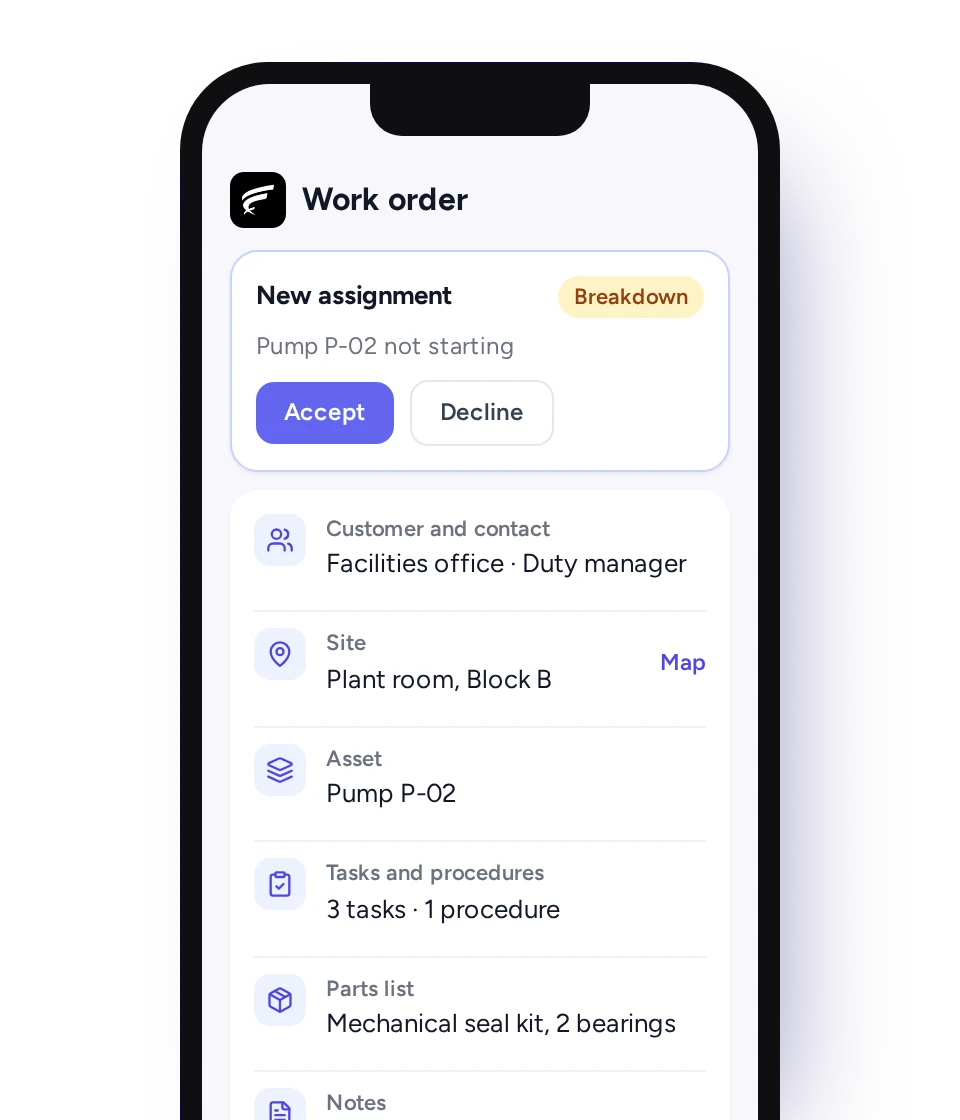
Yes. Technicians see their assigned work orders in one feed and can open any day's jobs. They accept or decline new assignments and check in and out of tasks. They close the work order when the required tasks are done. Each job carries its customer, site, asset and parts list.
Does the FieldEx app work offline, with no signal?
Yes. Technicians can download their jobs and tasks and work them with no signal. Check-ins, check-outs and travel are synced once the phone is back online.
Can the FieldEx app replace paper job sheets and service reports?
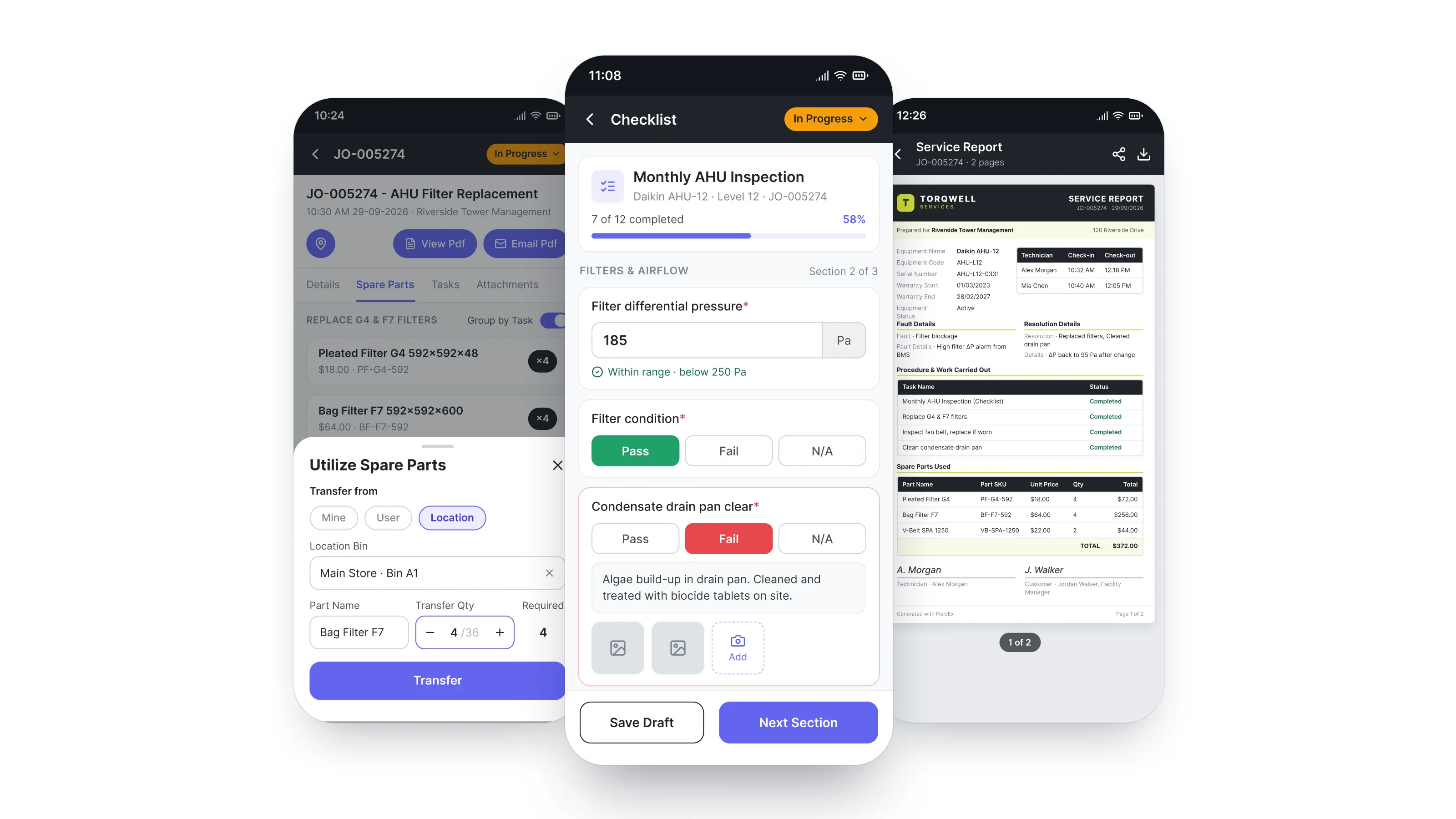
Yes. The work order holds what a paper job sheet would. That means the customer and site, the asset, the tasks done and the time on each task. It also holds parts used, readings, notes, photos and the customer's signature. When the job closes, the completion PDF can be emailed to the customer from the job.
Can technicians see past jobs on an asset before they start?
Yes. Scanning the asset's QR code or barcode opens its record, with previous work orders, maintenance plans and the spare parts used on earlier jobs. If the new job repeats recent work on the same asset, FieldEx flags it.
The PDF service report shows the job and unit details, the fault and resolution, and parts used. It also shows check-in and check-out times, the work done, attachments and the signature.
Can technicians take photos and share them with the customer and the office?
Yes. Photos and videos are attached to the work order from the camera or gallery, so the office sees them on the job. Photos can be marked up, and camera photos are stamped with location and time. Attachments appear in the completion PDF the customer receives.
Can the customer sign off the work on the technician's phone?
Yes. The customer signs on the phone when the job is complete, and the completion PDF is ready to view or email straight away.
Can technicians record readings such as pressures and temperatures?
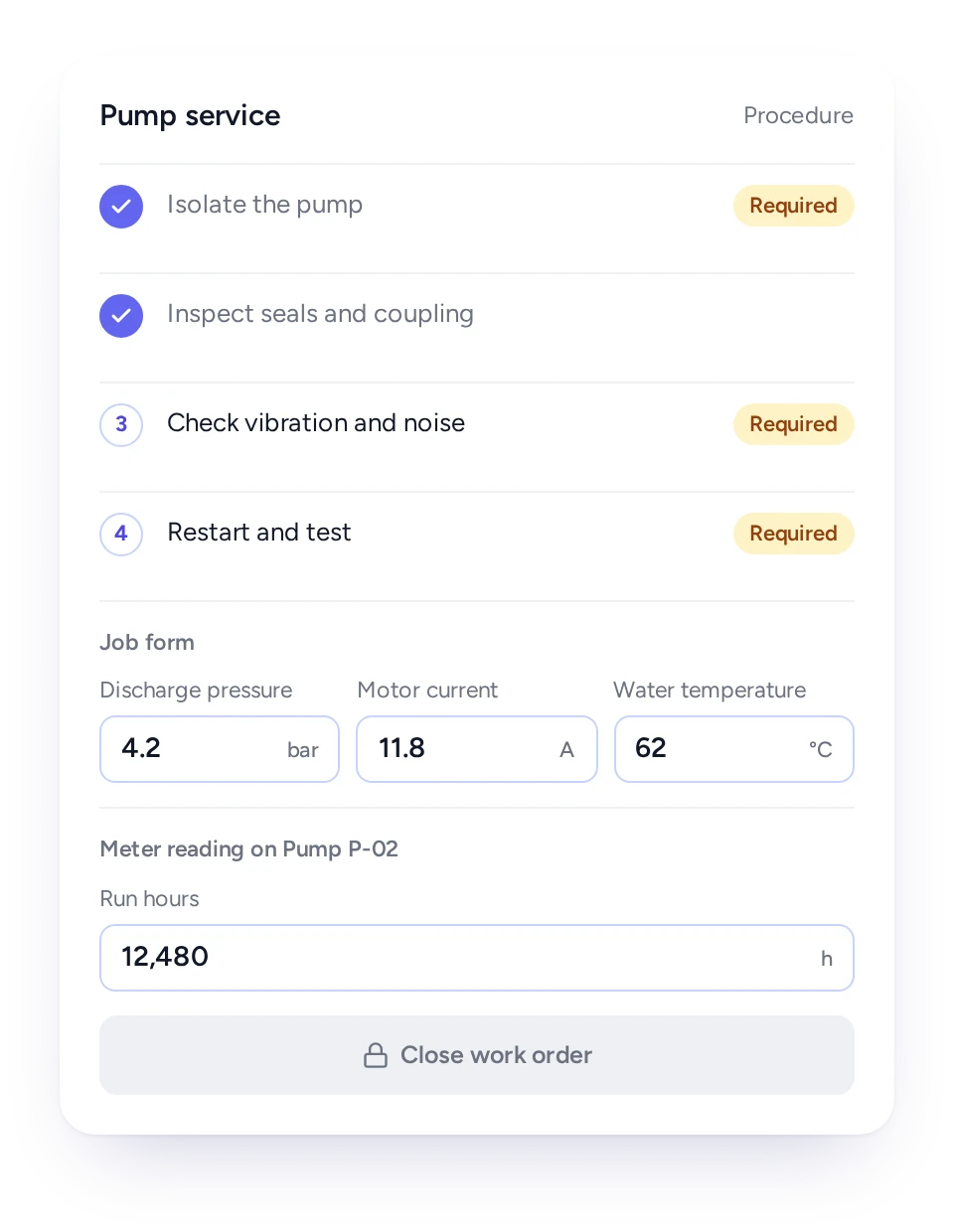
Yes. Custom job forms, set up during onboarding, add number fields for readings. Examples are pressures, amps and water temperatures, and each value is recorded against the job. Meter readings go onto the asset, building a timestamped history.
Can technicians use parts from their own van stock?
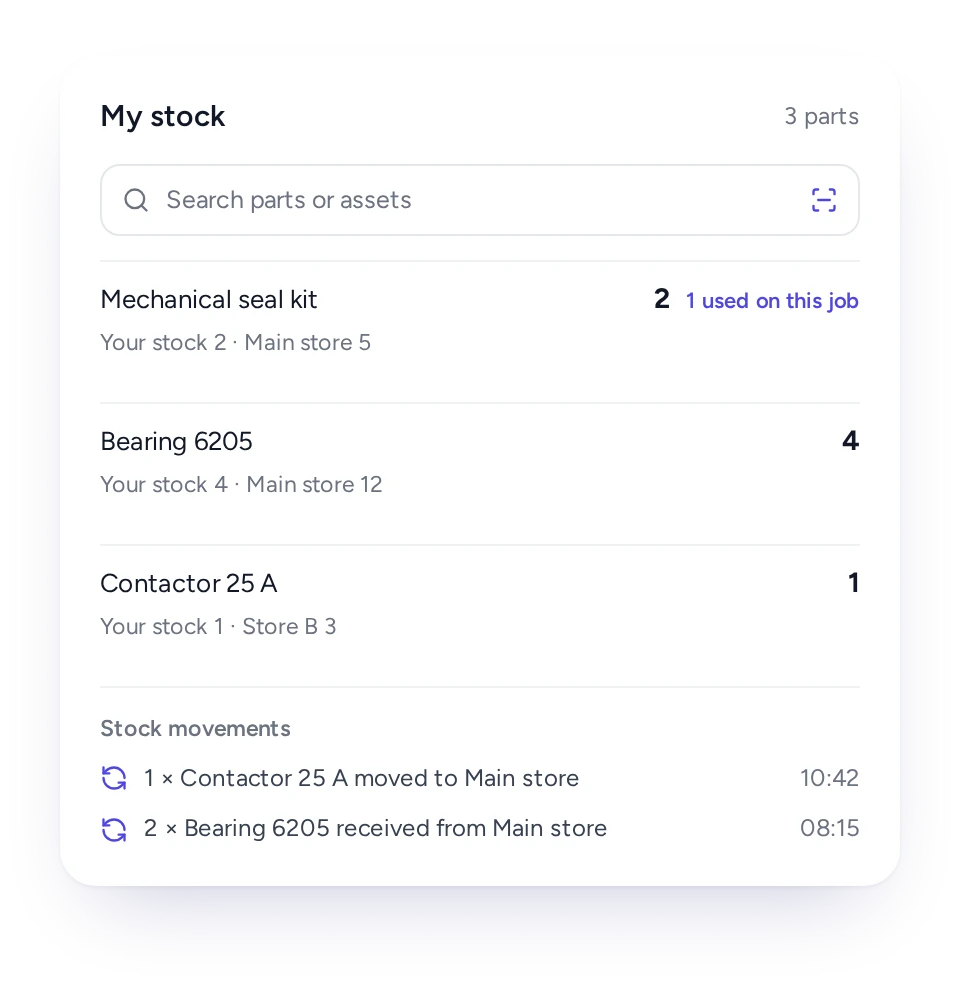
Yes. Each technician can hold their own stock in FieldEx. Parts used on a job can come straight from it. Technicians can move stock between technicians and stores from the phone, with a movement history.
Can technicians complete inspections and raise follow-up work on the spot?
Yes. The asset's inspection checklist opens from a scan, and any finding that needs action becomes follow-up work on the spot. Technicians can also mark certifications and inspections complete on the phone and attach the certificate.
Can a job be closed before every required step is done?
No. Required tasks must be finished before the work order closes, and procedures keep the steps in the order you set.
How is travel time recorded?
Technicians log the journey to each job, pausing and resuming where they stop, and FieldEx records the distance and duration on the job. Check-in and check-out on each task records the time spent on site.
Will technicians find the app easy to use?
The app opens on a feed of pending work orders and today's tasks, with search, scan and the job list close at hand.
Most of the work is scanning, choosing and photographing rather than typing, and the job shows what the technician needs before they arrive. The web and mobile apps are available in English, Bahasa Malaysia, Chinese, German and Spanish, and each user picks their own.
Which phones does the app run on, and is it included in every license?
The FieldEx app runs on Android and iOS phones. Every FieldEx license includes the mobile app, and every license is priced the same, whether it is for a technician or an office user.
How long does it take to set up FieldEx?
There's no setup fee. Customers, sites, assets and past jobs can be uploaded. FieldEx helps with setup, and training is included. See Setup and Training.
You can also set FieldEx up yourself with guides, videos and the in-app AI assistant, which answers questions as you go.
Once we know your requirements and your data is ready, FieldEx can be implemented in as little as a week with standard features for small businesses. Larger setups and custom work take longer.