Is BuildOps the right investment for your commercial contracting business in 2026? We break down real user experiences, core functionality and hidden costs.
Disclaimer: This review and scorecard are based on publicly available user feedback, testimonials, and platform capabilities as of early 2026. SaaS features, contract terms, and pricing models are subject to change. We recommend verifying current terms directly with the vendor.
TLDR
The Bottom Line: BuildOps is a heavyweight, all-in-one platform built specifically for commercial mechanical, electrical, and plumbing (MEP) contractors. It excels at complex project management, detailed dispatching, and providing deep revenue insights for large-scale operations.
However, based on user sentiment in 2026, its massive feature set comes at a steep cost – both financially and operationally. Users frequently report "implementation fatigue" lasting months, an overwhelmingly complex interface for field technicians, and premium pricing models that make it an incredibly risky bet for mid-market companies.
Who it's for: Enterprise-level commercial contractors with high annual revenues, dedicated IT teams, and back-office staff who have the time to manage a steep learning curve.
Who should avoid it: Fast-growing mid-sized businesses, residential/mixed-service providers, and operations that need an intuitive, fast and highly reliable mobile experience for their field engineers.
The heavyweight champion or just heavy?
BuildOps has made serious waves in the commercial contracting space over the last few years. Marketed aggressively as the ultimate end-to-end solution for commercial MEP businesses, it promises to bridge the gap between the field and the back office with enterprise-grade tools, heavy-duty project management, and deep financial reporting.
But as the field service industry accelerates into 2026, the demands on contractors are shifting. Today's businesses need agility, rapid deployment, and a mobile experience that technicians actually want to use to avoid data blindspots. Does a massive, highly structured platform like BuildOps still make sense, or is the exhausting implementation process and steep learning curve holding contractors back from scaling fast?
To cut through the marketing hype, we dug into the platform's core capabilities, pricing models, and unfiltered customer feedback to bring you a completely objective review of BuildOps in 2026.
The 2026 BuildOps Scorecard: How it stacks up
Category
Score
Our Verdict
Ease of Use
2.0 / 5
Highly complex. Users complain of a steep learning curve and an interface that requires too many clicks to complete basic workflows.
Features & Functionality
4.5 / 5
Packed with heavy-duty tools tailored specifically for commercial jobs, including robust preventative maintenance and detailed project tracking.
Mobile Experience
2.5 / 5
Technicians report that the app is overly complicated, with occasional offline-syncing issues that delay job closures in the field.
Customer Support
3.0 / 5
Onboarding is highly structured, but users note that getting help for day-to-day troubleshooting post-launch can be slow and frustrating.
Value for Money
2.0 / 5
Premium pricing with massive upfront implementation fees puts it out of reach for many, and the return on investment can take years to realize.
The good, the bad and the frustrating: Real user feedback
To separate the sales pitch from reality, we analyzed what commercial contractors are saying about their day-to-day experience using BuildOps in the field and the back office.
The Dealmakers
Built for Commercial: Users appreciate that the platform is explicitly designed for commercial workflows, avoiding the residential "clutter" found in other software.
Deep Preventive Maintenance (PM): It offers robust tracking for complex PM contracts, making it easier for large operations to forecast recurring revenue.
Visual Dispatch Board: Dispatchers generally praise the drag-and-drop scheduling board for handling large teams and complex, multi-day projects.
The Dealbreakers
Implementation Fatigue: Transitioning to BuildOps is a massive undertaking. Multiple reviewers report implementation periods dragging on for 4 to 6 months, causing major operational disruptions.
The "Click-Heavy" Mobile App: For technicians trying to work quickly, the app is often described as tedious. Users report having to navigate through endless menus and mandatory fields just to close out a simple service call.
Rigid Workflows: Similar to other legacy platforms, BuildOps forces your business to conform to its logic. Customizing reports or altering standard workflows requires high-level administrative work.
Syncing Blindspots: Several field users have reported issues with the mobile app syncing data from areas with poor cell service, leading to lost photos and missing job notes.
Where BuildOps shines
Built for Commercial: Users appreciate that the platform is explicitly designed for commercial workflows, avoiding the residential "clutter" found in other software.
Deep Preventive Maintenance (PM): It offers robust tracking for complex PM contracts, making it easier for large operations to forecast recurring revenue.
Visual Dispatch Board: Dispatchers generally praise the drag-and-drop scheduling board for handling large teams and complex, multi-day projects.
The friction points
Implementation Fatigue: Transitioning to BuildOps is a massive undertaking. Multiple reviewers report implementation periods dragging on for 4 to 6 months, causing major operational disruptions.
The "Click-Heavy" Mobile App: For technicians trying to work quickly, the app is often described as tedious. Users report having to navigate through endless menus and mandatory fields just to close out a simple service call.
Rigid Workflows: Similar to other legacy platforms, BuildOps forces your business to conform to its logic. Customizing reports or altering standard workflows requires high-level administrative work.
Syncing Blindspots: Several field users have reported issues with the mobile app syncing data from areas with poor cell service, leading to lost photos and missing job notes.
Deep dive: Core features under the microscope
Dispatching and commercial workflows
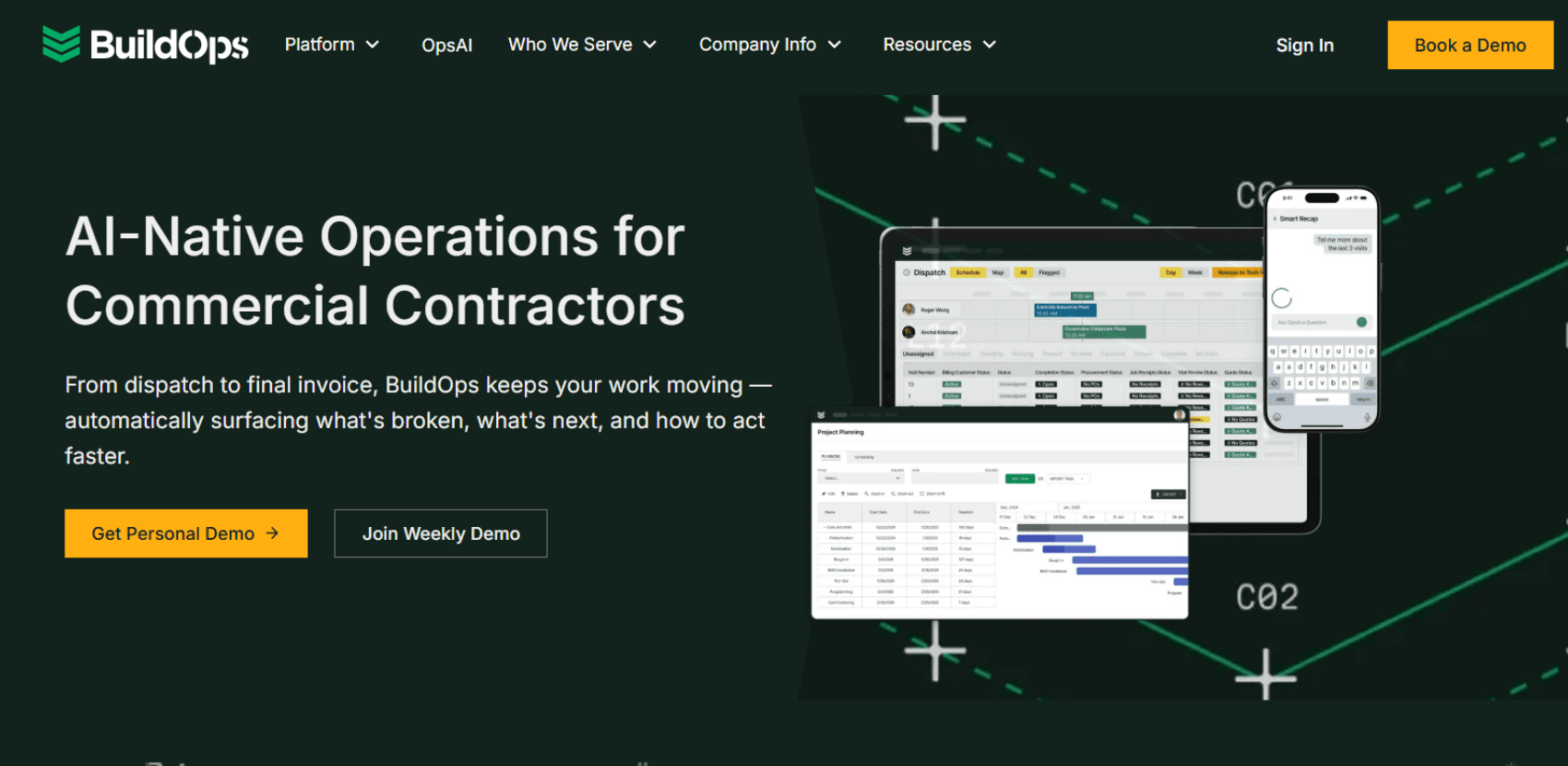
BuildOps has a powerful engine for routing and dispatching, especially for long-term commercial projects. However, the day-to-day execution can feel bloated. Because the system is designed to capture every possible metric, simple reactive call-outs can take just as much administrative effort as a massive installation project. If your business handles a mix of quick service calls and large projects, this heavy-handed approach will slow your team down.
The technician experience (Mobile app)
A field service tool is only as good as its adoption rate among technicians. In 2026, tech-savvy workers expect apps to be as intuitive as the ones they use in their personal lives. BuildOps users frequently note that the mobile interface is visually cluttered and overwhelming. The steep learning curve often leads to "pencil-whipping" – where techs do the bare minimum to bypass the software's tedious mandatory steps, compromising your data quality.
Quoting and proposals
While the proposal generation tool is highly detailed and looks professional to the end customer, back-office users note that building a quote requires navigating through a maze of inventory items, labor rates, and markup tables. It is powerful, but it is certainly not fast.
The true cost: Pricing, fees, contract terms
Disclaimer: Pricing structures and terms are based on publicly available user feedback from early 2026. Always verify current terms directly with the vendor.
BuildOps does not publish its pricing publicly, and for a reason: it is positioned at the absolute top end of the market. Based on recent customer testimonials, here is what buyers can expect:
Massive Upfront Fees: Users report being charged tens of thousands of dollars just for the implementation and onboarding process.
High Per-User Costs: The monthly licensing fees are significantly higher than the industry average, making scaling your workforce an incredibly expensive endeavor.
The Enterprise Commitment: BuildOps relies heavily on locking companies into long-term, multi-year contracts. If the software proves too complex for your team 6 months down the line, exiting the ecosystem is financially punishing.
Why commercial contractors are switching to BuildOps alternatives like FieldEx
If you’re tired of months-long implementations, cluttered mobile apps and premium price tags that eat into your margins, it’s time to choose a platform built for modern agility. For growing businesses across property maintenance, equipment management, and MEP contracting, FieldEx offers a powerful yet user-friendly alternative.
How FieldEx outperforms the legacy giants
Lightning-Fast Implementation: You shouldn't have to pause your business for half a year to adopt new software. FieldEx is designed for rapid deployment. Its intuitive design means your back office and field teams can be up and running in weeks, not months.
A Mobile App Techs Actually Love: FieldEx provides a native, seamless mobile experience for iOS and Android. It’s built to reduce screen time. Technicians can view asset histories, complete custom compliance checklists and capture signatures with just a few taps.
Total Workflow Flexibility: Don't change your business to fit your software. FieldEx features dynamic forms and customizable terminology. Whether you are servicing a massive commercial HVAC unit or managing a fleet of EV chargers, the platform molds to your specific operational language.
Transparent, Scalable Pricing: Say goodbye to extortionate implementation fees and rigid lock-in traps. FieldEx offers transparent pricing designed to scale with your growth, not penalize you for it.
Ready to switch to a lightning-fast, agile solution that adapts to your workflows – not the other way around? Book your free FieldEx demo or just reach out. We’re here to help.
She loves finding simple and smart solutions to the tricky problems field service teams face every day. Her background in tackling everything from various field service industries helps her write content that's not just easy to read, but useful for improving your business. Whether you're looking to make your day-to-day operations smoother or aiming to grow, Sophie's here to help with advice that works.
Don’t just take our word for it
Hear from some of our amazing customers who used FieldEx
"If you want to solve your paper record problems and you want to digitize your operations and you want to elevate your customer experience go and use FieldEx"

.png)
.png)
.png)
.png)

.avif)

