

Running a small business is no small feat, especially when you’re handling maintenance, inventory and surprise breakdowns before your first coffee. You’re trying to keep customers happy, equipment running and teams aligned, and trying your best to keep costs from spiraling out of control. And when something breaks? It’s all hands on deck. (And by “all hands,” we usually mean you. Sound familiar?)
Comparing vendors? See our full guide to the best CMMS software.
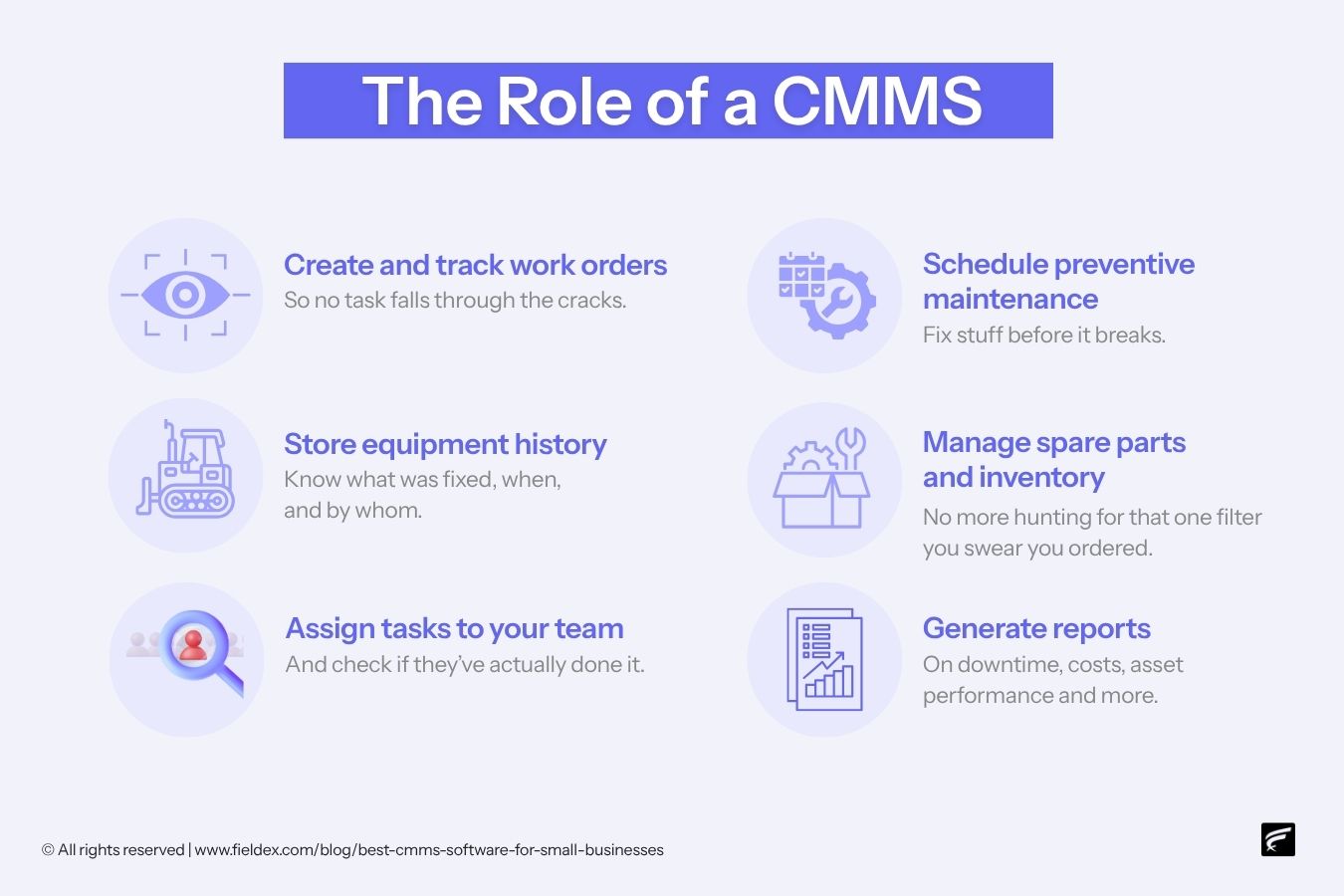
That’s where a CMMS comes in. That’s short for Computerized Maintenance Management System (sounds fancy, but I promise it’s not as intimidating as it may seem). In plain English, it’s a tool that helps you stay on top of all your maintenance chaos – scheduling repairs, tracking assets, managing spare parts and keeping service records – all in one neat digital hub.
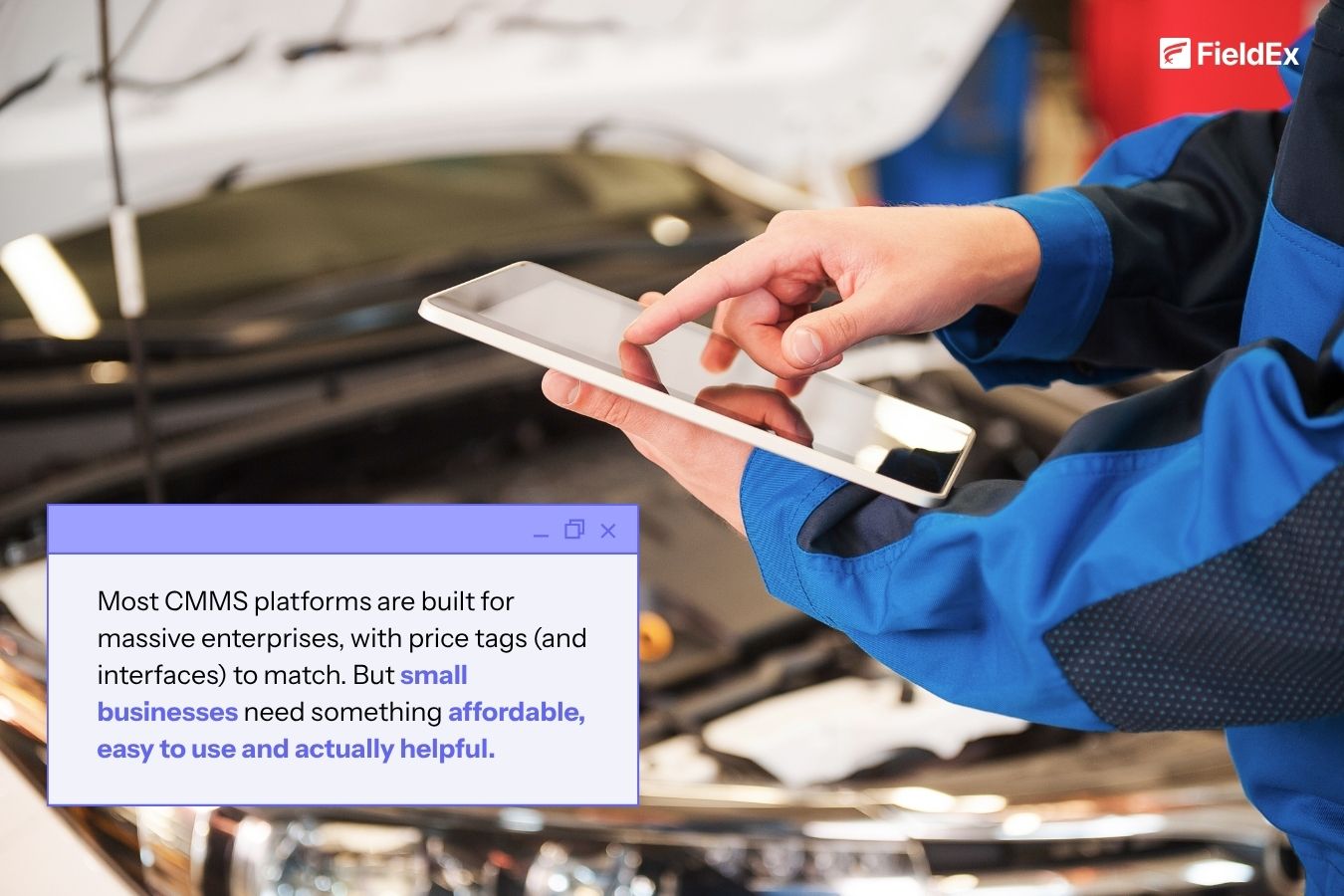
The catch? Most CMMS platforms are built for massive enterprises, with price tags (and interfaces) to match. But small businesses need something affordable, easy to use and actually helpful (and not a 300-page manual and a quick prayer).
That’s why I put together this guide, to help you cut through the noise and find the right fit. We’ll cover:
Ready? Let’s jump right in!
Alright, let’s get the techy bit out of the way. CMMS stands for Computerized Maintenance Management System. Yes, it sounds "intimidating", but really, a CMMS is just a digital tool that helps you keep track of maintenance – on your equipment, facilities, vehicles, tools, you name it.
If you've ever:
… then a CMMS might be your new best friend.
A good CMMS can:
It’s like going from a dusty filing cabinet to a digital control center.
Spreadsheets are fine … until they’re not.
They don’t send alerts. They don’t schedule work automatically. They don’t track asset history unless you manually log it (and who has time for that?).
Plus, once your business starts to grow, you’ll hit that classic “Excel wall.” (Trust me – it’s not a fun wall.)
A CMMS takes all that admin load off your shoulders so you can:
Nope, that’s the myth.
Sure, massive factories and big-box facilities use CMMS, but small businesses can benefit just as much, maybe even more. Why? Because when you’re working with a lean team and tight margins, every breakdown, delay or missed task hits harder.
And the right CMMS helps you avoid those hits without hiring a full maintenance department.
Now that we’ve cleared that up, let’s get into why it’s such a powerful tool for small businesses like yours.
Running a small business comes with its own set of challenges. You're not just the boss; you're the scheduler, the fixer, the parts guy, the customer service rep, sometimes even the unofficial therapist when your equipment starts making that “weird noise” again.
That’s why having a CMMS isn’t just a nice-to-have; it’s a lifesaver.
Here’s why smart small teams are ditching spreadsheets and switching to CMMS software in 2026:
Remember that time you spent 30 minutes digging through old emails to find a service record … only to find out no one actually documented the repair? Yeah, you won’t miss that.
With a CMMS:
This one’s big. Because every time something breaks, you lose money. Maybe it’s downtime. Maybe it’s overtime pay. Maybe it’s a lost customer who didn’t get serviced on time.
A good CMMS makes preventive maintenance easy. That means:
Think of it like brushing your teeth. Waaaay better (and cheaper) than a root canal.
Ever tried to replace a filter or belt, only to find your parts shelf looking sad and empty? Now your job’s delayed. Again.
A CMMS can:
No more “Where did we put that thing?” or last-minute trips to the hardware store.
Clients notice when your team is organized. When jobs start and finish on time. When your invoices match your service records. When you actually follow up when you say you will.
With CMMS software, you can:
Bottom line? You look sharp. And that builds trust, which in turn, builds repeat business.
You can’t improve what you can’t measure. And a CMMS gives you real data on:
Even basic reporting can help you spot trends and make better calls. Like, “Hey, we’ve fixed this air compressor 6 times in 3 months. Maybe it’s time for a replacement?” Or “We’re spending a fortune on emergency callouts. Let’s beef up our PM schedule.”
Most CMMS platforms built for small businesses are cloud-based, user-friendly and mobile-ready. That means:
So even if your idea of “tech-savvy” is unplugging the router and plugging it back in, you’re good.
In short? CMMS equals fewer surprises, more control and a heckuva lot less stress.
And in a small business, that can be the difference between putting out fires all day … and actually growing your business.
Okay, so you're sold on the idea of using a CMMS. Great. But now comes the tricky part: how do you pick the right one?
If you’ve ever compared software online, you’ve probably run into this classic trap: feature overload. The fancy charts. The buzzwords. The 200+ features that sound impressive but mostly just make your brain hurt.
Let’s simplify things.
Here’s what you actually need in a CMMS when you’re a small business. No fluff, no filler, just the stuff that makes your work life easier.
This one’s non-negotiable. If your team needs a 6-week training course just to log in, it’s not the right fit.
Look for:
Remember: If your least techy team member can’t figure it out in under 10 minutes, it’s not truly “easy”.
Small business budgets are tight. You don’t want to be stuck paying for a bloated, enterprise-level plan when all you need is the basics done well.
Watch for:
Side note: If the pricing page makes you sweat, it’s not small-business-friendly.
If your crew is out in the field, in a warehouse or just constantly on the move, they shouldn’t have to run back to a desktop just to check a work order.
Look for:
This is a biggie. Preventive maintenance (PM) = regular checkups for your equipment. It’s cheaper and smarter than waiting for stuff to break.
A good CMMS should let you:
If a CMMS doesn’t do PM easily, you’re missing the whole point.
Raise your hand if you've ever bought a part you already had in stock … because no one knew it was there.
Inventory tracking should include:
This alone can save you hundreds (even thousands) every year.
This is the bread and butter of CMMS.
You should be able to:
Bonus if you can attach images, files or notes. Because sometimes words alone just aren’t enough.
We’re not talking NASA-level data dashboards here. But at the very least, your CMMS should show:
Even basic insights help you improve. You can’t fix what you don’t measure.
No need for fancy servers or IT infrastructure. Just log in from anywhere.
Make sure your CMMS is:
Don’t get dazzled by the longest feature list. Get the right features – the ones your team will actually use.
If it checks most of these boxes, you’ve got yourself a solid CMMS for your small business.
Now that you know what to look for, you might be wondering, “Cool... but which one is actually right for me?”
Good question. Choosing a CMMS isn’t about picking the most expensive one or the one with the most features. It’s about finding the tool that fits your team, your workflow and your budget without giving you a headache.
Here’s a quick checklist to help you narrow it down:
If you’ve got:
Pro Tip: Don’t overpay for a system built for enterprises if all you really need is a clean work order manager and maintenance calendar.
Different businesses = different gear to keep running.
Are you maintaining:
The more aligned the CMMS is with your assets and workflows, the less duct tape you’ll need later.
Let’s be real: some folks love a good dashboard, while others freeze when they see a dropdown menu.
Remember, the best software is the one your team will actually use. (Shocking, I know.)
Some CMMS platforms start low but lock key features behind premium paywalls. Others give you everything but require you to mortgage your left sock.
Ask yourself:
Also consider long-term savings: the right CMMS may reduce downtime, extend asset life and cut overtime costs – easily paying for itself.
If all you need is a list of open work orders and some service history, you don’t need NASA-level dashboards.
But if you:
… then look for a CMMS with custom reporting, graphical dashboards and exportable data.
Don’t fall into the “shiny dashboard” trap unless you’ll actually use the insights.
Most platforms offer:
Use them. Click buttons. Create a fake work order. Try the mobile app. See how long it takes before someone gets confused or asks, “Wait … what does this do?”
A good CMMS should feel like a helpful assistant – not a riddle in software form.
Pro Tip: Even the best CMMS is only as effective as the data it receives.
Durable RFID tags and barcode asset labels help ensure accurate equipment identification, making maintenance tracking more reliable. Metalcraft offers industrial-grade asset identification solutions built for demanding environments.
Whether you're juggling a few key pieces of equipment, dispatching field techs across town, or trying to track down the mystery of the missing spare part – there’s a CMMS software built for your kind of small business. And it doesn't have to cost a fortune or require a full-time IT guru to set up.
There’s no shortage of CMMS tools out there. But if you’re looking for a balanced, affordable and industry-smart solution with templates, automation and friendly support baked in, FieldEx might just be your perfect fit.
So the next time something breaks down, don’t panic. Don’t dig through spreadsheets. Just open your CMMS, and handle it like the pro you are.
CMMS stands for Computerized Maintenance Management System. It’s software that helps you schedule, track and manage maintenance tasks, such as work orders, equipment repairs, spare part inventory and preventive maintenance. Everything is stored digitally so you’re not relying on memory, spreadsheets, or sticky notes.
Yes, maybe even more than big companies. Small businesses often have fewer staff and tighter budgets, so every breakdown or delay hits harder. A CMMS helps you stay organized, reduce downtime and stretch your resources further.
Prices vary based on features and team size. Basic plans often start around $10–$20 per user/month, while more advanced platforms can cost $50+ per user/month. Some tools offer free trials or even free plans with limited features.
At a minimum, look for:
If it doesn’t save you time or reduce stress, it’s not worth it.
Absolutely. Spreadsheets are manual, prone to errors, and lack automation. A CMMS not only replaces them , but also adds real-time alerts, history tracking and better team coordination, all in one place.
Not if you pick the right one. Many CMMS platforms are made for non-technical users and take just a few hours to get up and running. Most offer customer support, demos, or onboarding help to make things easier.
Yes, as long as it includes a mobile app or cloud access. Techs can receive work orders, upload photos, check part inventory and log job completion straight from the field.
CMMS tools are used by:
CMMS focuses on maintenance operations, eg work orders, preventive maintenance and inventory.
EAM (Enterprise Asset Management) is broader and includes asset lifecycle planning, accounting and procurement.
For small businesses, a CMMS is usually the simpler and more affordable choice.
It depends on your needs. If you want an easy-to-use, affordable, all-in-one platform, FieldEx is built specifically for small teams. For a side-by-side look at the main options, see our guide to the best CMMS software.
FieldEx lets you:
It’s flexible, scalable and tailored for real-world teams.
Yes! FieldEx automatically triggers reminders and work orders based on usage metrics, date intervals, or sensor data, so you never miss a maintenance window.
Yes! FieldEx offers flexible pricing plans (billed monthly or annually). You only pay for what you need, and scale when you're ready. Check out our pricing page to learn more.
More than easy! FieldEx is designed for real-world users, not just tech pros. It’s clean, intuitive and mobile-friendly, so your team can log jobs, track tasks and access asset info from the field with zero headaches.
Simply schedule a free demo, and see how FieldEx helps you reduce downtime, automate maintenance and stay in control. Or reach out with any questions you may have. We’re here to help.


