
No setup fee. No limit on training. Our team comes to your office and trains in Bahasa Melayu or English.
Book a demo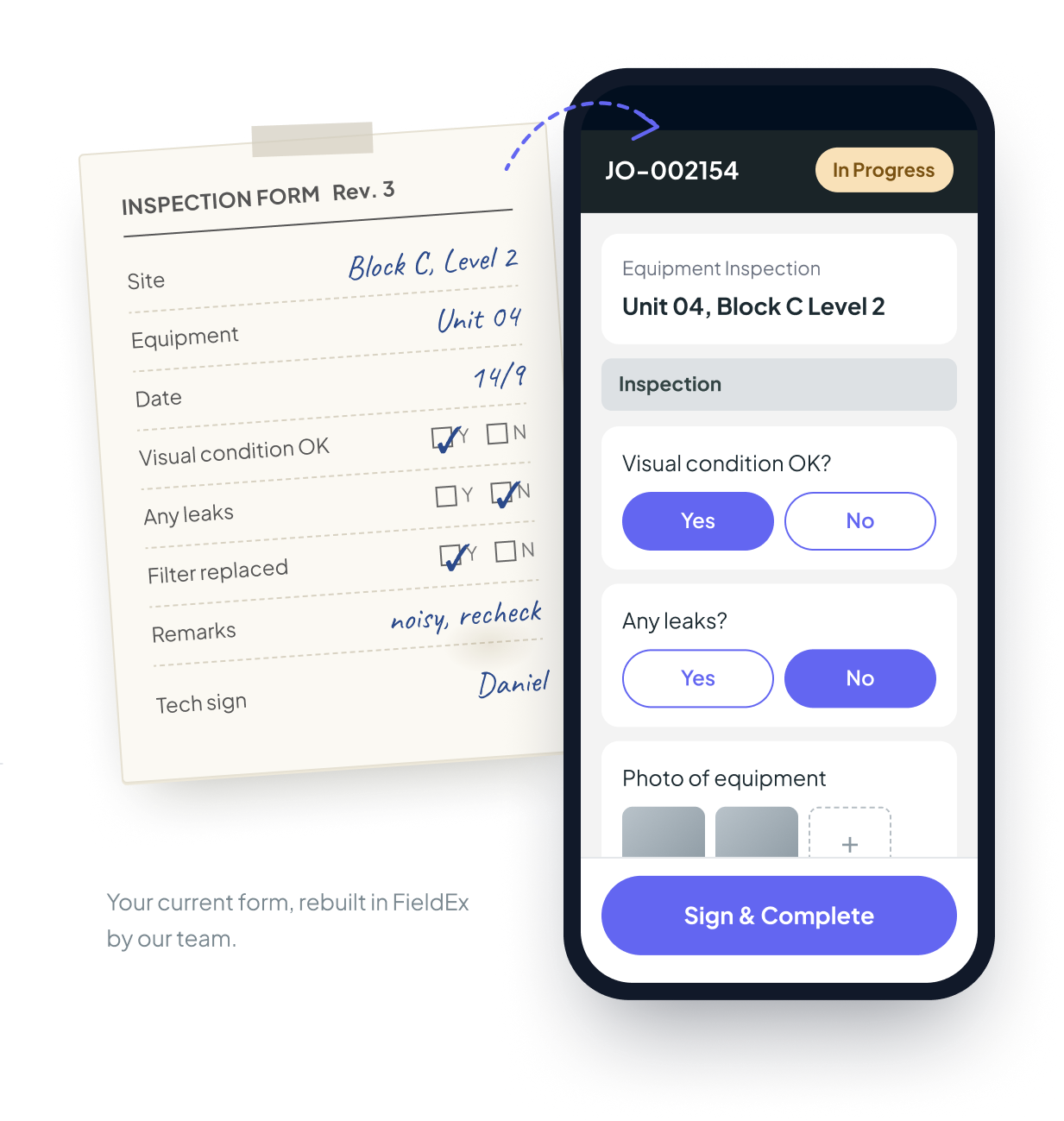
If you have an admin or IT person with time, they can set up FieldEx on their own. Upload your Excel files, then build your forms and checklists.
No time? Give us your job sheets, service reports and Excel files. Our team builds everything in FieldEx. You check it, then start using it.
Same price. Both options are included in your subscription.
Job types, job status, teams and user logins for your staff.
From paper or Excel to the FieldEx app. Technicians tick, type and take photos on their phone.
PDF reports with your company logo, ready to send to your customer when the job is done.
Who gets informed, and at which step of the job.
Customers, contacts, equipment and spare parts, uploaded from your Excel files.
Many job types? No problem. We have set up companies with more than ten job types, each with its own job sheet and report.
Before we start, we agree with you what we will set up, so everyone knows what is included. Custom workflows and connections to other systems, like your accounting or ERP system, are quoted separately.
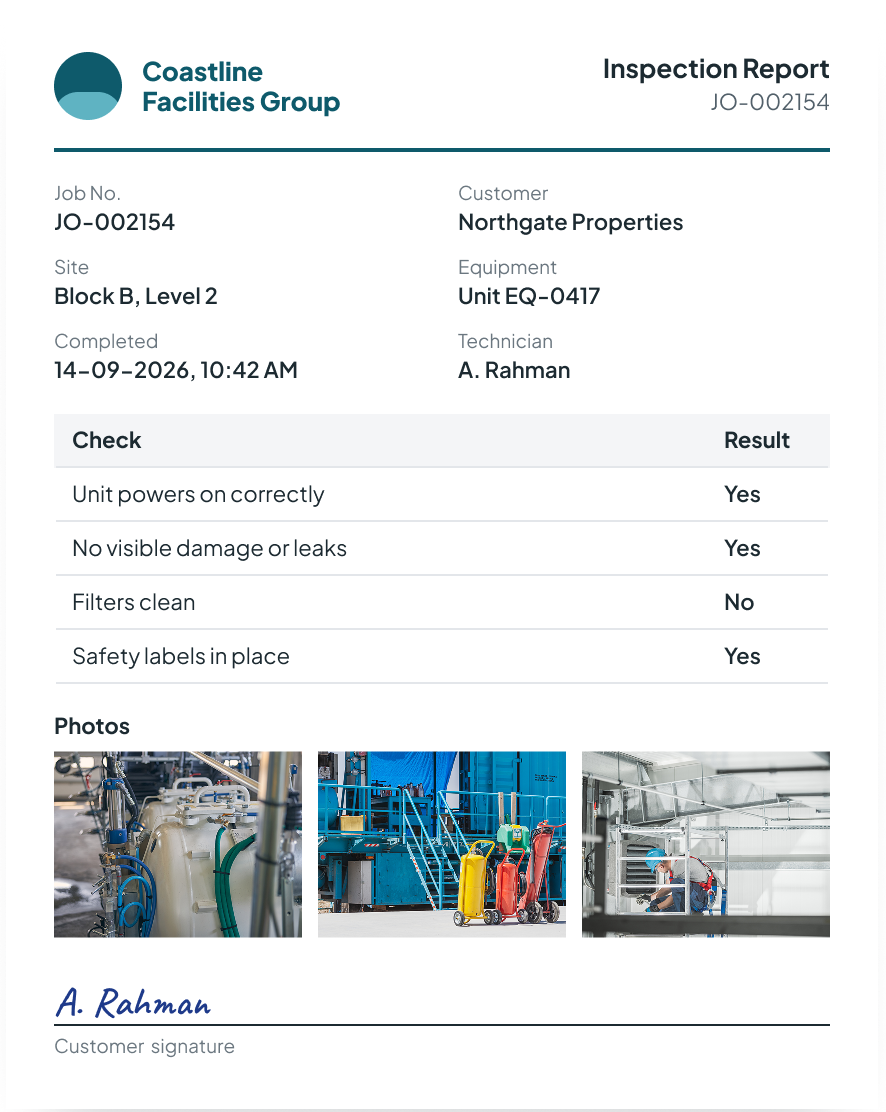
The same inspection as a PDF report, with your branding.
First, a free demo at your office or online. If FieldEx suits you, we come back for a free session to understand how you work: what jobs you do, what equipment you maintain, your schedules and inspections, how you track spare parts, and which forms and reports you use now. If FieldEx is not suitable, we will tell you.
You do it with our guidance, or our team does it for you. Bigger setups and custom work take more time.
We usually suggest starting with one team or one branch. When they are comfortable, add the rest. You can also start with everyone at once.
Send what you have. We work from there.
Your technicians will decide if FieldEx works. So we train them face to face, in the language they are comfortable with.
At your office or online. Your team chooses the language.
We train your supervisors and senior technicians first, so the team learns from people they already work with. For big teams, we run the sessions ourselves.
Open the job, follow the checklist, take photos, sign. Job updates stay in the app instead of the WhatsApp group. The app is in Bahasa Melayu, Mandarin, and English.
Some technicians will say the old way is faster. This is normal with any new system. Your FieldEx contact stays close during this time. We fix real problems and retrain where needed.
New staff joined? Need a refresher? New feature released? Ask us for training, anytime.
Your support and success contact from the start.
Ask it how to do anything in the app. Available 24/7.
Raise tickets or email us for assistance. Support available around the clock.
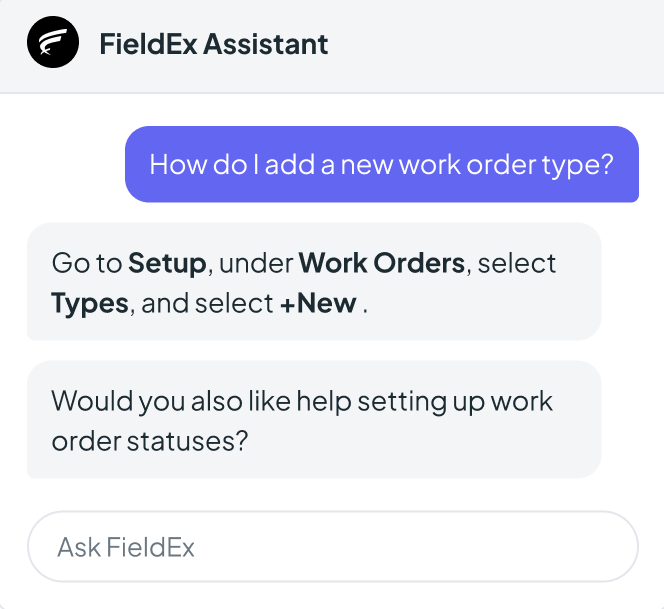
Trained on all the latest FieldEx updates
No. FieldEx includes setup, data upload and training in the subscription. Custom workflows and connections to other systems are quoted separately.
Yes. FieldEx is headquartered in Singapore, and its operations team is based in Malaysia. The Malaysian team runs demos, setup, training and support for Malaysian customers.
FieldEx includes setup, data upload and training in its subscription for Malaysian companies. The FieldEx team visits your office anywhere in Malaysia, including Sabah and Sarawak, and trains in Bahasa Melayu or English. There is no setup fee.
In as little as one week after FieldEx understands your requirements. Bigger setups and custom work take longer. It also depends on how fast your forms and data are ready.
Yes. FieldEx visits offices anywhere in Malaysia, including Sabah and Sarawak. Demos, requirements sessions and training can all be at your office. Online is also available.
Yes. FieldEx training can be in Bahasa Melayu or English. The FieldEx app is also available in both languages.
Yes. FieldEx is used every day by technicians who are not comfortable with technology. FieldEx trains your supervisors first, and runs more sessions until the team is comfortable.
Yes. FieldEx has onboarded teams from 2 to 700 users. For one five-person team, FieldEx added new inventory features to the mobile app during their onboarding.
No. FieldEx trains new staff, runs refreshers and covers new features for as long as you are a customer.
FieldEx will tell you after the requirements session, before any setup starts.
Your FieldEx contact person, the FieldEx AI assistant in the app, or the FieldEx support team by ticket and email. FieldEx is rated 4.7 out of 5 for customer service on Capterra.
fieldex


