
Tool records
- Tools, instruments and vehicles as their own asset types.
- Serial number, make, model, photo and warranty dates.
- Statuses of your own, such as available, in use or out for calibration.
Every tool, test instrument and spare unit with its holder, its location and its calibration date, and every handover recorded with approval.
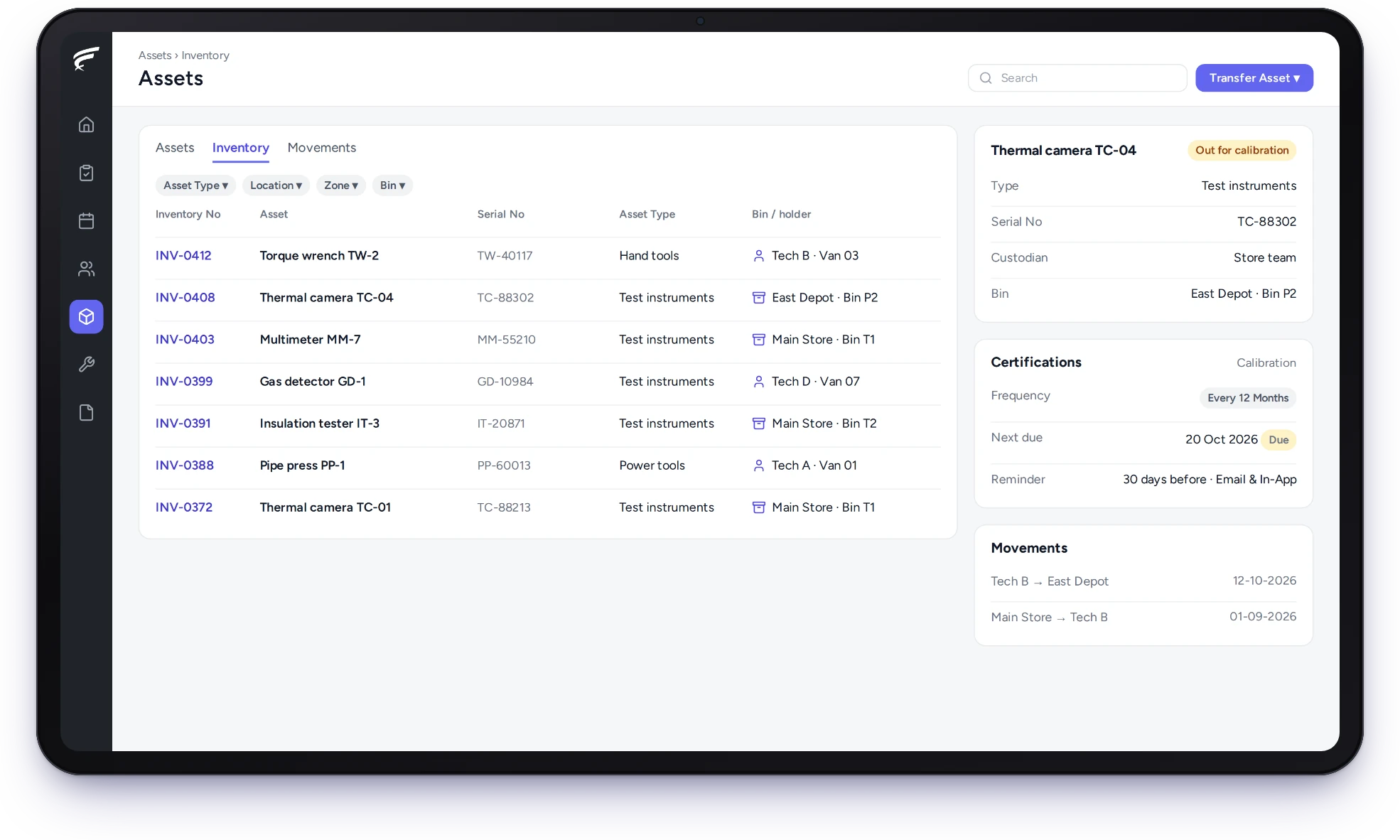
FieldEx is field service management and a computerised maintenance management system (CMMS) in one system. As tool tracking software, it records every tool, test instrument and spare unit with the person or store holding it, logs each handover with approval, and tracks calibration certificates and inspections so nothing goes out of date in a van.
Who holds each tool, and where it is now.
Every handover logged, with approval.
Calibration and inspection dates tracked with reminders.
FieldEx gives every tool, instrument and spare unit its own record, holder and history, so you always know who has it and whether it's fit to use.
The same records drive calibration and maintenance.
Each tool in FieldEx has a responsible person and a current location, so accountability doesn't end when the tool leaves the store.
In FieldEx, every tool, instrument or spare unit is an asset of its own type, with its serial number, make, model and photo. Each can have a named responsible person, and its current location is a store, a zone or a technician's own stock.
Statuses are your own, such as available, in use or out for calibration, so the list shows what can be issued today.
The responsibility is the employer's. US OSHA's 29 CFR 1910.242(a) makes each employer responsible for the safe condition of tools and equipment used by employees, including tools and equipment the employees furnish themselves.
Search by type, status, location, store or technician, and FieldEx shows where each matching tool is and who holds it.
Hours go every week on finding the torque wrench, the thermal camera or the spare pump that someone borrowed. Often the tool is in a van two streets away.
In FieldEx, a search finds tools by type, category, status, location, zone, store or the technician holding them. The result shows each tool's holder and status, so a coordinator can ask the right person to bring it, or send the nearest technician who already has one.
Tools in a technician's own stock are tracked the same way as tools in the store.
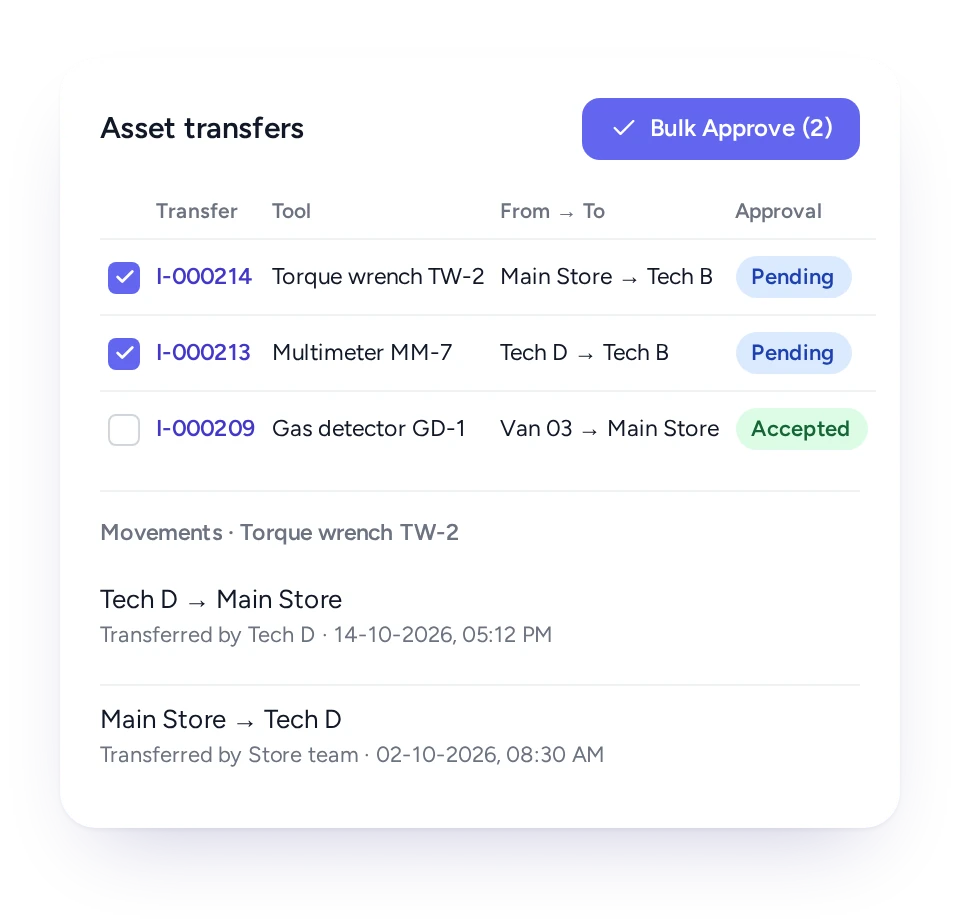
Moving a tool to another store, technician or site is a transfer, approved by the team responsible, so the record always shows who has it.
A tool handed over in the car park leaves no record. When it goes missing, nobody knows who had it last.
In FieldEx, a transfer names the tool, where it's coming from and where it's going: a store, a storage location or a technician. The team responsible for that stock approves it, and approvers can clear many pending transfers at once. Once approved, the movement is logged with the date and the people involved.
Technicians create transfers in the app by scanning the tool's label, so recording a handover takes seconds.
Each instrument's calibration certificate has its own interval and reminders, so recalibration is booked before it falls due.
In FieldEx, a calibration certificate on an instrument has its own interval, the issuing laboratory and a start date. Reminders go out before the due date, by email, in the app or both. The new certificate is uploaded to the instrument's record when it comes back.
The instrument's status can show it as out for calibration while it's away.
Inspection records have to follow the equipment. The Health and Safety Executive's guidance under the Provision and Use of Work Equipment Regulations says equipment leaving your business, or hired in, must be accompanied by physical evidence of its last inspection, such as a report, tag or label.
Give each tool its inspection interval and checklist, and FieldEx creates the inspection record when it's due.
In FieldEx, a tool can carry inspections on whatever schedule it needs, each linked to the checklist technicians complete. Each inspection shows as overdue, due or completed, so a missed check stands out.
Overdue inspections also mark the tool as not compliant on its record, so it can be pulled before the next job.
The Health and Safety Executive's guidance describes several kinds of inspection: quick checks before use, such as the cable on a hand-held power tool, weekly checks, and more extensive examinations every few months or longer, such as portable appliance testing.
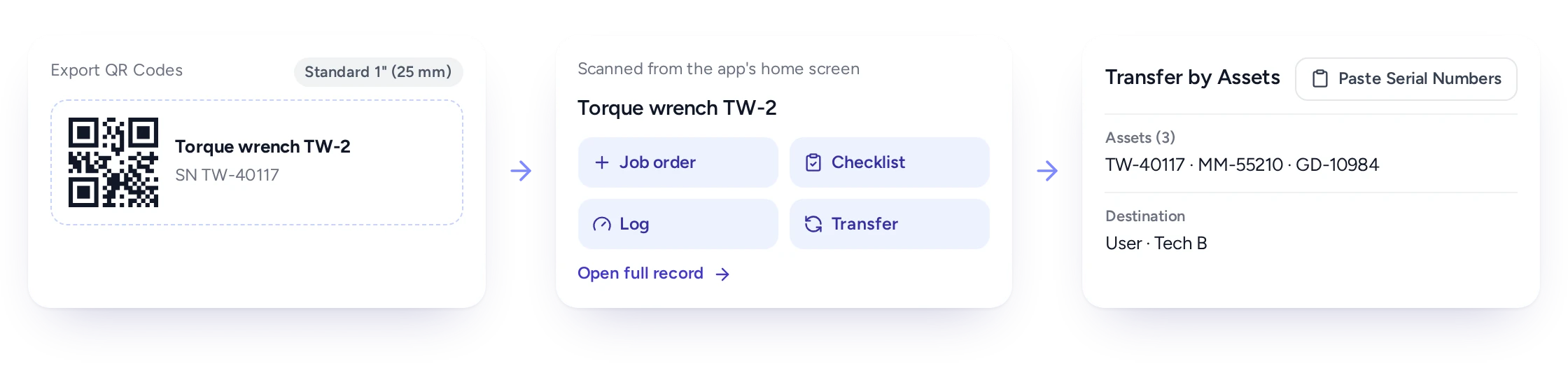
Print QR or barcode labels for tools, and technicians scan them to see the tool's record or hand it over.
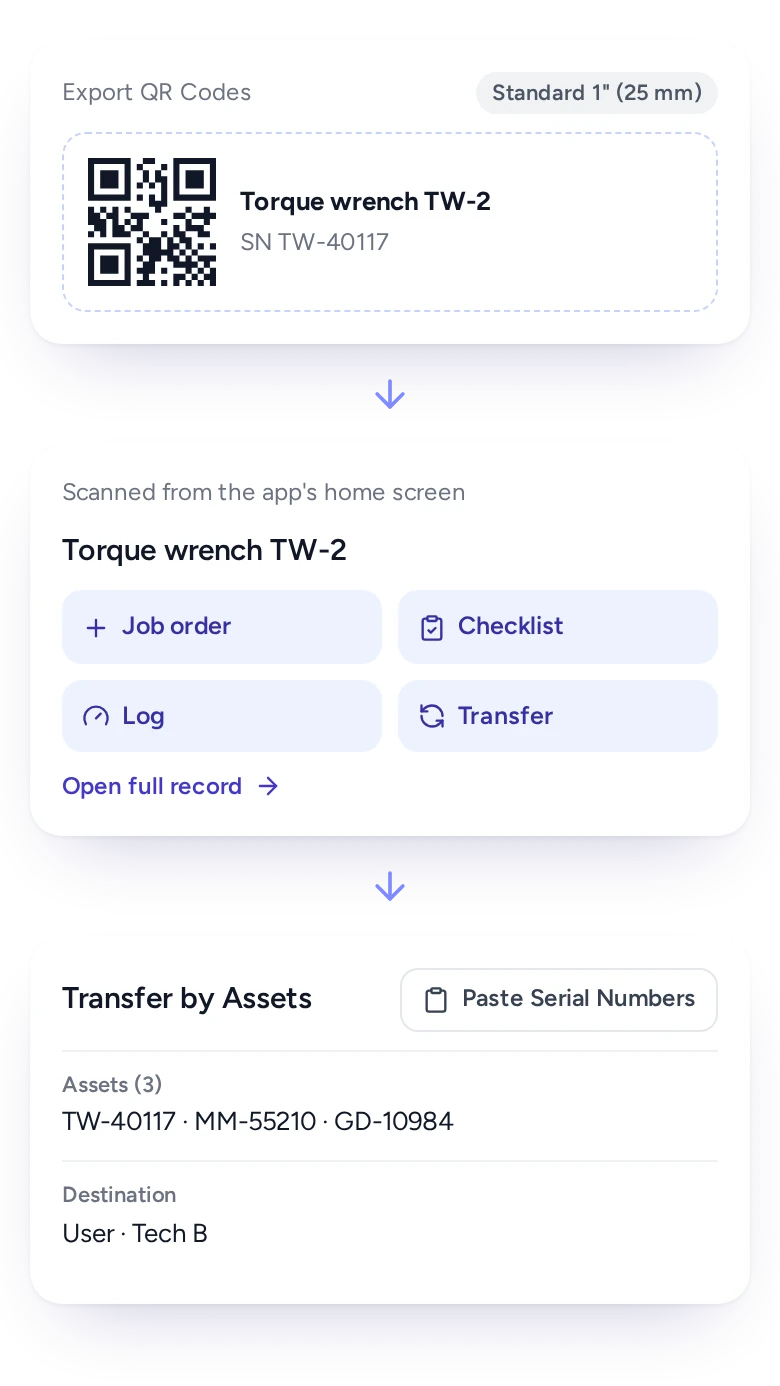
Typing serial numbers on a phone is slow and invites mistakes, especially for small items like gauges and meters.
In FieldEx, labels are printed for any set of tools in a choice of sizes and page layouts. Technicians scan a label from the app's home screen to open the tool's record or start a transfer, and scan storage locations in the same way.
When many tools move at once, their serial numbers can be pasted into the transfer in bulk.
Request a specific tool or any tool of a type, and approvers sign it off before it leaves the store.
Larger teams want a request before a tool moves: a technician asks, a supervisor agrees, the store issues it.
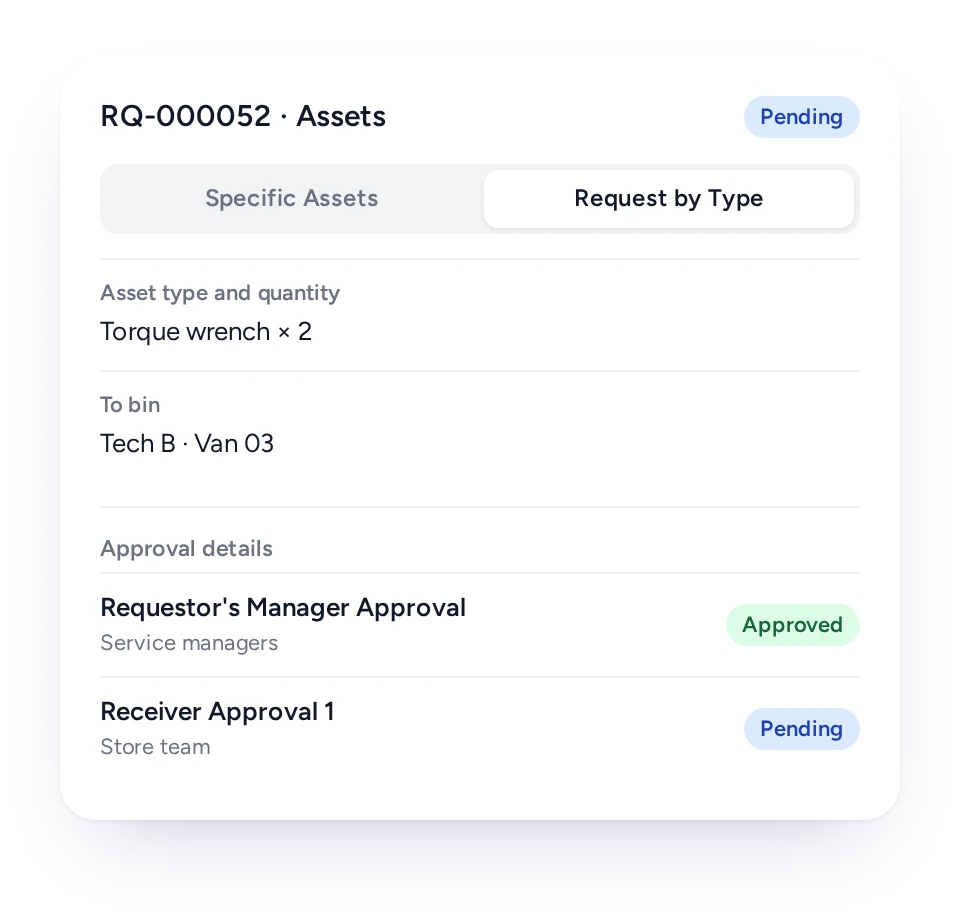
In FieldEx, a request can name specific tools or ask for any available tool of a type, and passes through one or more levels of approval. The requester is notified at each step. A consignment note records tools sent out to another store and can be printed as a PDF.
Once a request is approved, the transfer for specific tools can be started straight from it.
Every tool keeps its movements, jobs, readings, certificates and inspections on one record, for as long as you own it.
In FieldEx, a tool's record lists every movement with who, when, from and to, alongside the jobs it was used on or repaired under, its meter readings and its certificates and inspections. Changes to the record itself are logged too.
Maintenance plans can service tools by date or by usage hours, and each tool shows its utilisation and downtime.
The same HSE guidance says the result of an inspection should be recorded and kept at least until the next inspection, and that computer records should be held securely and made available on request.
Vehicles, generators and hire plant get their own asset types, readings, inspections and service plans, so larger equipment is tracked alongside hand tools.
In FieldEx, each of these can be its own asset type with its own statuses. Technicians log readings, such as mileage or running hours, against the record. Maintenance plans service it by date, by usage or both, and inspections and certificates carry their own reminders.
Every move between sites or people is a transfer, recorded and approved like a hand tool.
A service fleet isn't only drills and meters. Vans, generators, access platforms and test rigs move between sites too. Under regulation 9 of the Lifting Operations and Lifting Equipment Regulations 1998, equipment for lifting people, and lifting accessories, need a thorough examination at least every 6 months.
Storekeepers see who has every tool, technicians hand over tools in seconds, and managers know every instrument is in calibration.
Storekeeper
Every tool's holder, location and status.
Technician
The tools they hold, and handovers by scanning a label.
Supervisor
Tool requests and transfers to approve.
Quality or safety lead
Calibration certificates and inspections with reminders.
Coordinator
The nearest technician who already has the right tool.
Operations manager
Tool utilisation and downtime.
FieldEx is field service management and a CMMS in one system, so tools are tracked, maintained and used on jobs in one place.
Separate tool-crib software knows where a drill is but not which job it was used on or when it was last serviced. In FieldEx, the tool's record links its movements, its jobs, its maintenance plan and its calibration together.
Technicians already use the app for their jobs, so recording a tool handover isn't another login.
See how tools connect to asset management, spare parts and inventory, compliance and documentation, preventive maintenance and the mobile app, or read what to look for in CMMS software.
EC Solutions (aviation, Uruguay) had no real-time way to see which store removed equipment went back to, or when its status changed to not in use.
With FieldEx, removed equipment is automatically marked as not in use and assigned to the correct return store selected by the technician in the field, and every swap is recorded with technician and customer sign-offs.
Chubb, an integrated security provider in Malaysia, lacked clear oversight of equipment movement and usage as its operations expanded.
With FieldEx's built-in asset tracking, Chubb now monitors asset movements, compliance and use in real time, alongside SOP enforcement and time tracking for its field teams.
Yes. FieldEx records every tool, instrument and spare unit with its holder and location, logs each handover with approval, and tracks calibration certificates and inspections with reminders. Because it is also a CMMS, tools can be maintained and linked to the jobs they're used on.
Yes. Each tool shows its current location, whether a store, a zone or a technician's own stock, and a search finds tools by type, status, location, store or technician.
Yes. Technicians create transfers in the app by scanning the tool's label, and the responsible team approves them.
Yes. Transfers are approved by the team responsible for the stock, and approvers can clear many at once.
Yes. Each instrument can carry calibration certificates with their own intervals, reminders before the due date (by email, in the app or both) and the certificate file on its record.
Yes. Tools can carry inspections on their own schedules, each linked to a checklist, with overdue, due and completed status.
Yes. QR or barcode labels print in a choice of sizes and page layouts for any set of tools.
Yes. Requests can name specific tools or any tool of a type, and pass through one or more levels of approval.
Yes. Each tool's record lists its movements with who, when, from and to, plus its jobs, readings, certificates and inspections.
Yes. Maintenance plans can service tools by date, by usage hours or both, whichever comes first, like any other asset.
Yes. Vehicles, generators and hire plant can be their own asset types, with readings such as mileage or running hours, inspections, certificates and maintenance plans by date or usage.
Yes. Each asset type has its own statuses, such as available, in use or out for calibration.
Yes. Existing asset registers can be uploaded, and serial numbers can be pasted in bulk when many tools move in one transfer.
Customers, sites, assets and past jobs can be uploaded. FieldEx helps with setup, and training is included.
Once we know your requirements and your data is ready, FieldEx can be implemented in as little as a week with standard features for small businesses. Larger setups and custom work take longer.
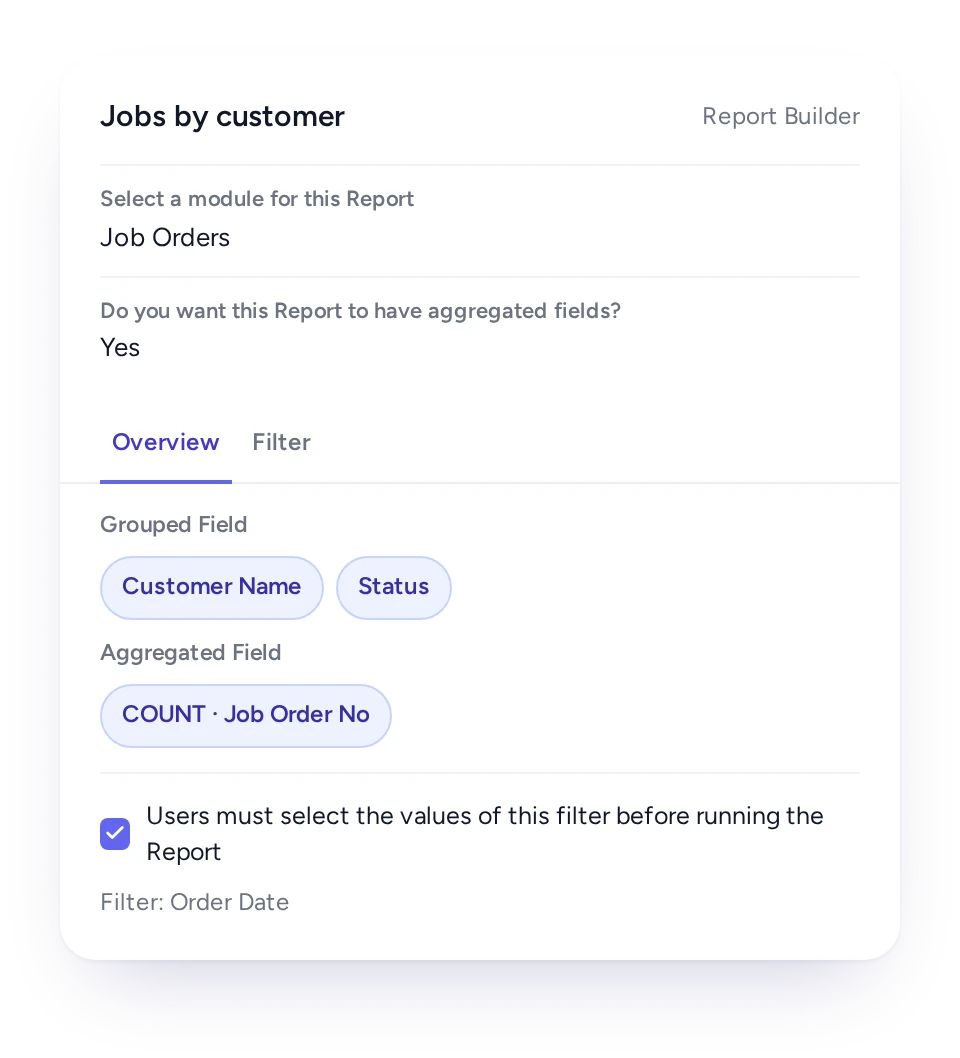
Yes. Each tool shows its utilisation and downtime, calculated from its records, and the figures are available in reports.
There's no setup fee. Customers, sites, assets and past jobs can be uploaded. FieldEx helps with setup, and training is included.
You can also set FieldEx up yourself with guides, videos and the in-app AI assistant, which answers questions as you go.
Once we know your requirements and your data is ready, FieldEx can be implemented in as little as a week with standard features for small businesses. Larger setups and custom work take longer.
