ASSET MANAGEMENT



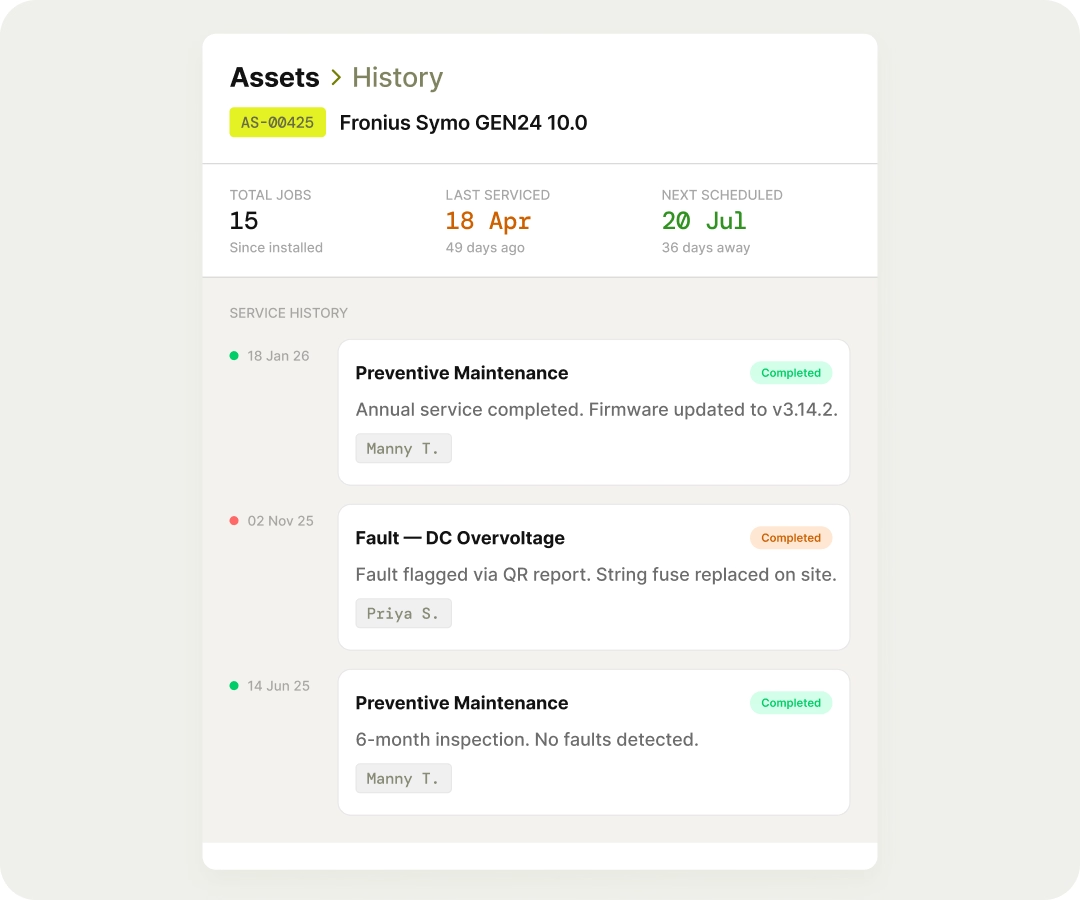
Every work order completed against an asset is logged to its timeline, including parts used, time spent, fault type, and resolution. No manual record-keeping is required. Whether it's a warranty dispute or a recurring fault you're trying to pin down, the history is already there.
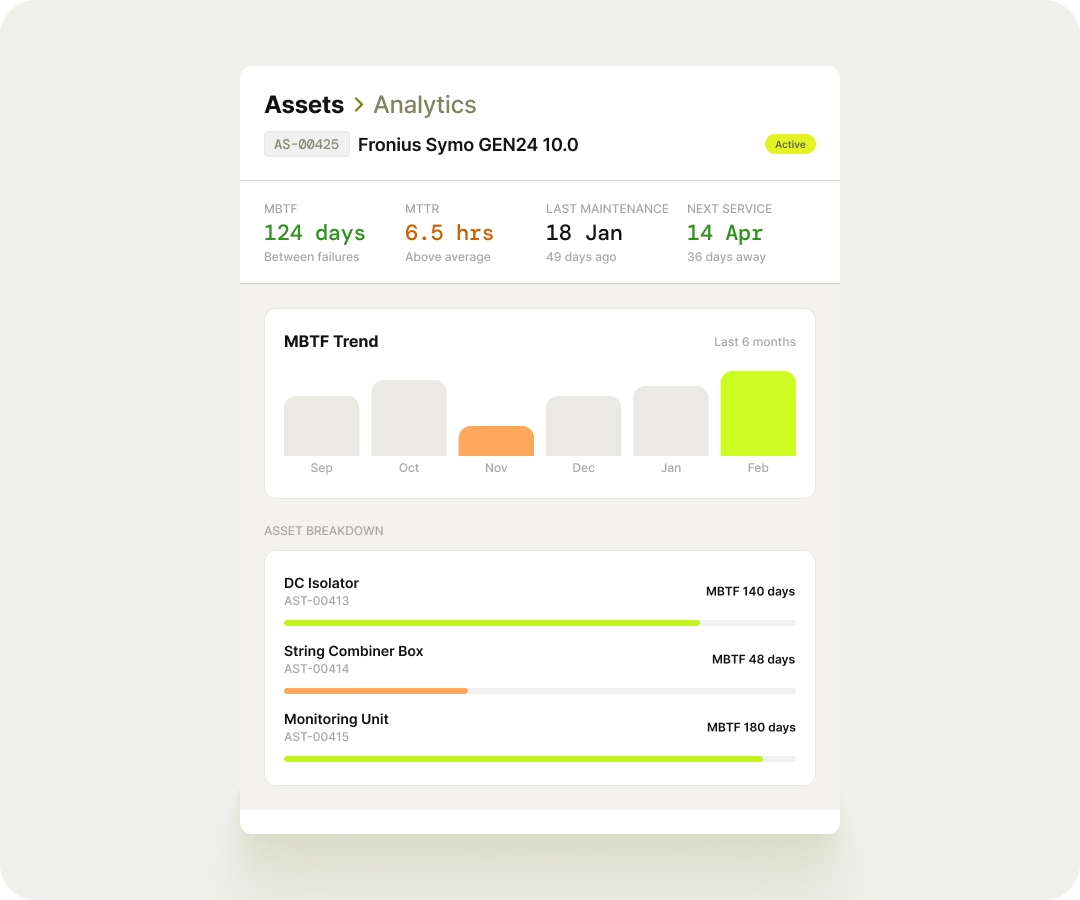
Each asset has its own analytics panel showing things like mean time between failures, mean time to repair, last maintenance date, and when the next service is due. All of it calculated automatically from real job history. You'll know which assets are underperforming before they become a bigger problem.
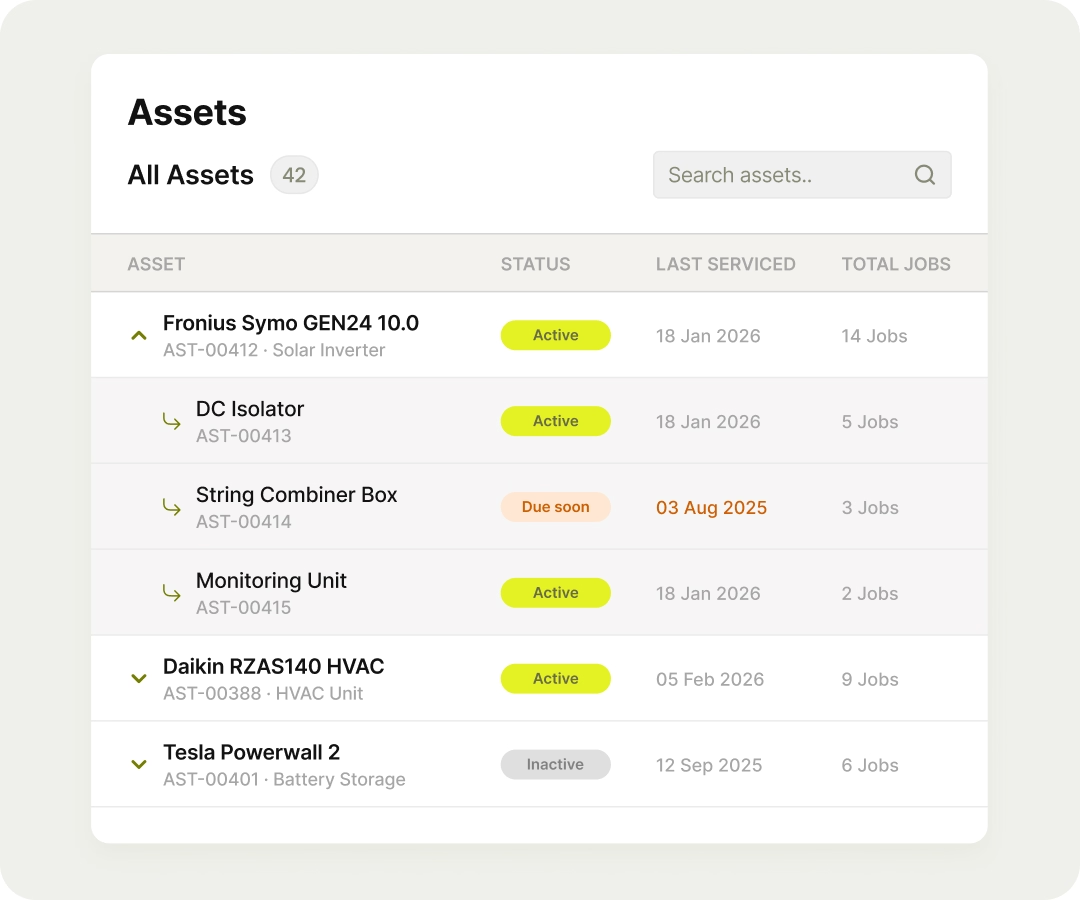
Complex equipment isn't always one thing. FieldEx supports parent-child asset relationships, so a piece of equipment can have its individual components tracked underneath it. Maintenance and parts consumption get logged at the right level, not just dumped on the parent record.

Attach a QR code to any asset. A customer, site contact, or member of the public scans it, fills in a short form, and it lands in your system as a tracked, assigned work order, instantly. No phone calls or manual intake, and no delay.

This website and its content are the property of FieldEx and are protected by copyright laws. © 2026 FieldEx. Any redistribution or reproduction of part or all of the contents in any form is prohibited, except with our express written permission.
FieldEx Pte Ltd Singapore


.avif)
.avif)

.avif)