SCHEDULING & DISPATCH

The right technician on the right job, without a dispatcher managing every move.

Operations are complex. Different skills, different regions, people on leave, jobs coming in from multiple sources at once. FieldEx handles assignment automatically, so work gets to the right person without someone manually orchestrating it every time.

4.5

Capterra Review

4.5

Software Advice Review

4.5

GetApp Review

Organize your workforce the way your business actually runs.

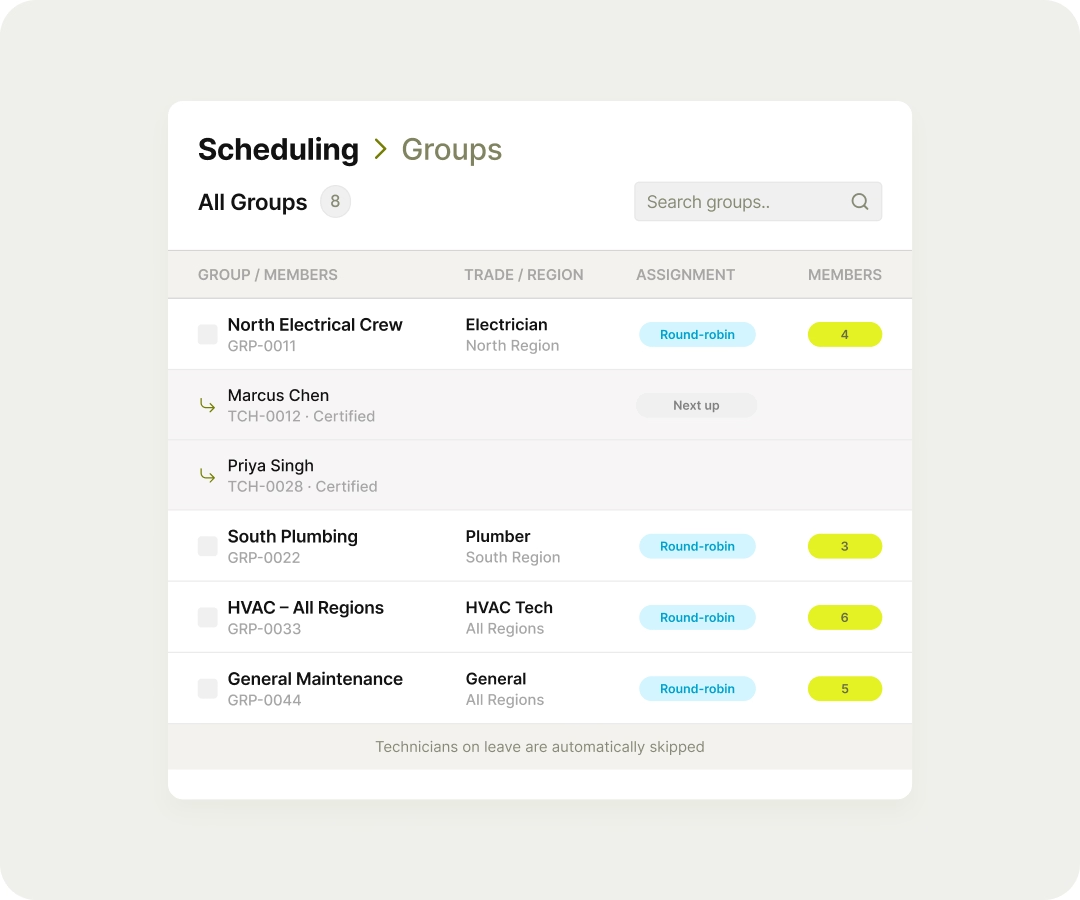
Groups in FieldEx are completely flexible. Build them by trade, region, seniority, certification, or any combination. A job that needs a certified electrician in the north region goes to that group, not to a generic pool where the wrong person picks it up.
Work distributed evenly, automatically.

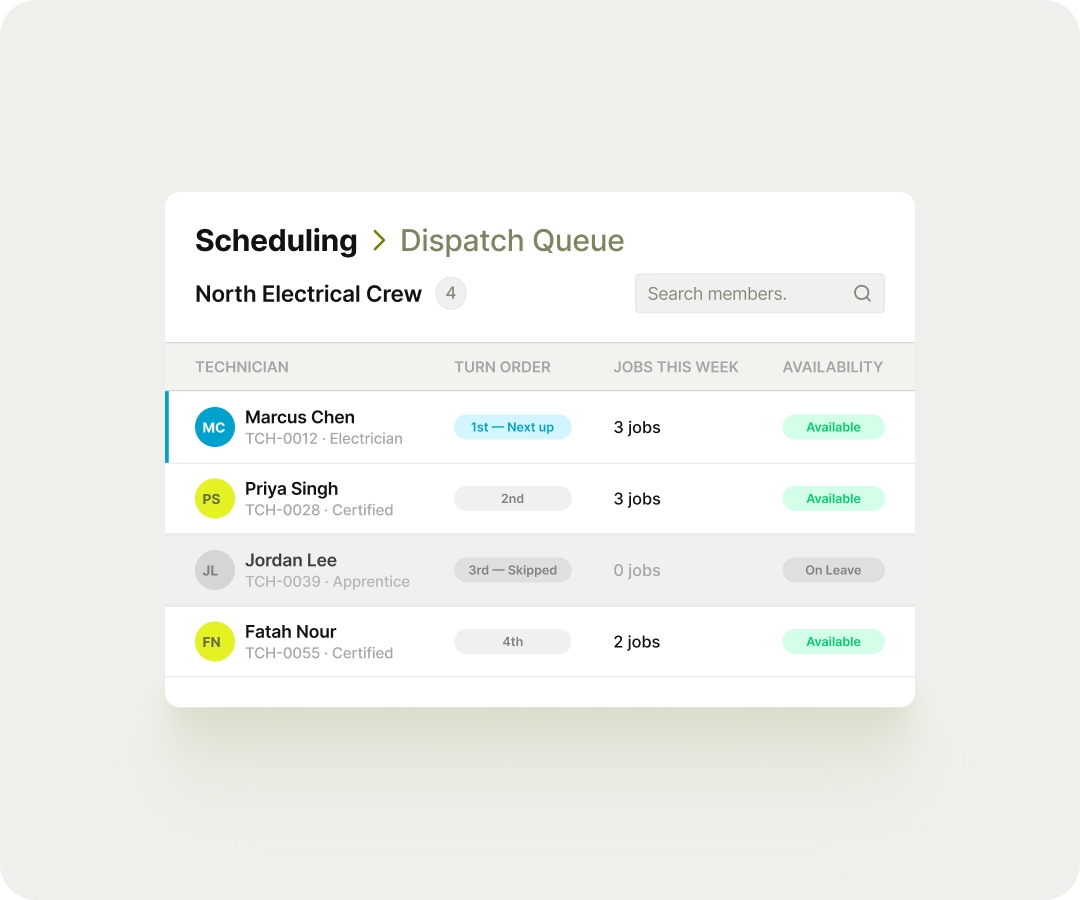
When a job is assigned to a group, FieldEx cycles through available members in order, so no one gets buried while someone else sits idle. It's also leave-aware, so if a technician is off, the job skips them and goes to the next person without anyone noticing or intervening.

Assignment that runs without being triggered.

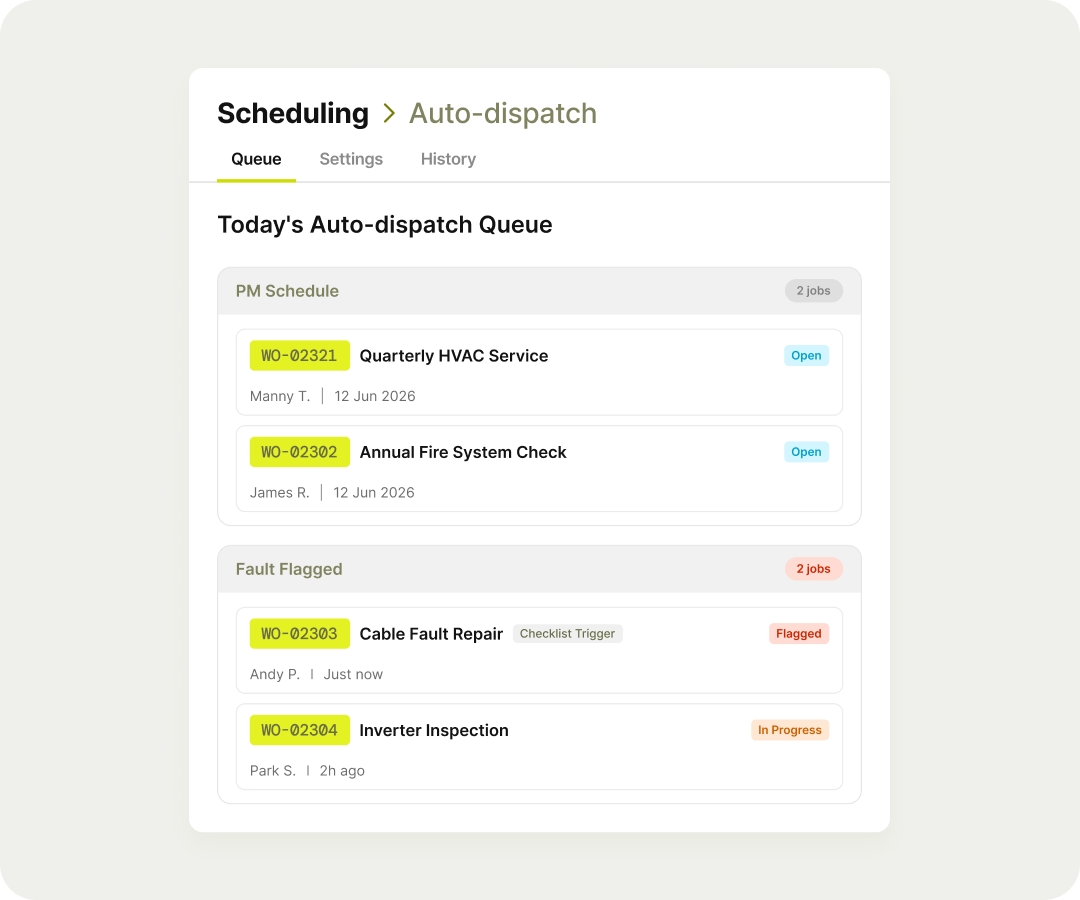
Jobs can be automatically dispatched from work order templates, checklist triggers, and preventive maintenance schedules. A fault flagged on site, a scheduled service coming due both land with the right technician without touching the dispatch queue.
Every one of those jobs carries the asset's maintenance history, certificates, and past inspections along with the assignment. A technician arrives knowing the machine's condition and record before they start the job.

One place to see who's doing what.

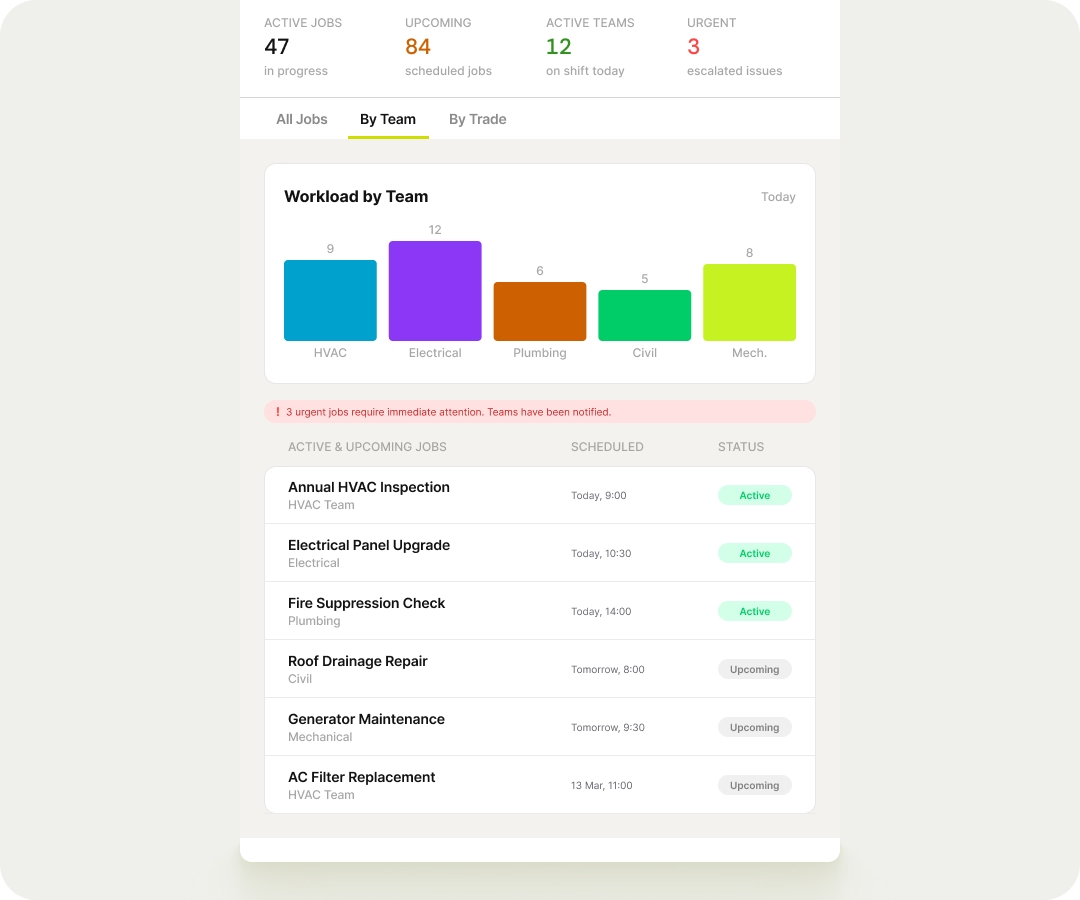
All active and upcoming jobs, across all teams and trades, visible from a single view. When priorities shift or something urgent comes in, you can see the workload and act on it, rather than piecing it together from messages and phone calls.

ENTERPRISE ONLY

SLA Management

A service level agreement (SLA) is a commitment to a customer about how quickly you'll respond to a request and how quickly you'll get the job done. FieldEx measures both on every work order, so you can see whether each job is on track and act when a target is at risk or missed.

Response and resolution times, tracked on every job.

Build an SLA from steps, each a timer stage with its own start, pause and end conditions based on the job's status. One step can time how long a job waits before work starts, and another how long it takes to finish.

Time counted only while someone is working.

Business-hours calendars set the working days and times the timers run against, so a four-hour target doesn't keep ticking overnight when no one is on shift.

A warning before a target is missed.

Every step has an At Risk threshold and a Violation threshold. Each work order carries an SLA tab showing its duration, At Risk time, Violation time and current status, and FieldEx can alert chosen roles, groups or the record owner when a target is at risk or missed.

The right SLA on the right jobs.

Steps and a business-hours calendar come together as a package. A package applies to a job when it matches the conditions you set, and it can be limited to specific customers or cover all of them, so different customers can have different service levels.

SLA management is available on the Enterprise plan. Talk to us to see it in action.

What our customers say