Is FieldEx good work order management software for teams that look after equipment?
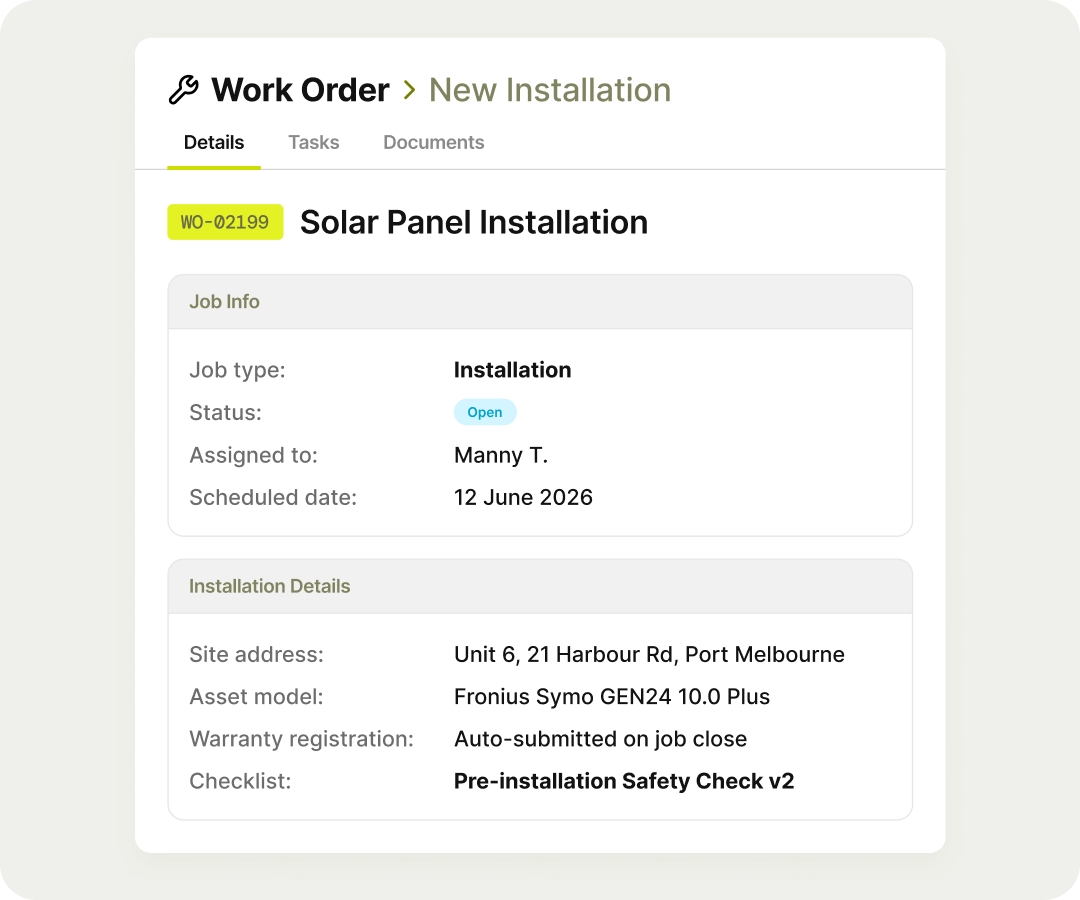
Yes. FieldEx builds each work order from a template, keeps required tasks in order and closes the job with photos, the customer's signature and a completion PDF. Because it is also a CMMS, every job is linked to its asset, so the work builds a maintenance history you can use for planning.
Can technicians create and complete work orders from the FieldEx app?
Yes. Technicians can create a work order on the phone, from a template if they like, and scan an asset's QR code to fill in the asset. They can then check in, work through the tasks, add parts and photos, and collect the customer's signature.
Can a work order stop technicians from skipping steps?
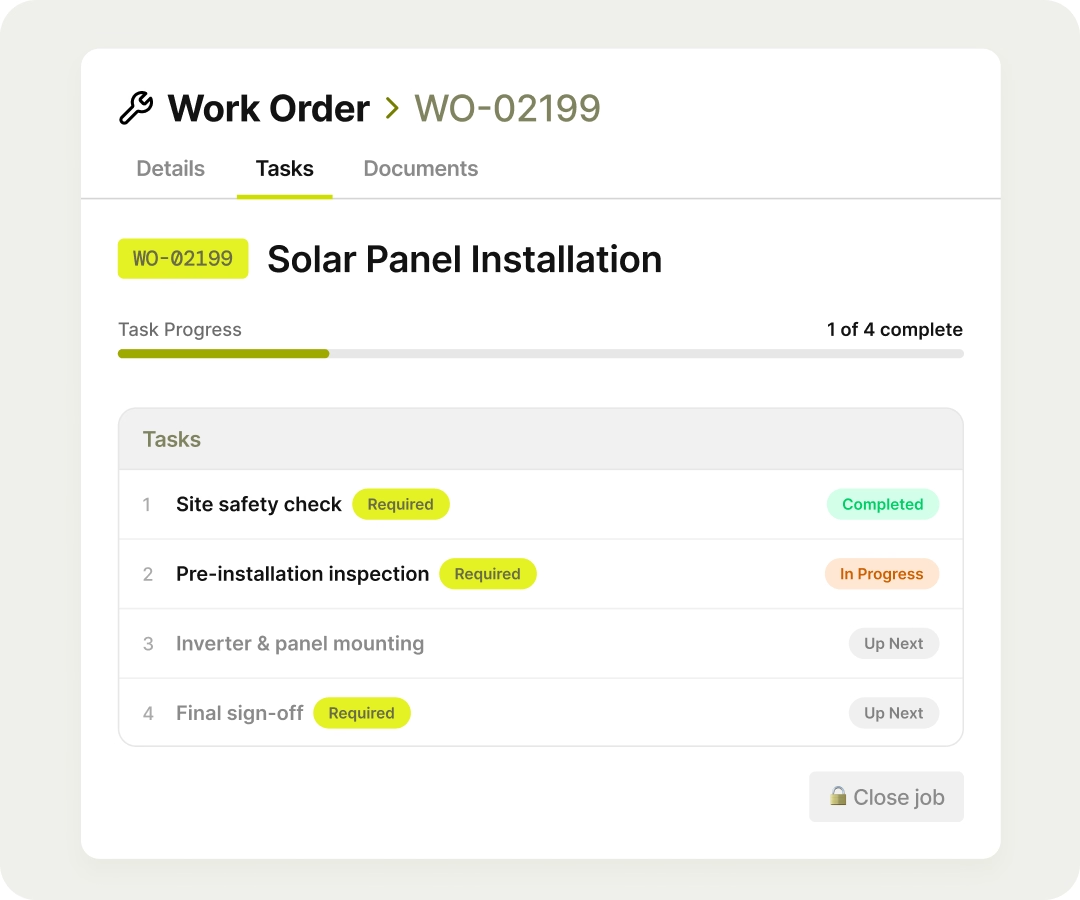
Yes. Tasks can be set to follow an order, each finished before the next starts, and any task can be marked as required. The work order can't be closed until every required task is done.
What does the FieldEx completion report include?
The standard completion PDF shows job and equipment details, addresses, fault and resolution details, spare parts used with quantities and prices, technician check-in and check-out times, the work carried out, attachments and the customer's signature. Admins can also build custom PDF layouts.
Can we have different forms for installations, repairs and inspections?
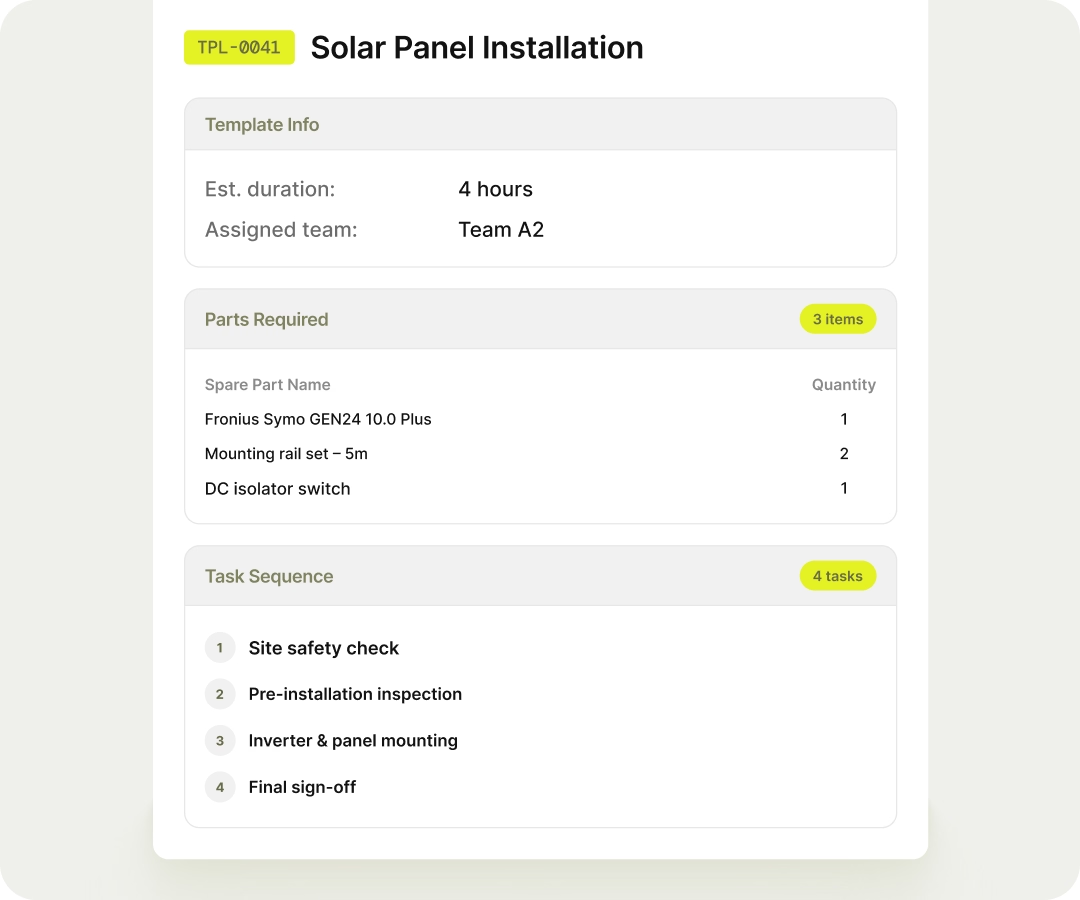
Yes. Each job type has its own sections and its own statuses, and you choose whether it is tied to an asset, a customer, a site or a project. Templates under each type bring in the right tasks and parts.
Can an inspection automatically create a follow-up work order?
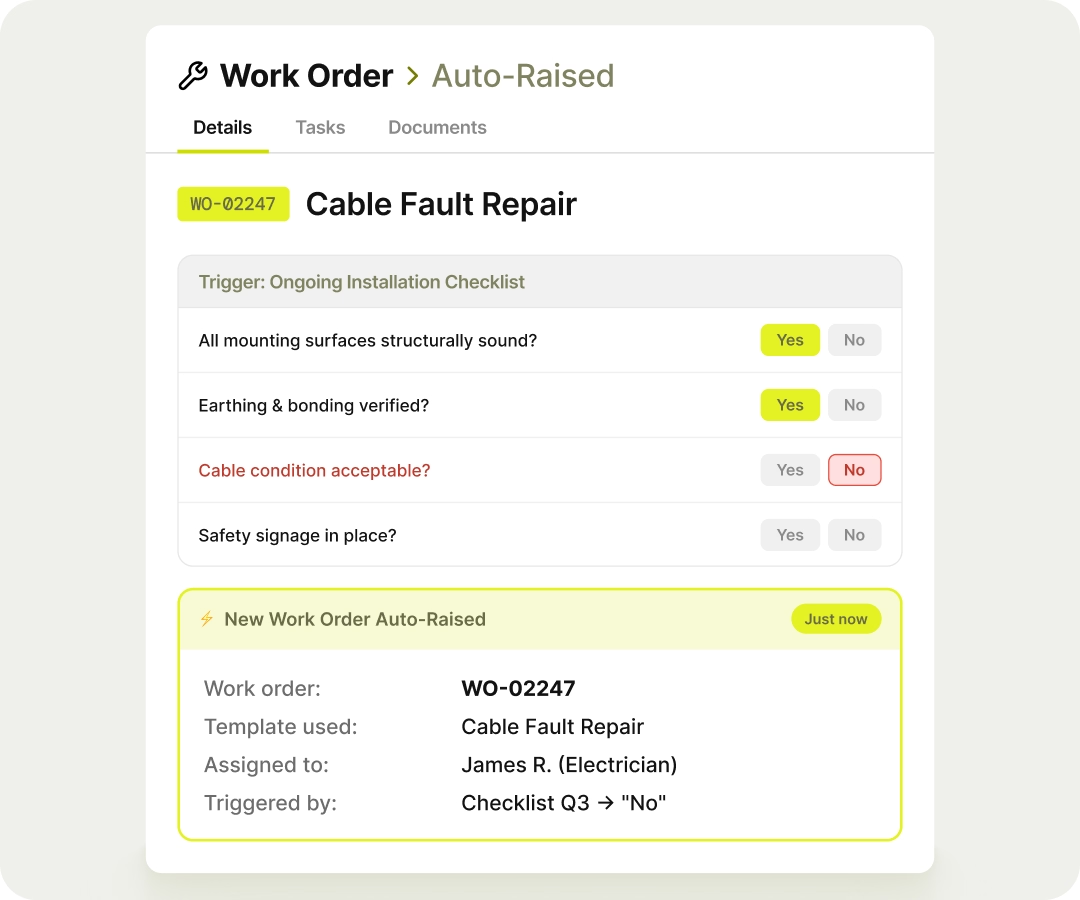
Yes. Each checklist answer can be set to raise a work order from a template, with its tasks in place, when the checklist is completed. Condition grades can also update the asset's status.
Will FieldEx warn us about repeat jobs on the same equipment?
Yes. For the job types you choose, FieldEx warns when a new work order repeats a job of the same type on the same asset within the number of days you set. It shows a link to the earlier job and can email a chosen group.
Can completed work orders be locked so they can't be changed?
Yes. For any job type, completed work orders can lock so only the roles you choose can still change them. Every change is logged with the old and new value, who made it and when, and delete rights are set per role.
Can technicians attach photos and videos to a work order?
Yes. Photos and videos are attached to the job from the phone. Photos can be marked up before saving and are stamped with the location and time they were taken.
Can work orders be worked without a signal?
Yes. Jobs and tasks can be downloaded and worked offline, with check-in, check-out and travel synced later.
Can we record the parts used on each job?
Yes. Technicians add parts from the parts list, by scanning a barcode or from the stock they carry, and parts taken from a storage location are deducted from it. Parts used appear on the completion PDF with quantities and prices.
Does FieldEx connect to accounting software?
FieldEx can connect to any open system through REST APIs and has connectors for QuickBooks and Xero.
Can we call work orders by our own name?
Yes. Any field or label can be renamed to the words your team uses, for example calling a work order a "service ticket".
Customers, sites, equipment and past jobs can be uploaded. FieldEx helps with setup, and training is included.
Once we know your requirements and your data is ready, FieldEx can be implemented in as little as a week with standard features for small businesses. Larger setups and custom work take longer.
How long does it take to start using FieldEx work orders?
There's no setup fee. Customers, sites, assets and past jobs can be uploaded. FieldEx helps with setup, and training is included.
You can also set FieldEx up yourself with guides, videos and the in-app AI assistant, which answers questions as you go.
Once we know your requirements and your data is ready, FieldEx can be implemented in as little as a week with standard features for small businesses. Larger setups and custom work take longer.