Field service reporting software for the numbers your managers ask for

Build reports from jobs, tasks, assets, parts and checklists, track maintenance KPIs, and send them to the right people on a schedule.

Book a demo
Updated 15 Oct 2026
FieldEx report with jobs grouped by customer and status

FieldEx is field service management and a computerised maintenance management system (CMMS) in one system. As field service reporting software, it lets managers build their own reports from jobs, tasks, assets, parts and checklists, with totals and filters, see measures such as mean time between failures (MTBF), and share, export or email reports on a schedule.

  • Your own reports, built without a developer.

  • Maintenance KPIs and asset measures from real job data.

  • Reports shared, exported or emailed on a schedule.

What FieldEx does as field service reporting software

FieldEx turns the records your team already creates, jobs, tasks, parts, assets and checklists, into reports managers can build, share and schedule themselves.

The data stays close to live.

Your own reports

  • Reports built from jobs, tasks, assets, parts, stock, checklists and leave.
  • The columns you choose, in the order you want.
  • Rows grouped by any field, such as customer or job type.

Totals and filters

  • Counts, sums, averages, minimums and maximums.
  • Filters saved with the report.
  • Filters that ask the user for a value each time the report runs.

Standard reports

  • A folder of ready-made reports.
  • Any standard report copied and changed to suit you.

Sharing

  • Reports and folders shared with people or teams.
  • View-only or edit rights for each person.
  • Favourites for the reports you open most.

Scheduled reports

  • Reports emailed on a recurring schedule.
  • Sent to users, teams or any email address.
  • More than one schedule per report, such as a daily file and a weekly PDF.

Exports

  • CSV, Excel or PDF from any report.
  • Exports of the full data set behind a report.

Asset measures

  • MTBF, mean time to repair (MTTR), failure rate and downtime per asset.
  • Repair cost per hour, utilisation and remaining useful life.

Dashboards

  • A maintenance dashboard of overdue, due and completed work.
  • A compliance view of certificates and inspections.
  • A month calendar of planned jobs.

What you can report on

  • Job status, type, customer, site, asset, fault and resolution.
  • Parts used, task completion and SLA status.
  • Task timing and travel time and distance.

The maintenance KPIs that show whether work is on track

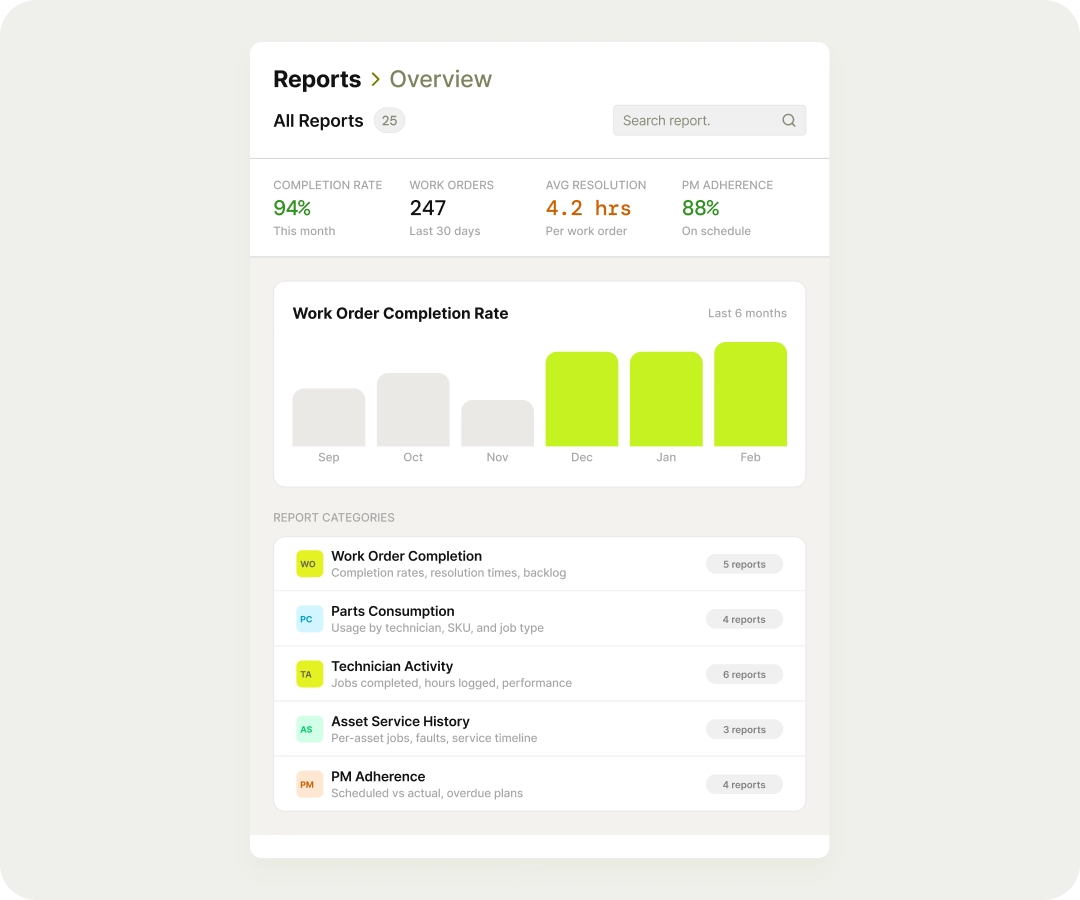
Track preventive maintenance completion, schedule compliance and backlog from the jobs FieldEx already records.

In FieldEx, planned maintenance jobs, reactive jobs and their tasks are all records you can report on. Group jobs by type and status to see how many planned jobs were completed against those due, or compare scheduled hours with hours worked from task timing.

Because the data comes from the jobs themselves, nobody has to keep a separate KPI spreadsheet.

The US Department of Energy's Federal Energy Management Program suggests targets for an operations and maintenance programme: more than 90% of scheduled preventive maintenance completed, more than 90% schedule compliance, and maintenance overtime under 5% of regular hours.

Build a report yourself, without waiting for a developer

Pick the data, the columns, the grouping and the filters, and FieldEx builds the report in a few steps.

Most managers know the question they want answered: how many jobs per customer last month, which faults keep coming back, which sites use the most parts.

In FieldEx, a report starts from a data set, such as jobs, tasks, parts used or stock. You choose the columns, group the rows by any field and add totals: counts, sums, averages, minimums or maximums. Filters can be fixed, or set to ask for a value each time the report runs.

A ready-made standard report can also be copied and changed, so you don't start from nothing. Saved reports keep their columns, grouping and filters, so next month's run takes one click rather than another afternoon of setup.

Building a report with columns, grouping and filters in FieldEx

Backlog and jobs opened versus closed

See how many jobs were raised and closed over time, and how many are still open, to judge workload before it becomes a backlog.

In FieldEx, a report on jobs grouped by status and date shows what came in, what was finished and what is waiting. Filter by customer, site or job type to see where the backlog sits.

The maintenance dashboard shows the same picture for planned work: overdue, due in the next seven days and completed in the last seven.

The Federal Energy Management Program recommends tracking work orders generated and closed out over time, so managers can understand workloads and schedule staff. The Pacific Northwest National Laboratory's O&M guidance suggests keeping backlog under 5% of work orders.

Repeat work, faults and the assets behind them

Report on faults, resolutions and repeat jobs by asset, so you can see which machines and fixes keep coming back.

FieldEx flags a repeat job when an asset gets the same job type again within a set number of days. Every job also records its fault and resolution, so a report grouped by asset, fault or resolution shows which problems recur and where.

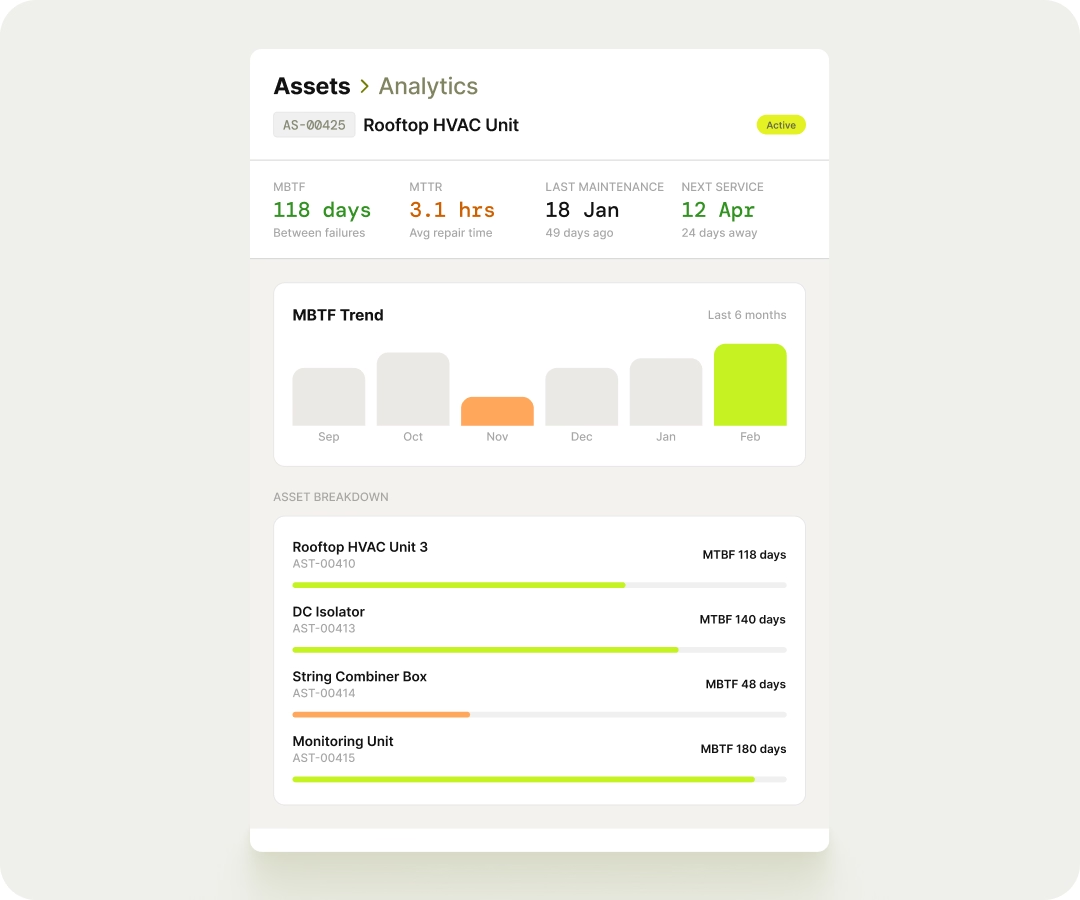
Each asset's own measures, MTBF, MTTR, failure rate and downtime, sit on its record and in reports, so the worst performers are easy to find.

Repeat visits are a cost that rarely shows on a timesheet. The Pacific Northwest National Laboratory's O&M guidance suggests keeping rework under 3% of work orders.

Reports that arrive by email on a schedule

Schedule any report you build, and FieldEx emails it as CSV, Excel or PDF to the people who need it, on the days you choose.

Scheduling a report to email weekly in FieldExScheduling a report to email weekly in FieldEx

Weekly reports are often the most tedious job in the office: run the same filters, export, format, attach, send.

In FieldEx, a report can be scheduled to email itself on a recurring basis, with a start date and an end date or none. Recipients can be FieldEx users, teams or any email address, such as a client's facilities manager.

One report can carry more than one schedule, for example a daily CSV for the coordinator and a weekly PDF for management.

Book a demo

Sharing reports with managers and teams

Share a report or a whole folder with people or teams, as view-only or with edit rights, so everyone works from the same numbers.

When reports are passed around as attachments, the copies soon disagree. A shared report in FieldEx is always run on the current data.

Reports sit in folders you create. Share a report, or a folder of them, with named users or teams, and choose whether each can only view and run it or also edit it. Favourites keep the reports you open every day at the top.

Recipients are notified in the app when something is shared with them. Ownership of a report can also be handed to someone else when a role changes, so reports don't disappear when a manager moves on.

Sharing a report folder with a team in FieldEx

Technician time, travel and workload

Report on task timing and travel, so you can see time on site, time on the road and how work is spread across the team.

In FieldEx, each task records when it started and finished, who did it, and the travel to reach it, including time and distance. Reports grouped by technician, team or customer show how hours are spent and where travel is high.

Leave can be reported by type, person and status, so planned absence is part of the picture.

The Federal Energy Management Program suggests keeping maintenance overtime under 5% of regular maintenance hours, which needs a clear view of where the hours go.

Exports for finance, clients and audits

Export any report as CSV, Excel or PDF, including the full set of records behind it.

Finance teams, clients and auditors often want the numbers in their own format. A screen view is rarely enough.

In FieldEx, any report can be exported on demand as CSV, Excel or PDF. Large reports show the first rows on screen and export the full set, so nothing is cut off. Finance can then check parts and labour against invoices in the tools they already use.

The data behind reports is kept close to live, so an export reflects recent work, not last week's snapshot.

Exporting a report as CSV, Excel or PDF from FieldEx

Excel and PDF exports for clients, accounts and inspectors

Any report exports as CSV, Excel or PDF, with the complete set of records behind it.

In FieldEx, any report can be exported on demand as CSV, Excel or PDF. Large reports show the first rows on screen and export everything.

Exports reflect recent work, because report data stays close to live.

Records sometimes have to be produced on the spot. Regulation 20 of the Occupational Safety and Health (Plant Requiring Certificate of Fitness) Regulations 2024 requires plant records of testing, inspection, repair, alteration and maintenance to be provided at the place of work, in the national language or English.

Inspection and checklist results across every site

Report on completed checklists by asset, asset type and zone, including the answers given and the jobs they raised.

The Health and Safety Executive's guidance on inspecting work equipment says the result of each inspection should be recorded and kept at least until the next one. On paper, those records are hard to add up across thirty buildings.

In FieldEx, checklists are reportable records. A report can show each checklist's status, the asset, its type and service zone, the answers recorded and any jobs the answers raised. Group by answer to see how often a check fails, or by zone to see where problems cluster.

Because every failed answer that raises a repair job is linked to it, the same report shows whether each defect was followed up.

The draft has none. Suggested: Report of failed checklist answers by service zone in FieldEx

What each person gets from FieldEx reports

Managers get KPIs without spreadsheets, coordinators get backlog views, and clients can receive the reports they ask for on a schedule.

  • Operations manager

    Maintenance KPIs, backlog and technician workload.

  • Service manager

    Jobs by customer, fault and SLA status.

  • Maintenance manager

    MTBF, MTTR and downtime by asset.

  • Coordinator

    Open jobs by site, customer and type.

  • Finance

    Parts used and job exports in Excel or CSV.

  • Client

    Scheduled reports emailed to their own address.

Reports that cover field work and maintenance together

FieldEx is field service management and a CMMS in one system, so one report covers reactive and planned work on the same assets.

When field jobs and maintenance live in separate tools, every management report needs two exports and a spreadsheet to join them. In FieldEx, they are the same records: a job carries its customer, site, asset, parts, tasks and SLA status, whether it came from a plan or a phone call.

That makes questions like "what did this customer's breakdowns cost compared with their planned visits?" one report, not a project.

See how reports connect to work order management, asset management, preventive maintenance, spare parts and inventory and service contracts and SLAs, or read FSM vs CMMS.

AlanDick Brunei: personalised reports with filters by region and job type

AlanDick Brunei (telecommunications, Brunei) delivers RF products and infrastructure services across industries such as oil and gas, defence and broadcasting. With FieldEx, the team can now generate personalised reports with visual charts, graphs and filters by region, timeframe or job type, and the office has real-time visibility of technician locations, job progress and inventory movements.

Read the AlanDick Brunei story

Sime Industrial: management reports in a few clicks

Sime Industrial, a heavy equipment provider supporting construction, mining and energy, struggled to measure field productivity or report performance with confidence.

With FieldEx, management reports that used to take hours are now a few clicks away, with accurate data on job durations, coverage and technician performance.

Read the Sime Industrial story

Questions managers ask about reports in FieldEx

Is FieldEx good field service reporting software?

Yes. FieldEx lets managers build their own reports from jobs, tasks, assets, parts, stock and checklists, with grouping, totals and filters, and share, export or email them on a schedule. Because it is also a CMMS, one report can cover field jobs and planned maintenance together.

Can we build our own reports without a developer?

Yes. Choose a data set, the columns, grouping, totals and filters, and save the report. Standard reports can also be copied and changed.

Can FieldEx email reports automatically?

Yes. Any report you build can be scheduled to email as CSV, Excel or PDF to users, teams or any email address, with more than one schedule per report if needed.

Which maintenance KPIs can we track?

Planned maintenance completion, backlog, jobs opened and closed, repeat work, time on task and travel, plus MTBF, MTTR, failure rate and downtime for each asset.

Does FieldEx calculate MTBF and MTTR?

Yes. MTBF, MTTR, failure rate and downtime are calculated for each asset from its job history and are available in reports.

Can we export reports to Excel?

Yes. Any report exports as CSV, Excel or PDF, including the full set of records behind it.

Can we share reports with other managers?

Yes. Share a report or a folder with people or teams, with view-only or edit rights for each.

Can a report ask for a date range or customer each time it runs?

Yes. Filters can be set to ask the user for a value each time the report runs.

Can we report on SLA performance?

Yes. Jobs carry their SLA status, so reports can show which jobs met or missed their targets.

Can we report on technician time and travel?

Yes. Task reports show start and finish times, the person who did the work, and travel time and distance.

Can clients receive reports?

Yes. A scheduled report can be emailed to any address, so a client can receive their own report on a regular schedule.

How current is the data in reports?

Report data is kept close to live, so reports and exports reflect recent work.

Can we report on inspection results?

Yes. Checklists are reportable by status, asset, asset type and service zone, with the answers recorded and the jobs those answers raised.

Is there a maintenance dashboard?

Yes. The maintenance dashboard shows overdue work, work due in the next seven days and work completed in the last seven, with a month calendar of planned jobs.

Customers, sites, assets and past jobs can be uploaded. FieldEx helps with setup, and training is included.

Once we know your requirements and your data is ready, FieldEx can be implemented in as little as a week with standard features for small businesses. Larger setups and custom work take longer.

How long does it take to set up reports in FieldEx?

There's no setup fee. Customers, sites, assets and past jobs can be uploaded. FieldEx helps with setup, and training is included.

You can also set FieldEx up yourself with guides, videos and the in-app AI assistant, which answers questions as you go.

Once we know your requirements and your data is ready, FieldEx can be implemented in as little as a week with standard features for small businesses. Larger setups and custom work take longer.

See your own reports built in FieldEx

Book a demo