
.png)
.png)
In 2026, construction management software is significantly better than spreadsheets. While spreadsheets are inexpensive and familiar, they lack real-time field connectivity, automated phase dependencies, and equipment tracking. Dedicated construction software syncs the field with the office instantly, preventing costly delays, enforcing compliance, and integrating fleet data (CMMS) with workforce scheduling.
Spreadsheets are the universal language of business. It’s completely understandable why so many construction companies still rely on them; they are familiar, easily accessible, and cheap. But in heavy construction, relying on a static grid of cells to manage a multi-million dollar, multi-trade project is a massive financial risk.
As project complexities increase, margins tighten, and deadlines shrink in 2026, the gap between what a spreadsheet can do and what a project manager (PM) actually needs has never been wider. You’re no longer just scheduling people – you’re orchestrating complex phase dependencies, coordinating heavy machinery, and tracking compliance in real-time.
.png)
Let’s validate why Excel and Google Sheets have held on for so long. They offer a blank canvas, require almost zero specialized training to get started, and come pre-installed on virtually every office computer. When you’re a small subcontractor managing one crew on a residential site, a spreadsheet works perfectly fine.
But here’s the harsh reality: spreadsheets are great for making lists, but they are fundamentally incapable of managing dynamic workflows. Once your operations scale to include heavy iron, multi-phase commercial builds, and dozens of specialized technicians, that spreadsheet transforms from a helpful tool into an operational liability.
To see exactly where the breakdown happens, let's look at how these two methods handle the daily realities of a modern job site.
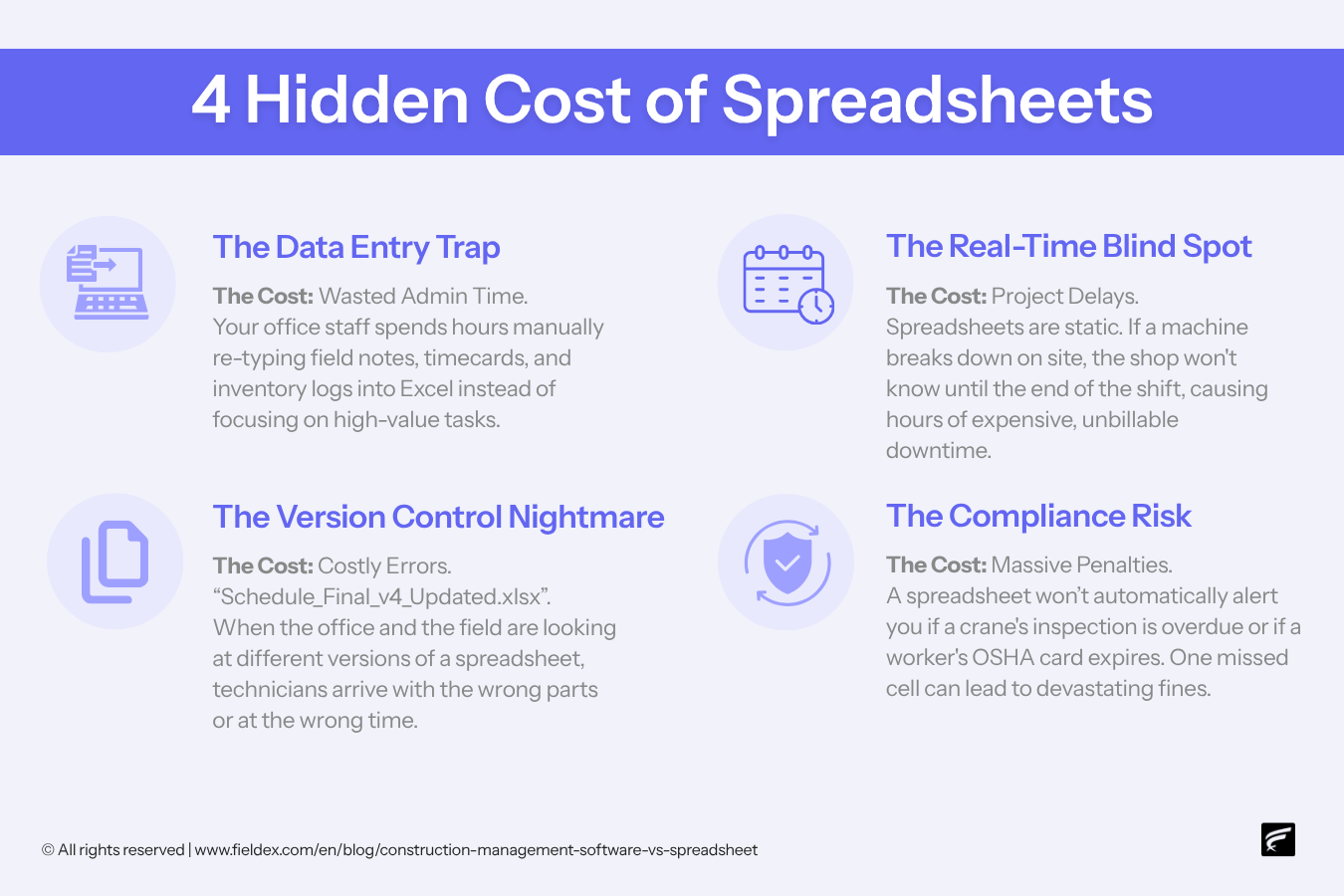
Sticking with legacy tools might feel safe, but that comfort is costing you billable hours. Here are the specific ways spreadsheets bleed your profit margins:
When a schedule changes due to rain, the PM has to email a new file. If a subcontractor is looking at "v2" on their phone while the office is operating on "v4", highly paid crews are going to show up on the wrong day.
A site supervisor cannot easily navigate a massive, 50-column spreadsheet on a smartphone in the middle of a muddy job site. This friction leads to missed updates, delayed reporting, and a dangerous disconnect between the field and the office.
Construction is sequential. If pouring the foundation is delayed, a spreadsheet requires the PM to manually erase, rewrite and recalculate the next 50 steps. It is tedious administrative busywork that leaves massive room for human error.
Spreadsheets cannot talk to your telematics systems or your maintenance shop. Your Excel file might say you have an excavator available for Tuesday, but it doesn't know the machine blew a hydraulic hose an hour ago.
The construction landscape has evolved. What was acceptable in 2019 will lose you bids in 2026.
When you replace a static grid with an intelligent platform, you stop documenting what happened and start controlling what will happen.
Let's address the elephant in the room: the main reason companies stick with Excel is the fear that implementing new software will grind daily operations to a halt. Change management is a very real challenge, and tearing up your existing workflows feels incredibly risky.
However, the transition is only painful if you try to do it all at once. Migrating to a modern construction management platform is a structured, predictable process. Here’s the exact step-by-step playbook to make the switch without disrupting your active projects:
Before touching the new software, you need to organize your current data. You cannot automate a mess. Gather your scattered spreadsheets, standardize your material and phase naming conventions, and compile a clean list of your active workforce, their certifications, and your equipment fleet.
Good software relies on good data – clean data goes in, and actionable insights come out.
.png)
Do not mandate a company-wide rollout on a Monday morning. Select a single, upcoming mid-sized project to act as your pilot.
This allows your core project management team to learn the platform's mechanics – like setting up digital locks and syncing heavy equipment – in a controlled, low-stakes environment.
Your field supervisors do not need to know how to build complex phase dependencies; they just need to know how to view their daily schedule, request materials, and submit a photo. Keep training strictly focused on what each person needs to know.
Give the office staff a deep dive into the dispatch board, but give the field crews a simple, 15-minute tutorial on how to use the mobile app.
For the first week or two of the pilot project, run your new software in parallel with your old spreadsheet.
This acts as a psychological safety net. It allows your PMs to build trust in the software's automated scheduling by verifying it against the spreadsheet they are familiar with.
Once trust is established and your field crews are comfortable submitting data through the app, initiate the full cutover. Retire the old Excel templates, archive the files to remove the temptation to fall back on bad habits, and mandate that all new projects are built exclusively within the platform.
The few days it takes to execute this structured transition are a micro-investment. You will immediately recoup that time in the first month by eliminating manual schedule recalculations, field miscommunications, and data entry errors.
Not all construction software is created equal. Many platforms just give you a digitized version of the same old spreadsheet. To truly fix the problem, you need a unified hub.
This is where FieldEx changes the game for heavy operations. FieldEx isn't just a scheduling tool; it is one of the only platforms that seamlessly unites FSM (field service management) with CMMS (computerized maintenance management system).
By bridging the gap between your labor force and your heavy fleet, FieldEx gives PMs total control. You will never dispatch a crew without validating that their required heavy machinery is operational, and you will never schedule a phase without knowing the required materials are on site.
Ready to stop managing chaos on a grid? Book a free demo with FieldEx today to see how easily you can migrate your spreadsheets into a streamlined, automated dispatch board. Or simply get in touch. We’re here to help.
Spreadsheets remain popular because they’re cheap, universally accessible, and require no specialized training to set up. They work well for very small, single-crew residential jobs. However, they become a liability in commercial construction where real-time updates and multi-trade coordination are required.
The top risks include "version control chaos" (crews looking at outdated schedules), lack of real-time field reporting, inability to track heavy equipment health alongside labor, and the high probability of human error when manually recalculating phase delays.
Software utilizes "automated phase dependencies" and digital locks. If a rainstorm delays your excavation phase, the software automatically shifts the downstream foundation and framing schedules, instantly sending push notifications to the affected subcontractors. In a spreadsheet, a PM must manually erase and rewrite every single downstream date.
Digital Project Delivery is the modern standard of using cloud-based, real-time collaboration tools to manage a build. Today, many government entities, commercial developers and hyperscale projects legally require contractors to use DPD software as a condition of winning the bid. Spreadsheets do not meet this standard.
Most generic project management software cannot, which is why contractors use separate systems. However, specialized platforms like FieldEx unite field service management (FSM) and computerized maintenance management systems (CMMS), allowing PMs to schedule crews and validate heavy equipment health on the exact same dispatch board.
Yes, provided the app is purpose-built for the field. Modern construction apps are designed with intuitive interfaces that mirror the consumer apps crews already use. By allowing them to check schedules, submit photos, and request Change Orders from their phones, it actually makes their jobs easier than managing wet, muddy paperwork.
Spreadsheets usually rely on manual data entry at the end of the week or month, meaning you find out you lost money after the fact. Construction management software tracks labor hours, material usage, and equipment time live, providing real-time job costing so you can course-correct before the phase is over.
Yes. Advanced platforms include automated compliance tracking. If a crane operator's certification has expired, the system will visually flag the error and digitally block the PM from assigning them to that task, protecting the site from legal shutdowns.
While change management requires a temporary adjustment period, the transition is much faster than most PMs fear. The initial setup and training usually take a few days, but that time is instantly recouped in the first month by eliminating manual data entry, phone tag, and scheduling conflicts.

.avif)


This website and its content are the property of FieldEx and are protected by copyright laws. © 2026 FieldEx. Any redistribution or reproduction of part or all of the contents in any form is prohibited, except with our express written permission.
FieldEx Pte Ltd Singapore