How to migrate heavy equipment operations to FSM 

Learn how to migrate your heavy equipment operations to FSM software. Ditch paper checklists and digitize your fleet's workflow without the chaos. 
Sophie Liu
May 28, 2026
Header image

TL;DR: 

Migrating your heavy equipment fleet from grease-stained paper checklists to field service management (FSM) software shouldn't be a chaotic flip of a switch. It’s a calculated, phased process:

  • Audit the mess: Track the lifecycle of a single machine repair from the field breakdown to the filing cabinet.
  • Clean your data: Standardize your asset IDs, engine hour logs, and parts inventory before importing them.
  • Run a pilot: Have one trusted yard manager and two field mechanics test the software alongside paper forms for a week.
  • Sell the "why": Show your mechanics how the software saves them time (no more guessing asset history or driving back to the yard to hand in PM sheets).
  • Set a hard cutoff: Pick a date, stick to it, and remove the paper inspection pads from the service trucks.

Let’s acknowledge a universal truth in the heavy iron business: change is terrifying. 

When you’re managing a fleet of excavators, dozers and boom lifts, sticking with a broken, manual reporting system (whiteboards, carbon-copy inspection forms, and messy text messages) often feels much safer than learning a completely new software platform.

But clinging to paper is actively draining your bottom line. When a preventative maintenance (PM) checklist gets lost under the seat of a service truck, a machine blows past its service interval and suffers a catastrophic engine failure. When a customer returns a skid steer with a shattered glass cab, but you have no time-stamped digital photos of its outbound condition, you end up eating the repair cost.

Migrating to field service management (FSM) software is not about creating chaos; it’s about permanently curing it. 

Here’s the exact, step-by-step blueprint to move your heavy equipment operation off paper and into the cloud without disrupting your daily yard operations.

How do I audit my fleet's current manual reporting process?

Before you move your data to an FSM platform, you need to know exactly what data you are actually collecting and where it is getting stuck. You cannot digitize a broken process and expect it to magically work.

  • Map the Workflow: Document the lifecycle of a standard field repair. Where does the paper start? (A site manager calls the dispatcher). Where does it go? (Handed to the mechanic on a clipboard). Where does it end up? (Sitting in a tray for a week before accounting can finally bill the client for the blown hydraulic hose).
  • Identify the Bottlenecks: Highlight exactly where manual reporting fails. For example, your mechanics might be writing down engine hours on paper perfectly, but if that number isn't making it to the office whiteboard in time to trigger a mandatory 500-hour service, the system is failing.
  • Trim the Fat: You do not need to digitize every single form you currently use. If a specific paper checklist hasn't been reviewed by the service manager in three years, do not build it into your new software. Use this as an opportunity to simplify your operations.

Why is data cleaning crucial before an FSM software migration?

A brand-new FSM platform is incredibly powerful, but it will NOT magically fix a disorganized back office. It is the ultimate "garbage in, garbage out" scenario. If you load it with bad data, it is going to give your dispatchers and mechanics bad directions. 
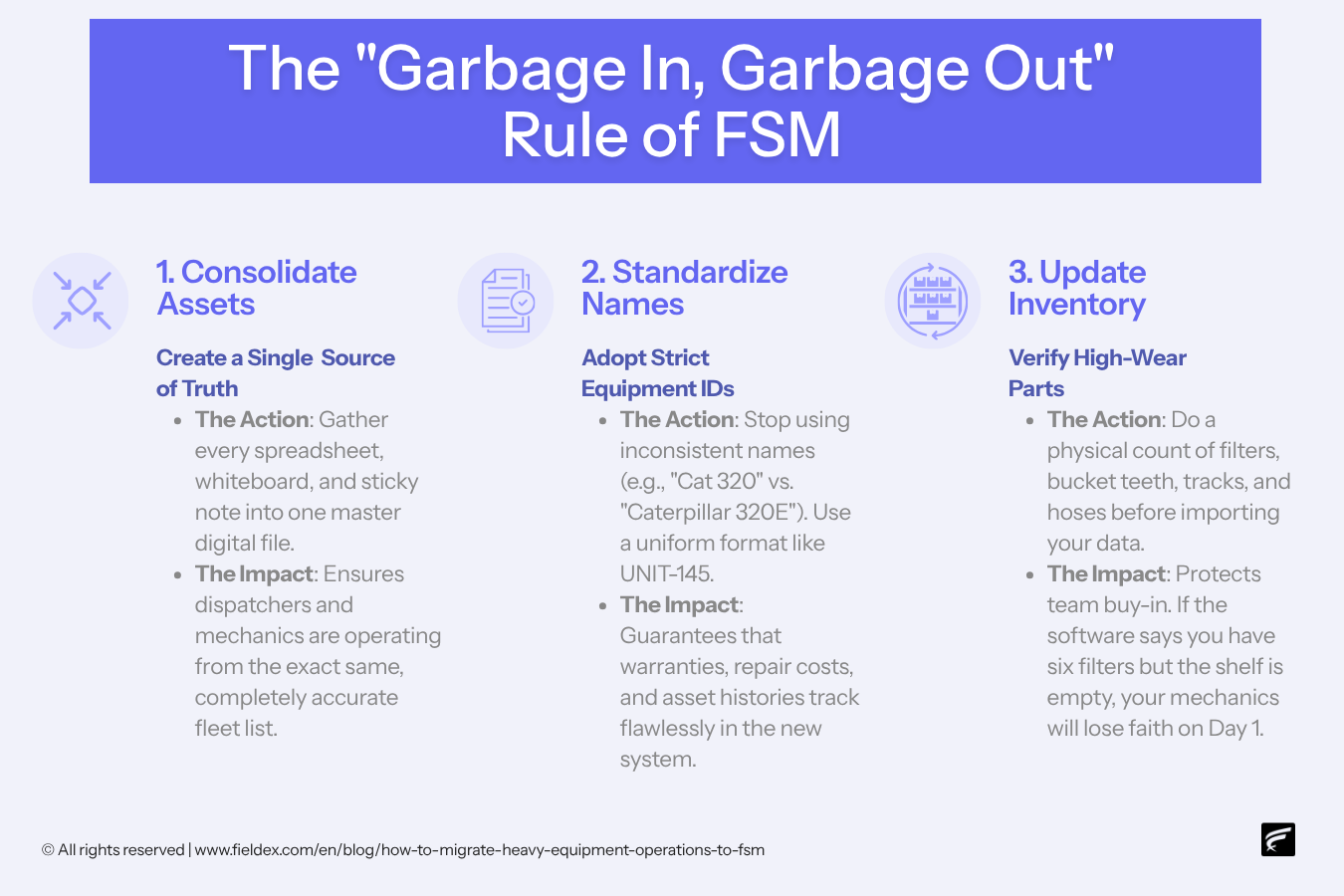
  • Consolidate Asset Lists: Gather your spreadsheets, whiteboards and sticky notes into one master digital file. You need a single source of truth for your entire fleet.
  • Standardize Naming Conventions: Make sure you have a uniform way of logging machinery. Instead of one tech writing "Cat 320" and another writing "Caterpillar 320E Excavator", establish a standard format (eg UNIT-145) so asset histories, warranties, and repair costs track perfectly in the new system.
  • Update Inventory and Parts: Ensure your inventory for high-wear items (filters, bucket teeth, tracks, hoses) is completely current before importing it. If your system thinks you have six air filters in the shop but you actually have zero, your mechanics are going to lose faith in the software on Day 1.

How should I test FSM software before a full fleet rollout?

Never roll out new software to the entire company on a Monday morning. You want to test the waters in a highly controlled environment.

  • Pick Your Champions: Select your smartest dispatcher and two of your most adaptable field mechanics to test the FSM software in the real world.
  • Run Parallel Systems (The "Shadow Pilot"): For one to two weeks, have this small team run the digital FSM app alongside the old manual process. They should complete the digital work order and attach photos on their rugged tablet, but keep the paper backup just in case something goes wrong.
  • Gather Feedback: Adjust the digital workflows based on what the mechanics actually experienced out in the dirt. Maybe they need a quick dropdown menu for common track tension issues, or maybe a required signature field is slowing down the yard check-in process. Fix the bugs now before the rest of the company sees them.

What is the best way to train mechanics on new FSM software?

The biggest hurdle to software migration in heavy equipment isn't the technology – it is human resistance. Mechanics are notoriously skeptical of new apps that feel like the office is just tracking their every move. 

  • Focus on the Benefit to Them: Do not tell mechanics that the software helps the office track company ROI. Tell them the truth about how it makes their daily lives easier. “With this app, you can instantly see the entire repair history of this dozer before you turn a wrench. You don't get blamed for pre-existing damage, you don't have to decipher your own handwriting, and you can order parts directly from the field without waiting on hold.”
  • Keep Training Bite-Sized: Do not lock your team in a stuffy conference room for four hours of software training. Break it into modules: 15 minutes on checking in/out of a job, 15 minutes on filling out the digital PM checklist, and 15 minutes on capturing damage photos.

When should I eliminate paper reporting completely?

Eventually, you have to rip off the bandage. If you give your team the option to keep using paper as a crutch, they will always revert to what is comfortable when they get busy.

  • Set a "Go-Live" Date: Communicate a firm date when manual reporting will no longer be accepted by the dispatch and accounting teams.
  • Burn the Boats: Literally take the blank triplicate forms and clipboards out of the service trucks. If a mechanic tries to hand in a paper timesheet or inspection form after the cutoff date, kindly hand them a tablet and ask them to log it digitally.

What is the ROI of migrating to FSM software?

It takes work to migrate, but the permanent operational efficiency massively outweighs the temporary learning curve. Once your fleet is fully running on a digital platform, you unlock:

  • Instant Visibility: You know exactly where every machine is, how many hours are on the engine, and which field mechanic is closest to a breakdown.
  • Zero Damage Disputes: Because your digital check-out forms require mandatory, time-stamped photos, customers can no longer claim "it was like that when we got it". You have undeniable, visual proof.
  • Maximized Uptime: Automated PM tracking means machinery gets serviced exactly when it should, preventing catastrophic failures and keeping your heavy iron out on rent making money.

Stop chasing paperwork. Experience FieldEx today.

You didn't build a heavy equipment business to spend your days untangling broken spreadsheets and hunting down missing inspection forms. FieldEx gives you the power to manage your entire operation – from routing field repairs to tracking preventative maintenance – on one intuitive, cloud-based platform designed specifically for heavy iron.

With FieldEx, you get:

  • Digital Work Orders: Access full asset history, parts lists, and schematics from any mobile device in the field.
  • Visual Dispatching: Route the right mechanic to the right site without the chaos.
  • Ironclad Inspections: Capture mandatory photos and digital signatures to eliminate damage disputes instantly.
Ready to leave the clipboards in the dirt? Book a free demo today, and let our team walk you through exactly how to migrate your fleet's data seamlessly. Alternatively, shoot us any questions you may have about manual-to-FSM migration. We’re here to help. 

Frequently asked questions 

1. What exactly is FSM software, and how does it apply to heavy equipment?

FSM stands for field service management. While a residential HVAC company might use a basic version of it to track house calls, heavy equipment fleets use a rugged, beefed-up version to manage massive yellow iron. It tracks preventative maintenance (PM) intervals, dispatches mobile mechanics to remote dirt lots, and logs engine hours. Think of it as a digital nervous system for your entire yard and field operation.

2. How long does it actually take to migrate a fleet to a new FSM platform?

It isn't an overnight magic trick, but it shouldn't take a year, either. A solid software migration usually takes anywhere from 4 to 8 weeks, depending on how messy your current data is. The secret sauce is doing it in calculated phases – cleaning data, running a pilot test, and then rolling it out – so you don't accidentally paralyze your daily operations.  

3. Do I need to digitize every single paper form my mechanics use?

Please don't. Honestly, a migration is the perfect excuse to do some operational spring cleaning. If you have a 10-page carbon-copy inspection form that hasn't actually been reviewed by management since the late 90s, leave it in the past. You only want to digitize the workflows that actually drive safety, billing, or compliance.

4. How do I get stubborn mechanics to actually use the new software?

You have to sell them on the "what's in it for me?" angle. Don't tell your field crew that the software helps the office run ROI reports – they don't care. Tell them it means they never have to drive 45 minutes back to the yard on a Friday afternoon just to drop off a grease-stained timesheet. Once they realize the tablet actually saves them time, the grumbling usually stops.

5. What happens if my technicians lose cell service on a remote job site?

This is a massive dealbreaker if you pick the wrong software. A proper heavy equipment FSM (like FieldEx) has true offline functionality. This means the app stores the work orders and safety checklists locally on the device. Your mechanic can finish the job, take photos, and sign off in a total dead zone, and the app will automatically sync to the cloud the second their truck hits a Wi-Fi or cellular signal.

6. How do we handle our existing data if it's currently trapped in messy Excel spreadsheets?

It is time to scrub it clean before the move. You will want to consolidate your asset lists, standardize your naming conventions (e.g., getting everyone to agree to call it "UNIT-105" instead of "Bob's Dozer"), and update parts pricing. Remember the golden rule of software migration: garbage in, garbage out.

7. Can FSM software help us prevent damage disputes with rental customers?

Absolutely. In fact, this is one of the fastest ways the software pays for itself. You can set up mandatory, time-stamped photo capture during the equipment check-out and check-in process. When a customer tries to claim "it was like that when you dropped it off", you have undeniable digital proof to protect your margins.

8. What is a "shadow pilot program", and why should I run one?

A shadow pilot is essentially a dress rehearsal. You pick a couple of your smartest dispatchers and most adaptable field mechanics to run the new digital app alongside the old paper system for a week or two. It lets you find the workflow bottlenecks and fix bugs in a safe, controlled environment before the rest of the company sees it.

9. Will an FSM platform integrate with our existing accounting software?

Yes, a modern FSM is built to play nice with others. Whether you are using QuickBooks or a massive enterprise ERP (Enterprise Resource Planning system – the heavy-duty software that runs corporate accounting and HR), the FSM should connect seamlessly. This means when a mechanic finishes a field repair, the parts used and labor hours are instantly pushed to accounting for same-day invoicing.

10. What is the biggest mistake heavy equipment fleets make when migrating to FSM?

Keeping a paper "safety net" for too long. If you tell your team to use the new tablets but keep the paper inspection pads fully stocked in their truck cabs, they will always revert to what is comfortable when they get busy. You have to pick a firm "go-live" date and literally burn the boats – take the paper out of the trucks entirely.

About the Author

Dashboard mockup

Sophie Liu

Hi there! I'm Sophie Liu from FieldEx. I love finding simple and smart solutions to the tricky problems field service teams face every day. My background in tackling everything from various field service industries helps me write content that's not just easy to read, but useful for improving your business. Whether you're looking to make your day-to-day operations smoother or aiming to grow, I'm here to help with advice that works. Let's make things better together!

Complex operations simplified with one software.

No paperwork. No spreadsheets. No blindspots. Just one solution that simplifies your field service operations.
Header image