WORK ORDER MANAGEMENT



An installation job looks nothing like a repair. So why should they share the same form? Work order types in FieldEx control which fields appear, which statuses are available, and which documents get generated at the end. Each job type is configured to match the actual workflow, instead of a generic template.
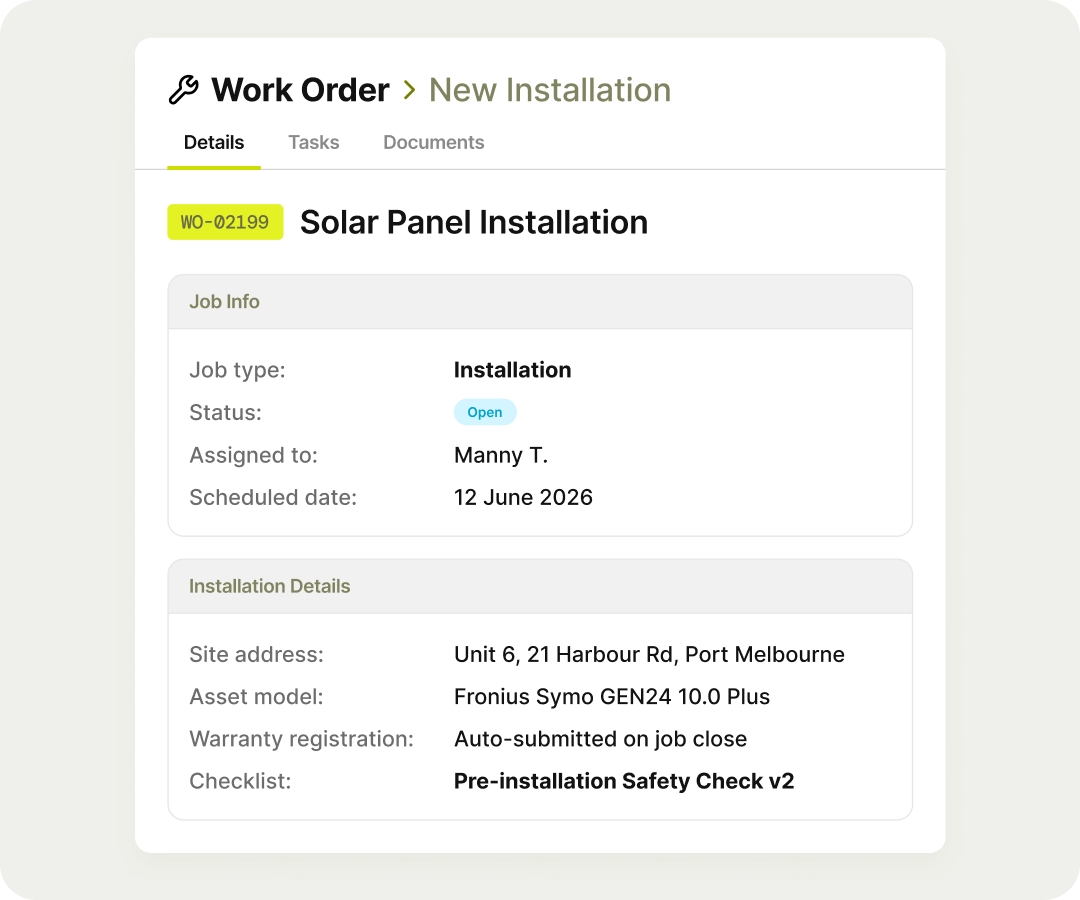
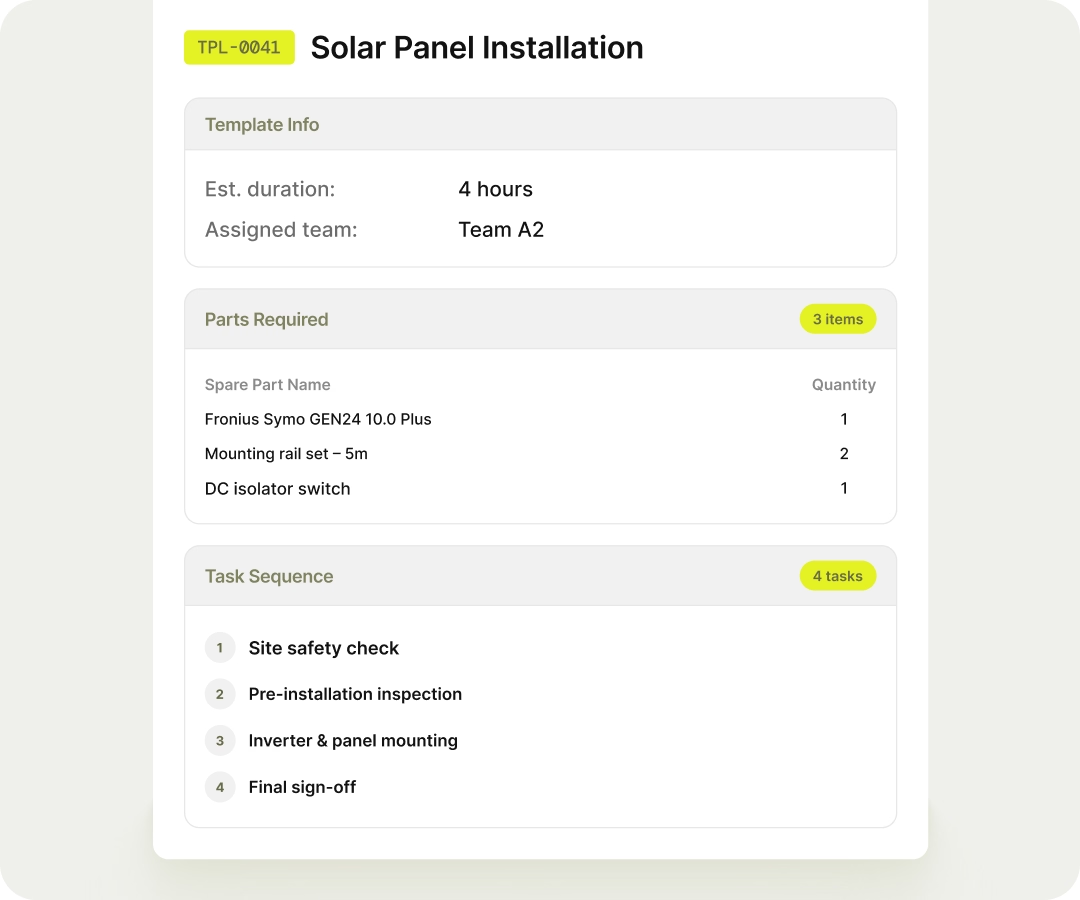
Build a template once with the required parts, task sequences, checklists, and assigned team. No one forgets to add the checklist and no one skips the pre-work.
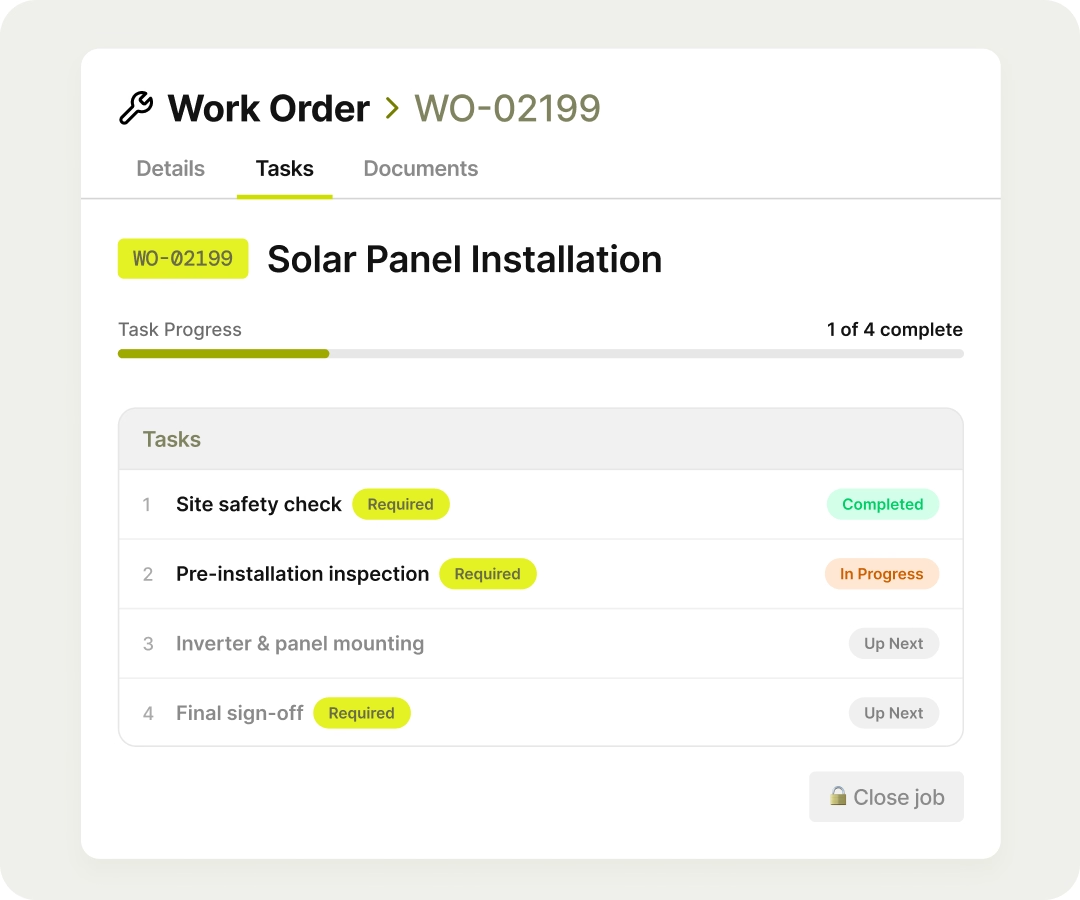
Mark tasks as mandatory, set the order they have to be completed in, and the job simply can't be closed until they're done. Compliance stops being something you audit after the fact and starts being something the system enforces on the day.
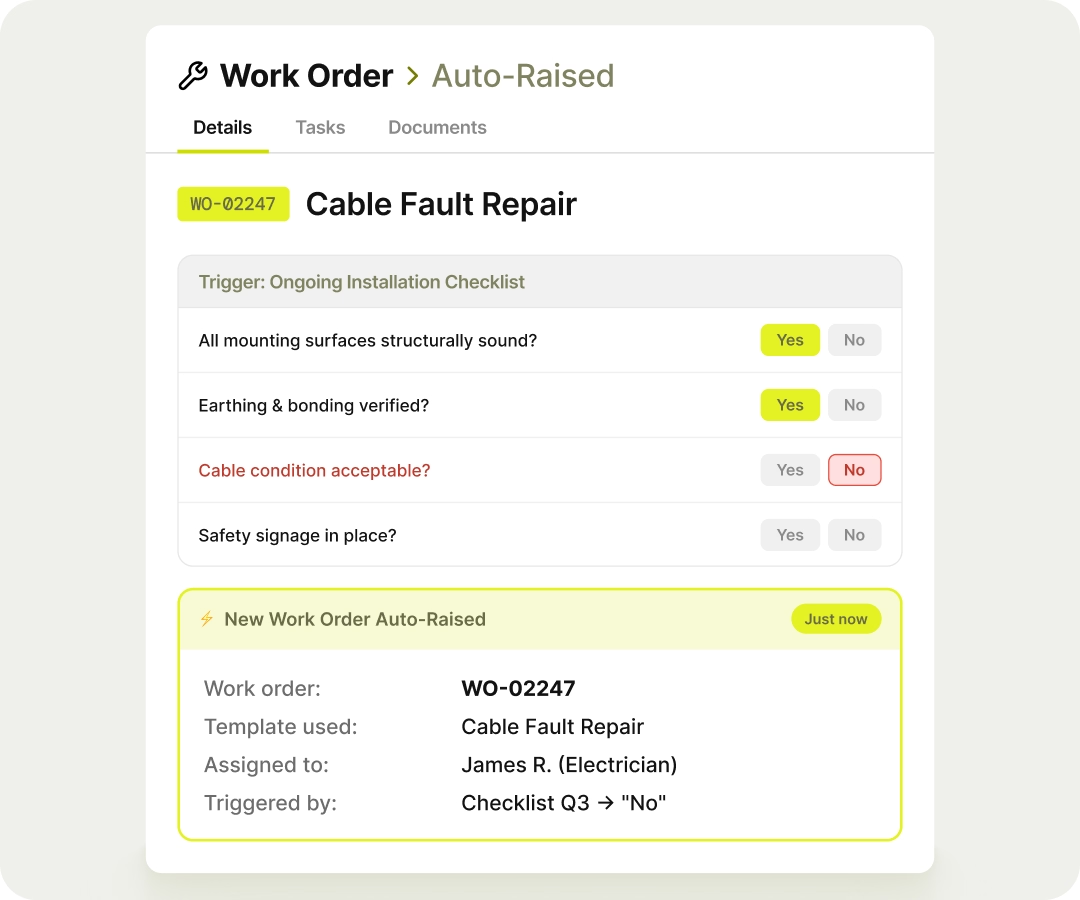
If a technician flags a faulty cable mid-job (answers "No" to a checklist question) FieldEx automatically raises a new work order, from the right template, assigned to the right person. No phone call back to the office and nothing goes missing.

This website and its content are the property of FieldEx and are protected by copyright laws. © 2026 FieldEx. Any redistribution or reproduction of part or all of the contents in any form is prohibited, except with our express written permission.
FieldEx Sdn Bhd 201201031545 (1016032-M)


.avif)
.avif)

.avif)